
Construction
Every project with its tasks, purchases and invoices
For contractors: follow each project's tasks and owners, see what it has cost in purchases, and issue progress invoices for the work done.
Does this sound familiar?
Real project cost is unknownPurchases are recorded, but not against any project.
Tasks with no owner or dateFollow-up happens by phone, and delays show up late.
Progress invoices are lateThe invoice waits for someone to add up the work done.
What changes with Intagya ERP
Your account is set up from your sector's template at sign-up
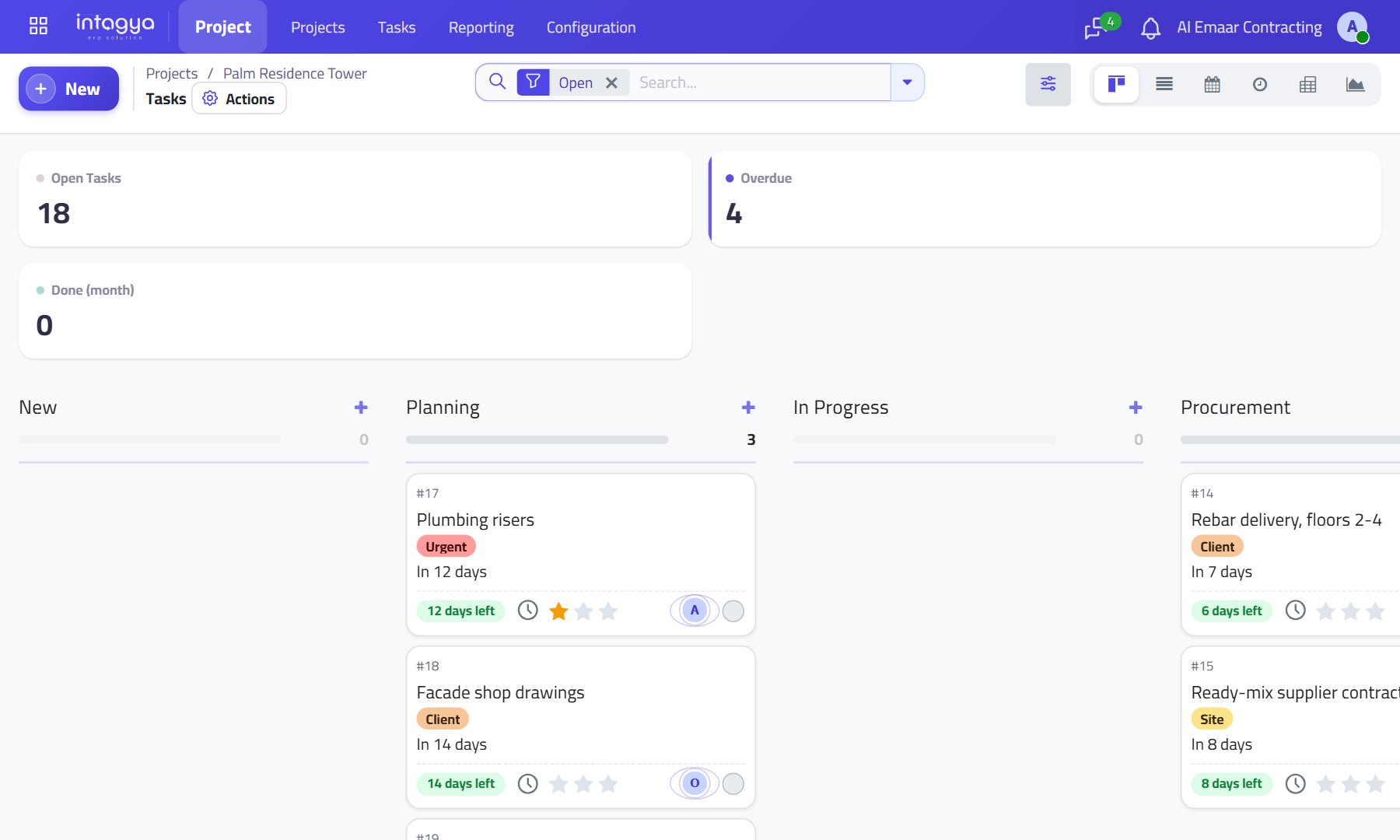
- Every project with its tasks, owners and deadlines.
- Purchases are linked to the project, so you see what it has cost.
- Down-payment and partial invoices for the work done.
Projects and tasksPurchasingProgress billingAccounting and payroll
Common questions
Can I see what each project has cost?
Yes. Purchases are linked to the project, so you see what has been spent on it.
Can I invoice by progress?
Yes. Down-payment and partial invoices for the work done.
Is payroll in the same system?
Yes. Accounting and payroll are part of the construction template.
Read before you decide
Intagya ERP, Odoo or Daftra: which system fits my company?
We compared the three systems on their published numbers: price per user, plan limits, e-invoicing, company mail and backup, for a company with five people.
Contracting: every project with its tasks, purchases and progress bills
A task board per project, material purchases tied to the work, and billing by down payment and then by progress.
How do I make sure every small task in my company has an owner and a date?
The Intagya ERP to-do list sorts your work into Today, This week and This month, counts open, overdue and done, and turns a to-do into a project task in one click.
How do I track purchases and suppliers and stop buying the same thing twice?
Two people order the same item, and a supplier bills for goods that never came. Here is how every purchase follows one path from quote request to payment.
Why does my company show a profit when there is no cash?
Profit in a report is not money in the bank. See where your profit goes: customer debts, stock on shelves, loan payments, and how clear reports show it.
How can payroll and attendance be calculated automatically?
Check-in from the phone, one lateness, absence and overtime policy, and payslips built from the attendance sheet, loans and leave. Payroll becomes a review, not a manual sum.
Try the system on your own business
14 days free with every app, no credit card.
Start your free trial