
Clinics
One file per patient, from appointment to invoice
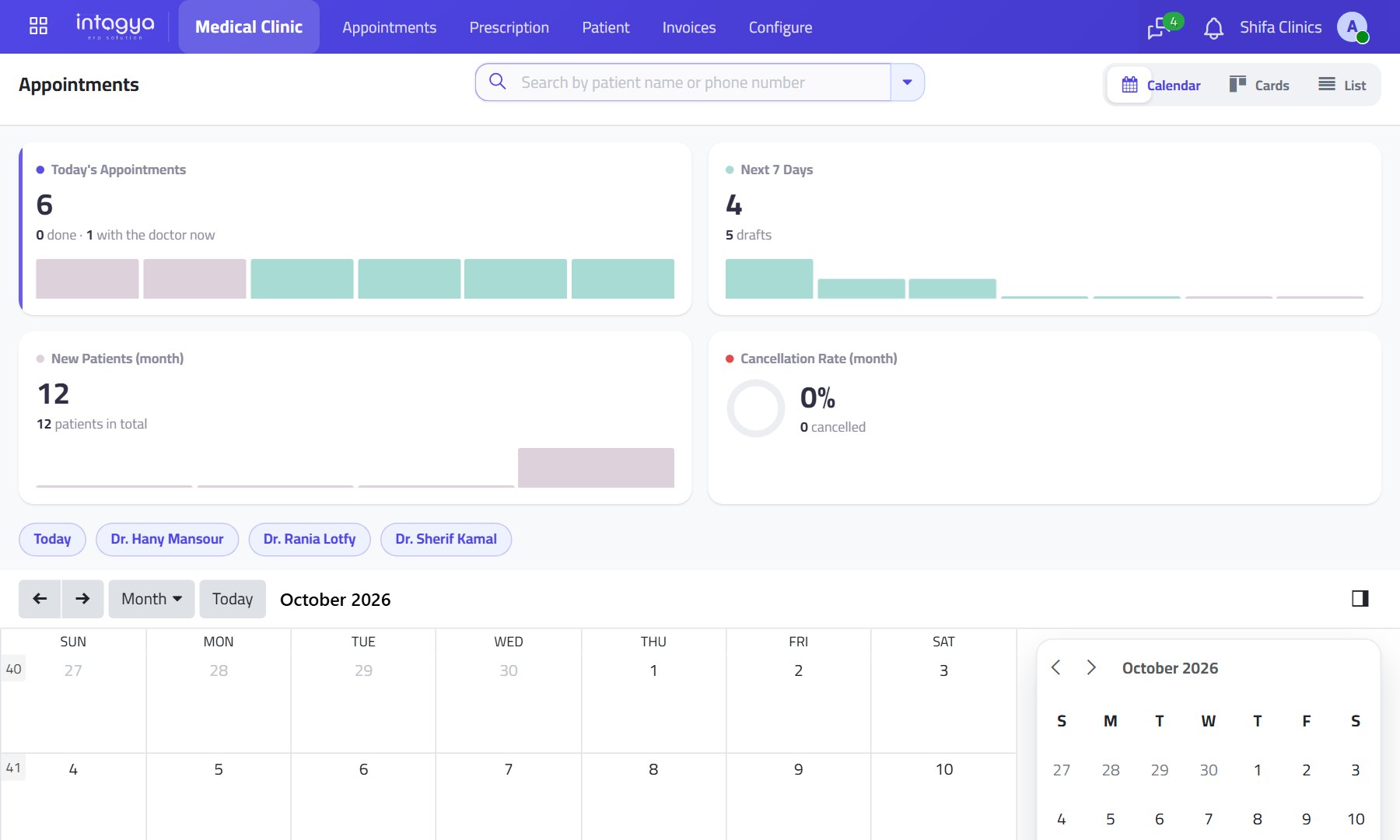
For clinics and medical centres: appointments by doctor and specialty, a file with each patient's treatments, prescriptions and images, and an invoice straight from the prescription.
Does this sound familiar?
Patient history on scattered paperPast treatment and images are not in front of the doctor.
Payments slip throughWhat each patient owes is unseen until the accountant asks.
Prescriptions are handwrittenThen the invoice is written all over again.
What changes with Intagya ERP
Your account is set up from your sector's template at sign-up
- Every patient has one file with their appointments, treatments, prescriptions and images.
- Prescriptions are written with medicines and doses, printed, and invoiced in one step.
- The balance each patient owes is always visible, so no payment slips through.
Appointments by doctor and specialtyPrinted prescriptionsPatient images and comparisonAccounting and payroll ready
Common questions
Does each patient have one file?
Yes. One file with their appointments, treatments, prescriptions and images, with image comparison.
Is the invoice issued from the prescription?
Yes. The prescription is written with medicines and doses, printed, and invoiced in one step.
Is patient data safe?
Each customer gets an isolated database, daily backups and an encrypted HTTPS connection.
Read before you decide
Intagya ERP, Odoo or Daftra: which system fits my company?
We compared the three systems on their published numbers: price per user, plan limits, e-invoicing, company mail and backup, for a company with five people.
Clinics: one patient file from appointment to invoice
Appointments by doctor and shift, a prescription with medicines and doses that becomes an invoice, and a follow-up created by itself.
How can payroll and attendance be calculated automatically?
Check-in from the phone, one lateness, absence and overtime policy, and payslips built from the attendance sheet, loans and leave. Payroll becomes a review, not a manual sum.
How do I see what customers owe and collect it on time?
Unpaid invoices and customers who promise, then pay late. Here is how to see who owes you, how much and since when, and chase each invoice on its due date.
How do I protect my company's data from being lost?
The accountant's laptop died with a year of records on it? A cloud system, a daily backup to your own Google Drive and clear access rights keep your data safe.
How do I control what each employee can see in our system?
Not every employee needs to see profits, salaries and every customer. Give each user the apps and access level they need, and close a leaver's account without losing data.
Try the system on your own business
14 days free with every app, no credit card.
Start your free trial