
How do I launch an ERP in my company without chaos, and why one receiving owner?
| Intagya ERP
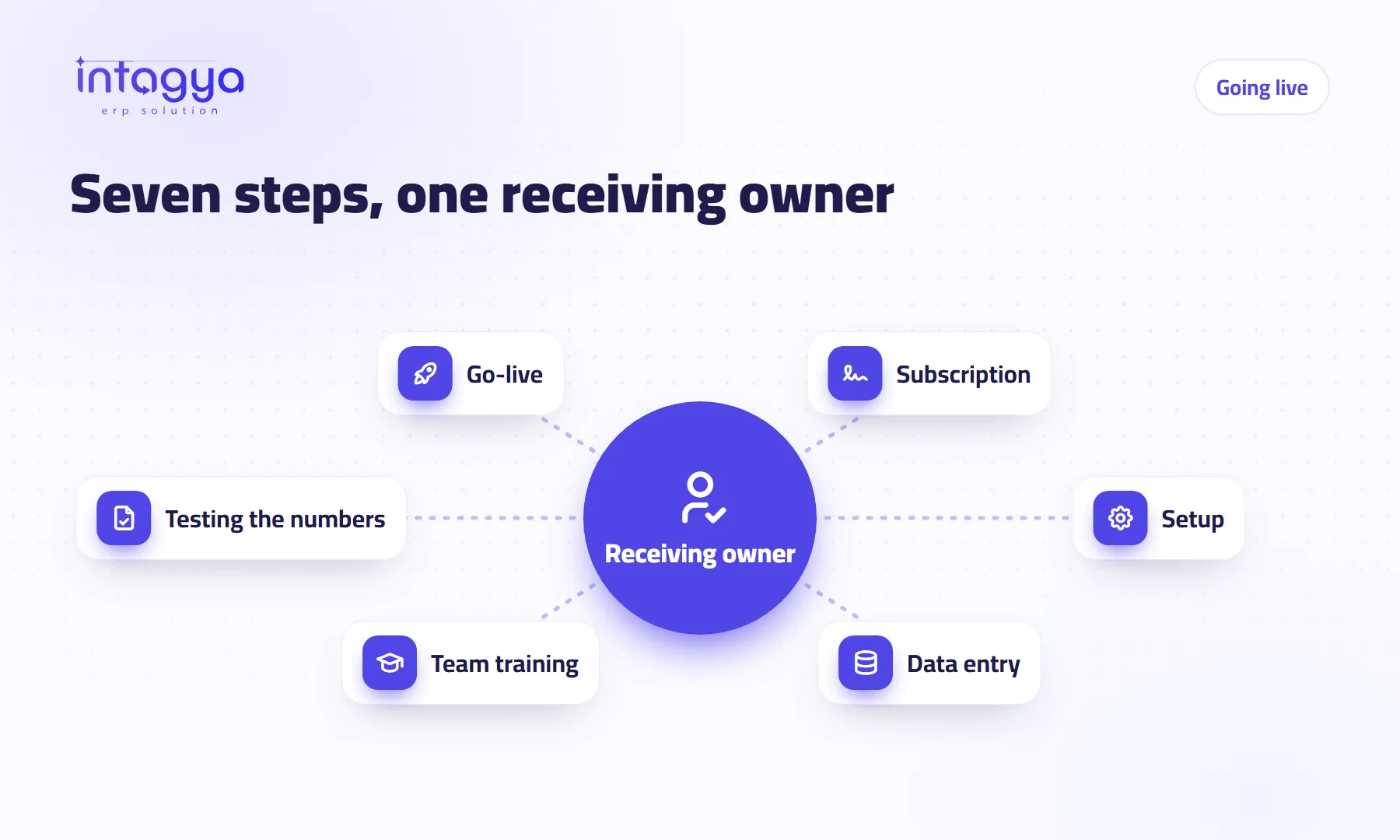
Start with a written plan where each side knows its part, and one named person in your company who receives every stage. Planning Space has an “Intagya ERP launch” template: a seven-step map where each step has a side (your company, our team or shared), an owner and a deadline. The first branch is the receiving owner, and the “Turn it into a project” button stays locked until you choose one.
In launch week the accountant calls support about tax, the warehouse manager calls about products, and the sales manager sends a third note that contradicts both. Support answers each one separately. A month later nobody knows what was agreed.
That is not a system problem. It is a question of who speaks for the company.
Why do so many ERP launches go wrong?
Mostly because the company treats the launch as installing software, not as a project with steps, dates and owners. Roles blur: who enters the products? Who checks the opening balances? Who says the numbers are right? If the answers are not written down, everyone answers them their own way.
What are the steps of launching Intagya ERP in a company?
The “Intagya ERP launch” template lays them out as a mind map with seven branches:
- Receiving owner: one person from your company.
- Subscription.
- Setup: shared between you and us.
- Data entry.
- Team training: on the Intagya ERP side.
- Testing the numbers: needs approval.
- Go-live: shared.
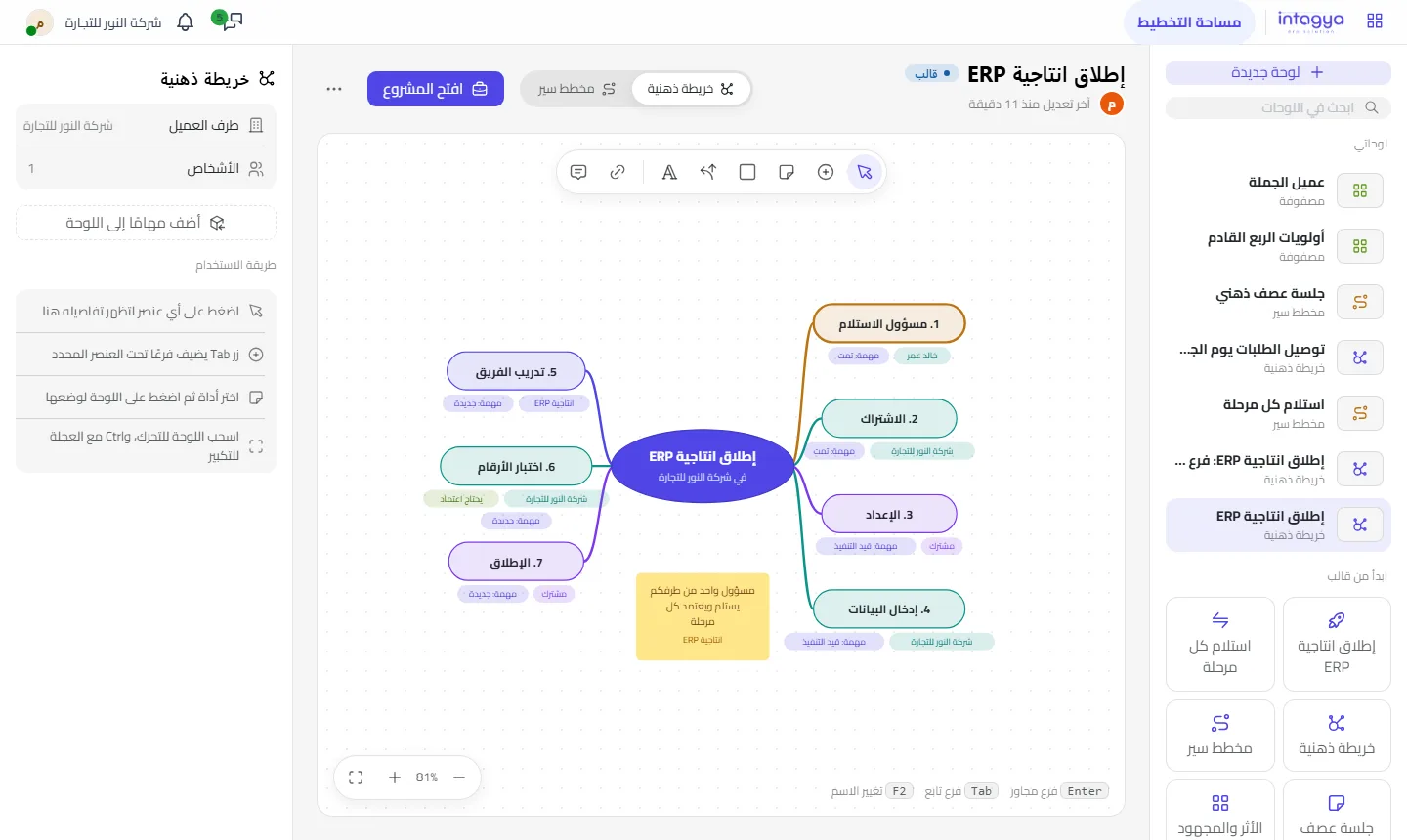
Note that “Testing the numbers” is marked “Needs approval”. The system is not ready because our team says so; it is ready when someone in your company agrees the numbers are right.
Why exactly one receiving owner?
Because ten voices mean ten decisions. The receiving owner is one person in your company who receives every stage, approves it, and is the only contact with our team. Everyone else sends their remarks to that person, who collects them and decides.
It does not mean the others have no say. It means their say arrives once, in order, from someone who knows what was agreed yesterday.
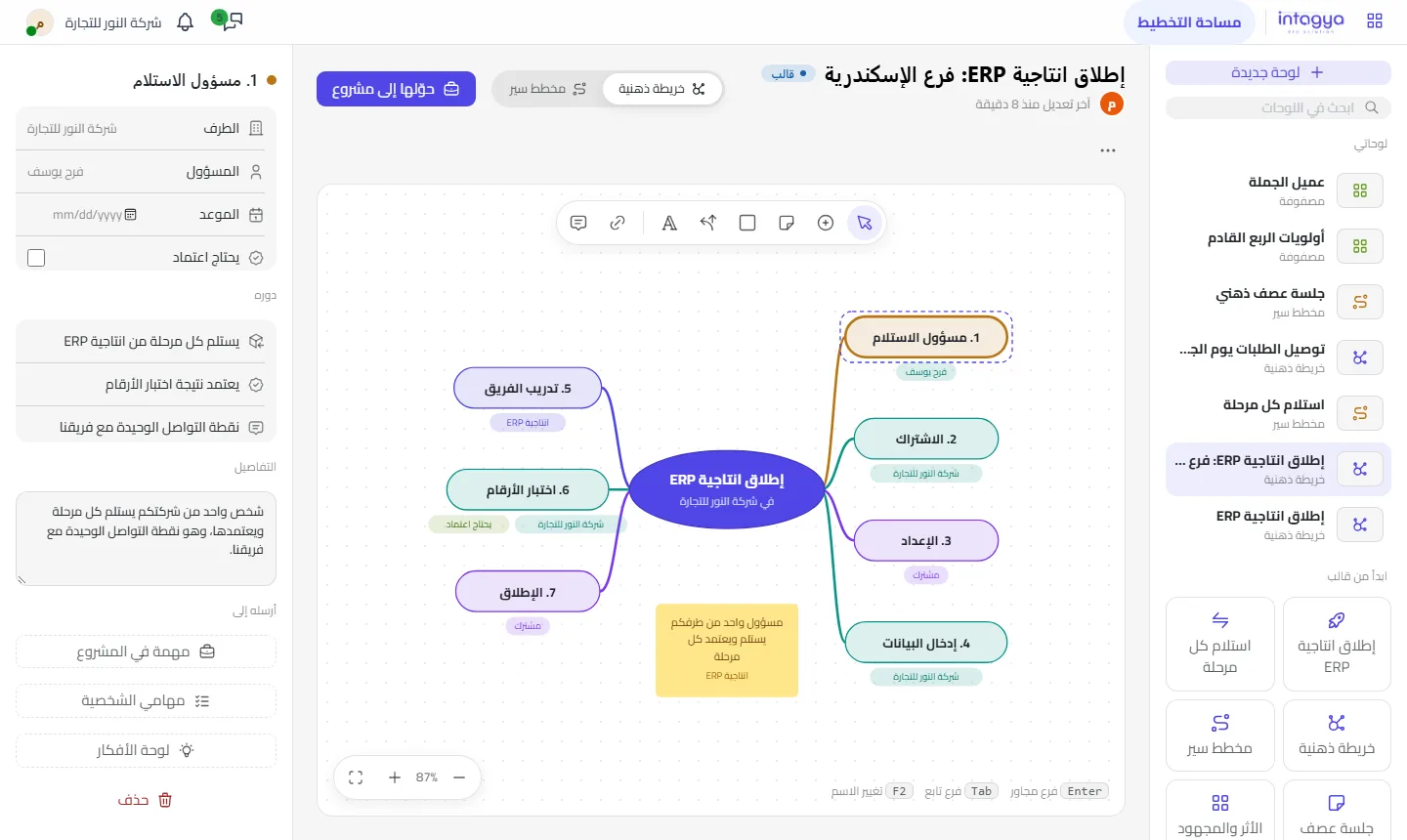
Pick someone with time and authority, not just the most senior. A person who is busy all day will hold up every stage.
What does the side on each branch mean?
Every branch carries a side: your company's name, Intagya ERP, or shared. When “Data entry” runs late you know at once it is on your side; when “Team training” runs late you know it is on ours. No time lost asking who was waiting for whom.
Before the first meeting, open the template and type the receiving owner's name. It is the first decision, and everything after it gets easier.
Why can't the template become a project before the owner is chosen?
Because we have tried it the other way. A launch project with no receiving owner starts fast and then stops at the first stage that needs approval. So “Turn it into a project” stays locked until you choose the owner on the first branch.
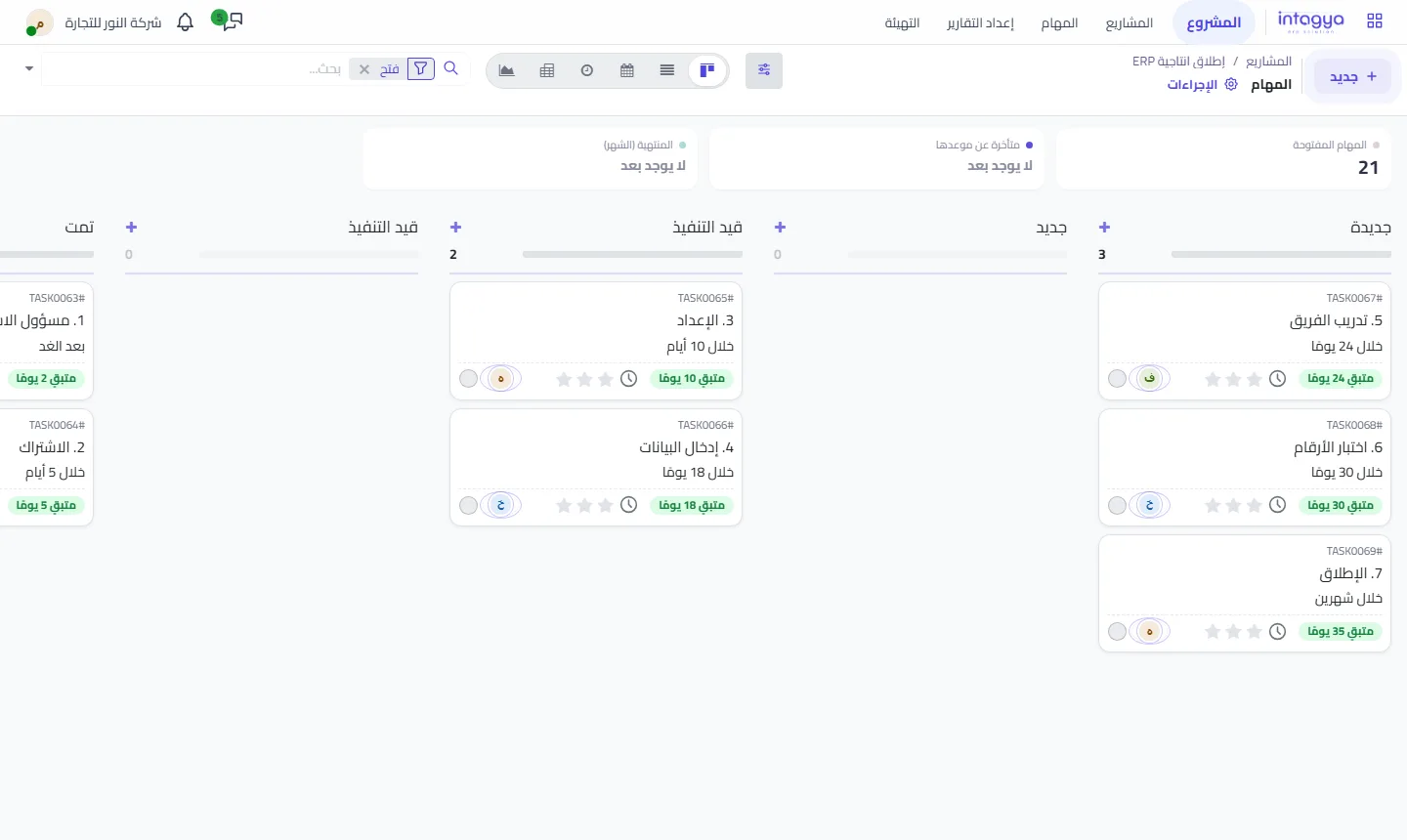
Once chosen, each branch becomes a task in one project with its owner and deadline, and the map shows each task's stage.
How do I know each stage was really accepted?
Use the “Receive every stage” template alongside it: a flowchart where we hand over the stage and you decide whether it matches. If it does, the receiving owner approves and we move on; if not, they record remarks, we make the changes and hand it over again.
Your step for tomorrow is simple: choose the receiving owner, and tell them about the role before you tell anyone else.
Start your free trial and open the launch template
FAQ
Can the receiving owner be more than one person?
The point is one person, so there is one decision. Others send their remarks to them.
What if I do not pick a receiving owner?
You can still edit the map, but “Turn it into a project” stays locked until you choose one.
Can I change the template's steps?
Yes, it is a starting point. Add branches and change owners and dates as you need.
Does the app add the template by itself?
No. The app starts empty and offers “Start with a ready example” so you choose the template yourself.
Is this your business?
Want to see IntagyaERP on your own workflow?
Book a demo, tell us how your business runs, and watch the system handle a real scenario from your company.
Book a demo