
How do I manage staff leave so half the team is not off in the same week?
| Intagya ERP
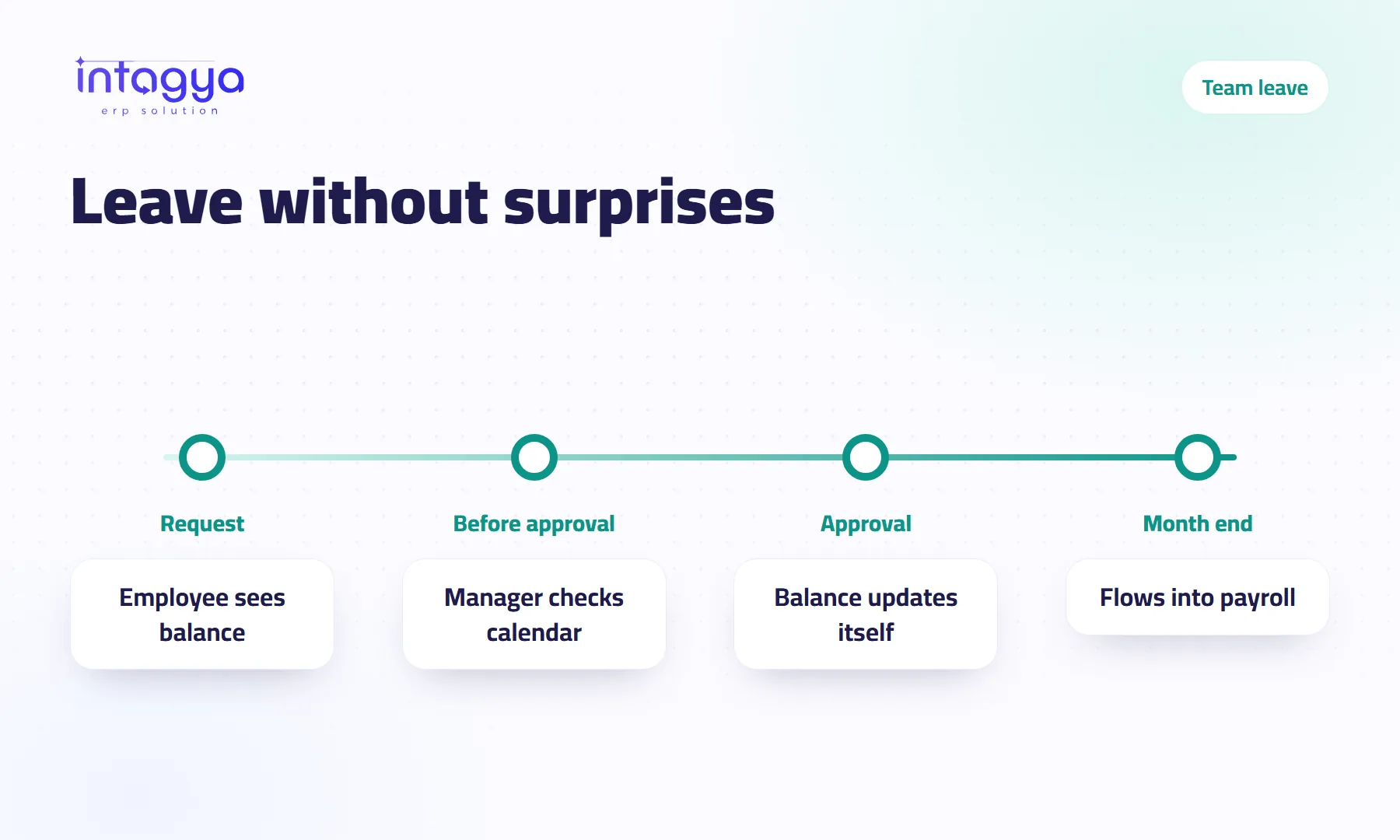
Leave stays organised when every request goes through one place: the employee asks in the system with the leave type and dates and sees the remaining balance, and the manager checks the calendar for who else is away on those days before approving. Once approved, the leave is visible to everyone and the balance updates by itself, so the same questions stop and nobody is surprised by an empty desk.
A warehouse manager approves one employee's leave on Sunday morning by text message. In the evening he approves a colleague's leave for the same week, in another message, in another chat. On Tuesday a truck arrives and nobody is there to receive it.
Approving was not the mistake. Not seeing both requests together was.
Why does leave turn into chaos in small companies?
Because requests come from everywhere: a message, a call, a note on the desk, a word in the corridor. There is no single place that holds them.
You know the result. Clashing approvals, a balance the accountant works out from memory, an employee who swears five days are left while management says three. It costs time and trust.
How can every employee request leave the same way?
The employee opens the Time Off app, picks the leave type, such as annual, sick or unpaid, sets the dates and sends the request. Before sending, they see how many days of that type are left.
That alone cuts half the questions. Nobody asks the accountant for their balance, and the accountant does not dig through a notebook.
How do I know who is away before I approve new leave?
From the time off calendar. Each person's leave shows as a bar across its days, a different colour per person, and requests waiting for approval look different from approved ones.
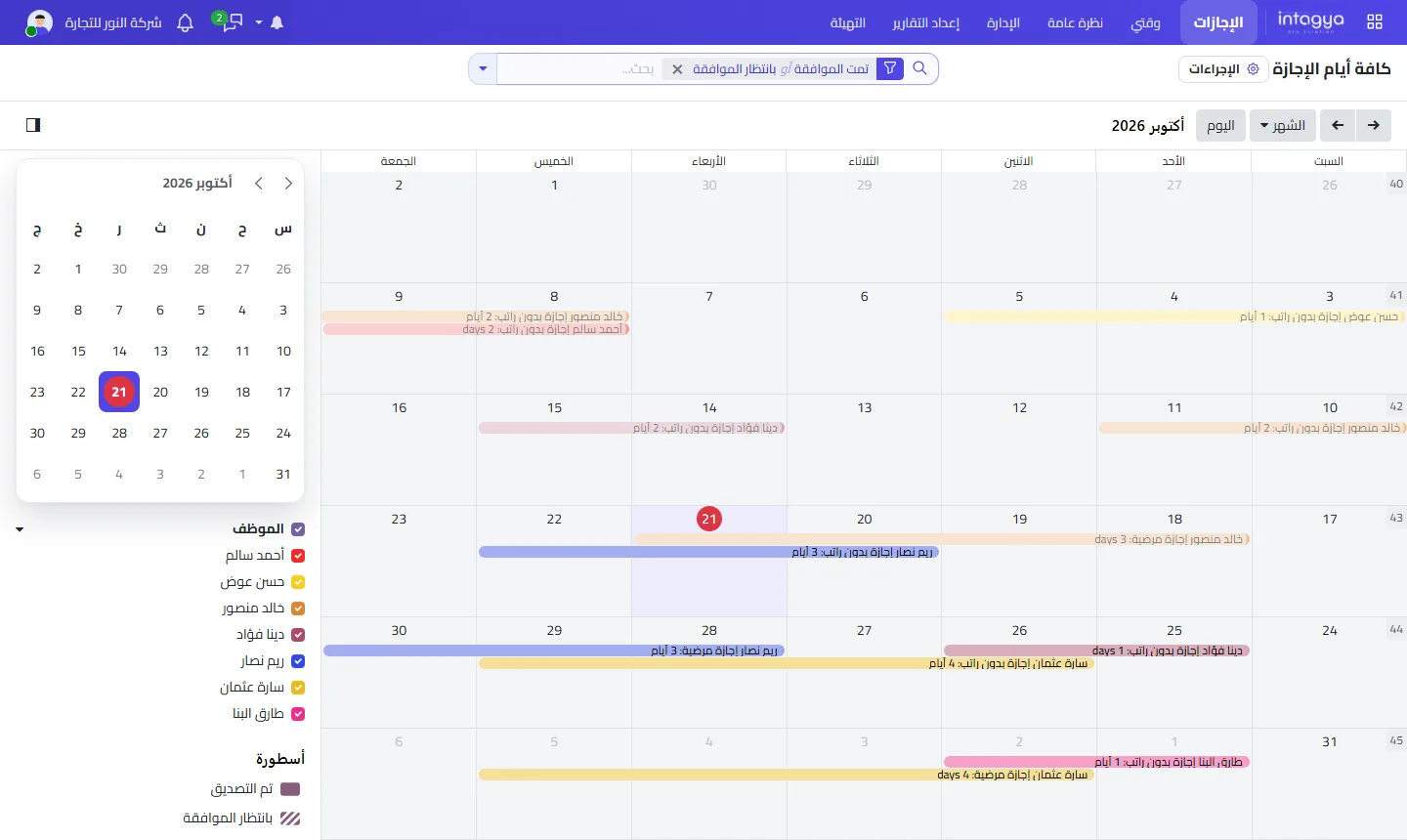
Before you click approve, look at that week in the calendar. If you see two or three bars from the same team, ask before you approve, not after.
Agree with each team on a minimum headcount per day, two people in the warehouse for example, and check the calendar against it before every approval.
How is each employee's leave balance worked out?
You give each employee an allocation per leave type, a number of days per year for example. Every approved leave is taken from it, and what remains is visible to the employee and to management at any time.
Do not forget public holidays. Add them in the time off settings so they are not taken from anyone's balance.
My view: do not hand out open-ended balances. A clear balance protects the employee as much as the company, because they know what they are owed without an awkward conversation.
What about sick days and emergencies?
An emergency does not wait for approval. But record it in the system on the day the person returns, with the right type and dates, and attach the medical note if your policy asks for one.
What matters is that no absence stays outside the system. An unrecorded absence means a wrong balance and possibly a wrong salary.
Is leave connected to attendance and payroll?
Yes, when the attendance and payroll apps are installed in your workspace. Approved leave is known to attendance, and unpaid leave feeds the salary calculation instead of relying on the accountant's memory at month end.
How do I start organising leave in Intagya ERP?
In Intagya ERP, Time Off is part of HR: leave types, allocations, requests, manager approval and a shared calendar, linked to attendance and payroll. When a request is sent, it reaches the manager as a pending activity, so it does not get lost in a chat.
Start this week with one step: enter this year's allocations for every employee, and announce that any leave not requested in the system is not approved. In a month nobody will remember the old way of asking by message.
FAQ
Can every employee see colleagues' leave?
The team can see the absence calendar; balances and approvals stay within each user's access rights.
Can I set up more than one leave type?
Yes: annual, sick, unpaid and others, each with its own allocation and rules.
Is the balance updated automatically?
Yes. When leave is approved, its days come off that type's balance, and the public holidays you added are left out.
Is this your business?
Want to see IntagyaERP on your own workflow?
Book a demo, tell us how your business runs, and watch the system handle a real scenario from your company.
Book a demo