
How do I turn an accepted proposal into a contract without retyping it?
| Intagya ERP

Confirm the quotation, then press Create Contract on the sale order. Intagya ERP moves the customer, lines, proposal text, payment terms, opportunity and project into a new contract, and you carry on writing on the same screen and check the PDF in your identity. This needs the Contracts app in your workspace.
The customer agreed on Thursday. The contracts officer opened the last similar contract, swapped the customer name, copied the lines from the proposal and checked the payment percentages one by one. On Sunday the accountant found that the contract said three payments and the system was billing monthly.
Nobody did their job badly. The same information had simply been typed three times in three places.
Why retype what the customer already accepted?
There is no good reason. The accepted proposal holds the scope, schedule, prices and payment method. A contract needs all of that, plus the legal terms you add.
Every manual copy is a chance for a different figure. That is why I think a contract should always start from the proposal, not from an old contract.
What moves from the proposal to the contract?
Everything you wrote. After confirming, Create Contract appears at the top of the sale order, and pressing it opens a new contract holding:
- The customer and the order lines.
- The whole proposal text, with its sections and title.
- The payment terms.
- The opportunity and the project, if there are any.
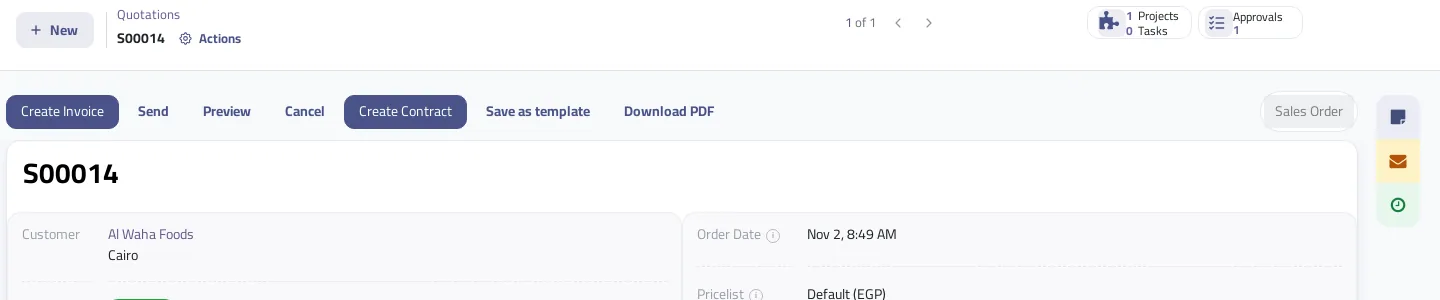
The contract stays linked to the sale order, so you can reach either one from the other.
Do I write the contract on a different screen?
No, it is one screen. A contract has a Write contract tab and a PDF preview tab, with the sections, tables and tools you know from the proposal. Change the title, add a section for obligations and another for termination and governing law, and delete whatever was sales talk.
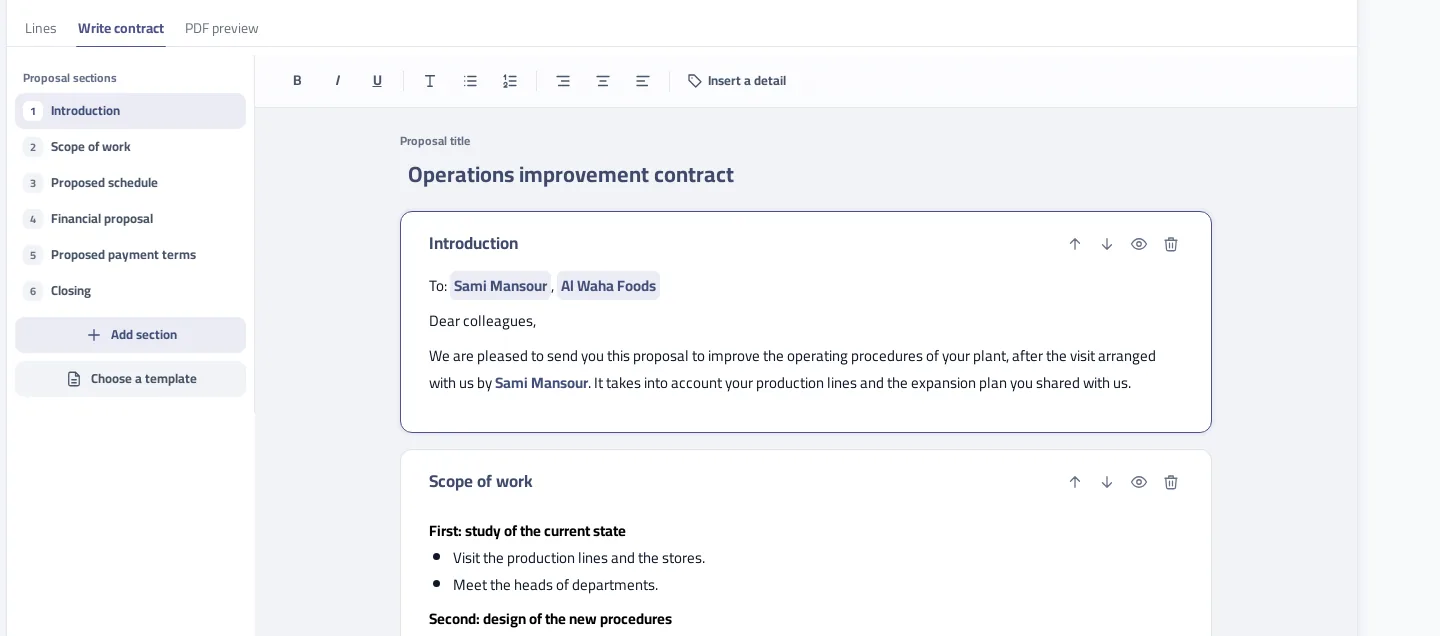
A practical tip: have your lawyer review the terms once, then save the contract as a template. Proposal templates work in contracts too, so you do not need to review each contract from the top. The legal wording itself stays your responsibility: the system neither writes nor checks it.
How do I make sure contract invoices follow the payment terms I wrote?
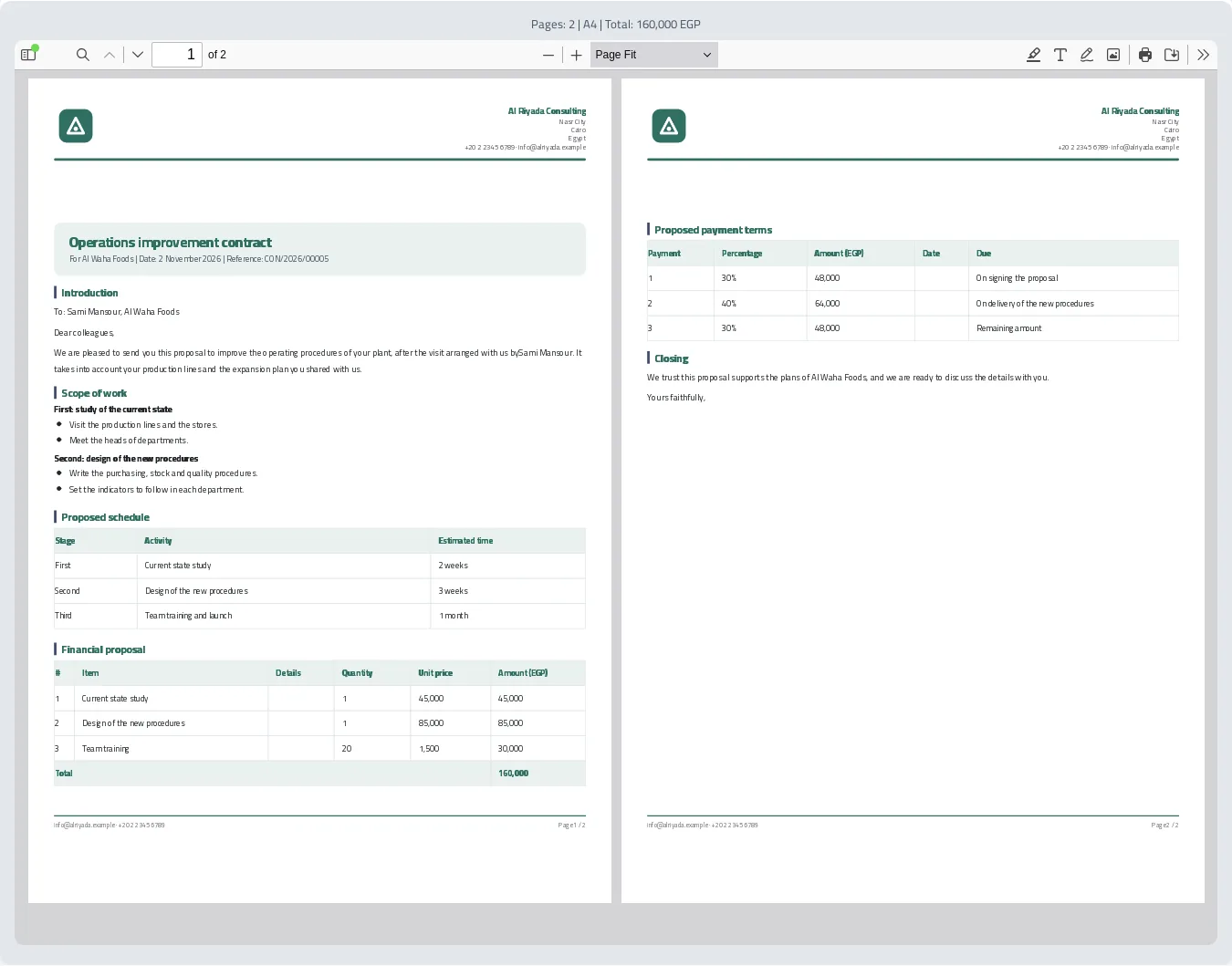
The payment section of the contract is what the invoice buttons read. Choose milestones with percentages or a periodic method, and the method and dates move into the contract's billing details, so you do not enter them again. Invoices are built from the contract's own lines, with each line's discount and taxes, and the last payment takes the remainder, so before tax they add up to the contract total. That solves the accountant's problem from the start of this article.
There is one difference you should know about. The contract total is the lines after discount and before tax, while the quotation total includes tax. So the payment amounts on the contract differ from those on the proposal when the order has tax.
Two cases deserve attention. If the order has a payment plan, the contract shows its instalments and invoices come from the sale order, not the contract; trying from the contract shows a clear message. And with equal payments, a contract holds at most 10, all on one date, so pick a periodic method if you want them spread over the months.
Who approves a contract before it is confirmed?
Your company decides. The contract approval workflow stays off until you turn it on in the Approvals app; Confirm then stays locked until the last approval, and the text stops changing while it waits. While the workflow is off, you press Send to Review, then only a user with the contract approver right can confirm.
This is checked on the server, not just by hiding a button. Once a contract is confirmed its text no longer changes.
What happens to the project schedule?
If you marked a table in the proposal as the schedule, its rows become project milestones when the order is confirmed, named from the activity column. The contract does not repeat them, though a milestone payment section adds billing milestones of its own.
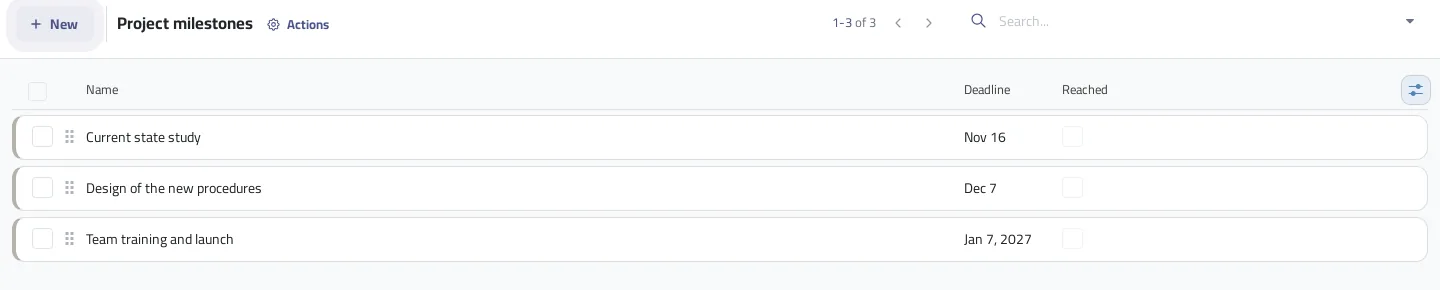
Dates are cumulative from the confirm day: each length starts where the previous one ended, and they are not tied to any signing date. If work starts late, change the dates in the project. This needs the Project app linked to Sales and a service on the order that creates a project.
Make the payment section the last thing you check before approval. It is the one part of the text that changes what gets invoiced.
On your next deal, do not open an old contract. Confirm the order, press Create Contract, add only the legal terms, and compare the time it took with last time.
Read the proposal to contract steps in the user guide
FAQ
Does Create Contract show on a quotation before confirming?
No. It shows after the order is confirmed, where the Contracts app is present in your workspace.
Why does the contract total differ from the quotation total?
The contract total is the lines after discount and before tax, while the quotation total includes tax.
Can I use proposal templates in contracts?
Yes. The same templates work in contracts, and you can save any contract as a template too.
Does the proposal change if I edit the contract?
No. The contract copies the text when it is created, and after that each document keeps its own.
Is this your business?
Want to see IntagyaERP on your own workflow?
Book a demo, tell us how your business runs, and watch the system handle a real scenario from your company.
Book a demo