
What is the suspense account, and why must it reach zero before I close the month?
| Intagya ERP
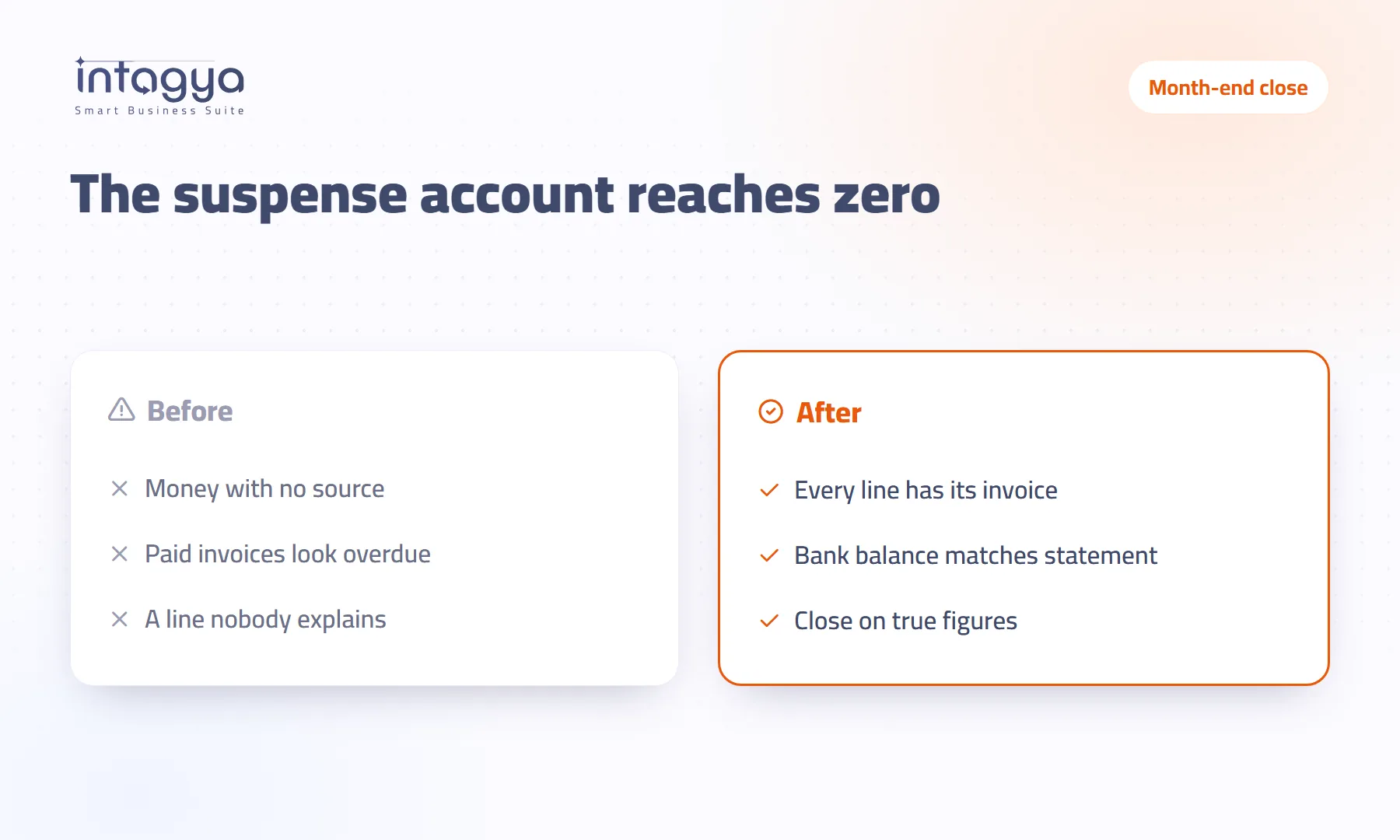
The suspense account is where a bank transaction waits until you know its counterpart: a customer invoice, a vendor bill or an expense. Any balance there means your books do not yet know why that money moved, so it must reach zero before you close. In Intagya ERP you see it under Reconciliation review, next to open bank transactions and unmatched payments.
At quarter-end the auditor went through the balance sheet and stopped at a small line: nine thousand in something called the suspense account. What is this? Nobody knew. A cash deposit from two months ago, source never written down, then forgotten.
Nine thousand is not a big amount. The question it leaves is bigger: how many more like it are we not seeing?
What is a suspense account in accounting?
It is an in-between account where a bank transaction waits until you know its counterpart. When a new line comes in from the bank statement, one side goes to the bank account and the other sits in suspense for now. Once you match it with an invoice, a payment or an expense, the amount leaves suspense and lands where it belongs.
So the normal month-end balance of this account is zero. Anything left there is money your books cannot explain.
Why does the suspense balance grow without anyone noticing?
Because it shows up nowhere a manager looks every day. Sales has its screen, customers have statements, but the suspense account lives only in the chart of accounts. And what lands there is usually the hard stuff: a cash deposit with no name, a transfer from someone you do not know, a bank fee nobody booked.
There is also a known trap: a system that lets you mark a bank line as reconciled without matching anything. The line leaves the to-do list while the money stays in suspense. Clean screen, messy books.
What happens if I close the month with money still in suspense?
- The month's profit is off: bank fees not booked as expenses, collections not applied to their invoices.
- Customer balances are wrong: someone paid and their invoice is still open.
- The balance sheet carries a line nobody can explain, the first thing auditors and banks ask about.
Our view is simple: do not close a month with a suspense balance. Delaying the close by a day beats carrying an unanswered question into next month.
How does a finance manager see what is not matched yet?
In Intagya ERP open Accounting, then Reconciliation, then the Reconciliation review tab. At the top, one line says how many items are not matched and their total value. Below it, three cards:
- Open bank transactions: how many, their value and how old the oldest one is.
- Unmatched payments: payments recorded but not linked to any invoice, and for how many partners.
- Suspense account balance, with a plain note: it must reach zero before closing the month.
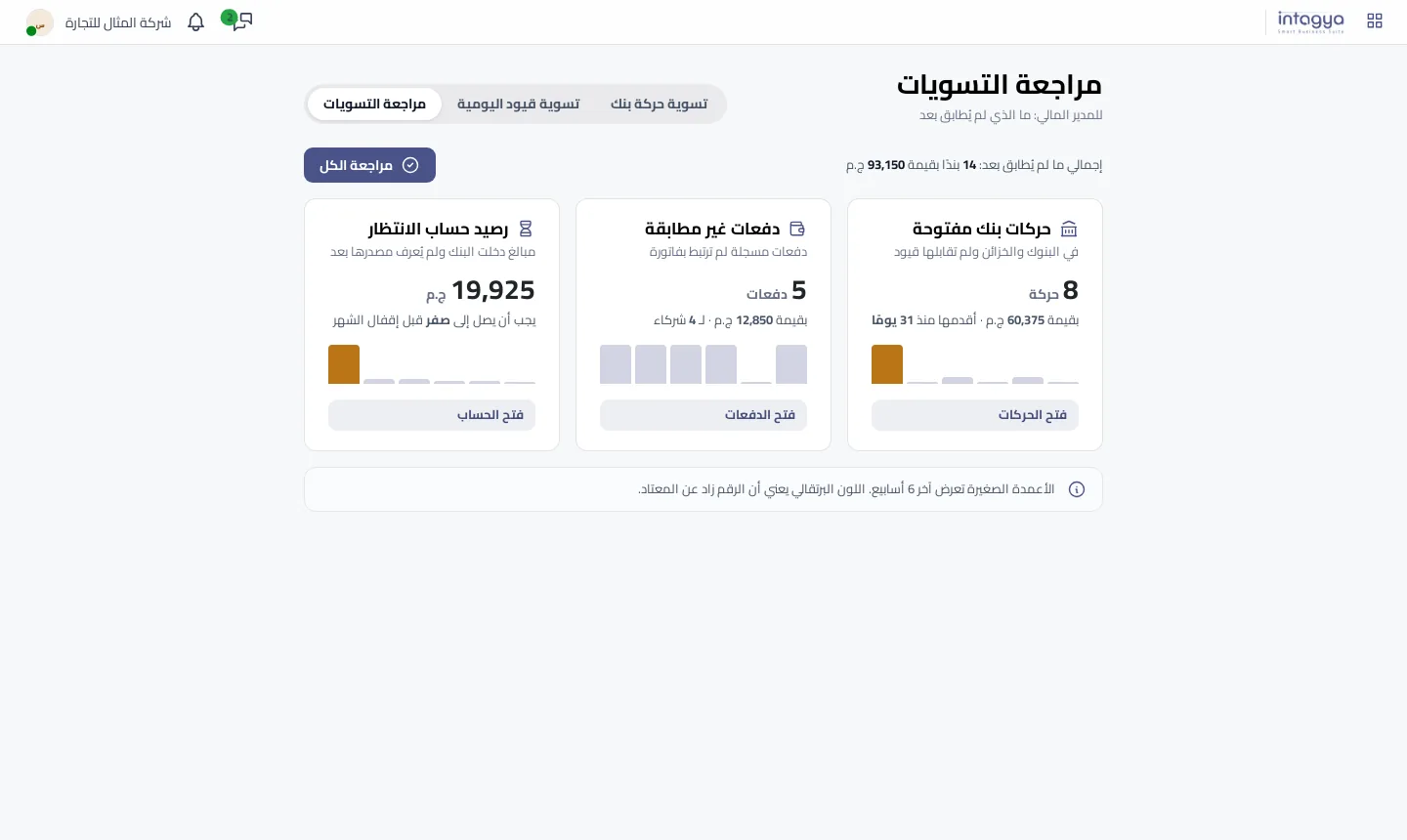
Each card has small bars for the last six weeks; an orange bar means that week was higher than usual. Each card opens its own list. The same figures show on the finance page under Needs you, so nobody has to remember to open this screen.
How do I bring the suspense balance down to zero?
Press Review all to jump to the bank transactions. Start with Reconcile all matched to clear every transaction with an invoice of exactly the same amount. Then take the rest one by one: search by amount or customer name, pick the invoice, press Reconcile.
Small bank fees go through a difference entry on the bank charges account. For a deposit nobody can explain, ask the bank or the branch before you guess. A guess only moves the problem from suspense into a customer balance, where it is harder to spot.
Make Reconciliation review the first screen your finance manager opens every Sunday. Five minutes a week is easier than a full day at month-end.
What about payments recorded but never linked to an invoice?
That is a different case: the payment sits on the customer but is not tied to an invoice. In the Reconcile journal items tab you select the invoice and the payment or payments together, see total debit, total credit and the difference, and reconcile them. If a small difference has a known reason, such as an agreed discount, record it with a difference entry and the invoice closes.
Tomorrow's step is short: open Reconciliation review and look at the suspense card. If it is not zero, you now know where to start.
Read the reconciliation steps in the user guide
FAQ
Is a balance in the suspense account an accounting error?
Not during the month: it is the normal place for transactions not matched yet. A balance left at closing, though, means money your books cannot explain.
Where do I see the suspense balance in Intagya ERP?
Accounting, then Reconciliation, then Reconciliation review; the same figures appear on the finance page under Needs you.
What does orange mean in the small bars?
That week's figure was higher than usual compared with the last six weeks. It is a prompt to look, not an error.
Can I record bank fees from the reconciliation screen?
Yes. While reconciling the transaction, switch on the difference entry and pick the bank charges account and a label; the difference is booked as an expense and the invoice closes.
Is this your business?
Want to see IntagyaERP on your own workflow?
Book a demo, tell us how your business runs, and watch the system handle a real scenario from your company.
Book a demo