
How do I count my stock without stopping sales?
| Intagya ERP
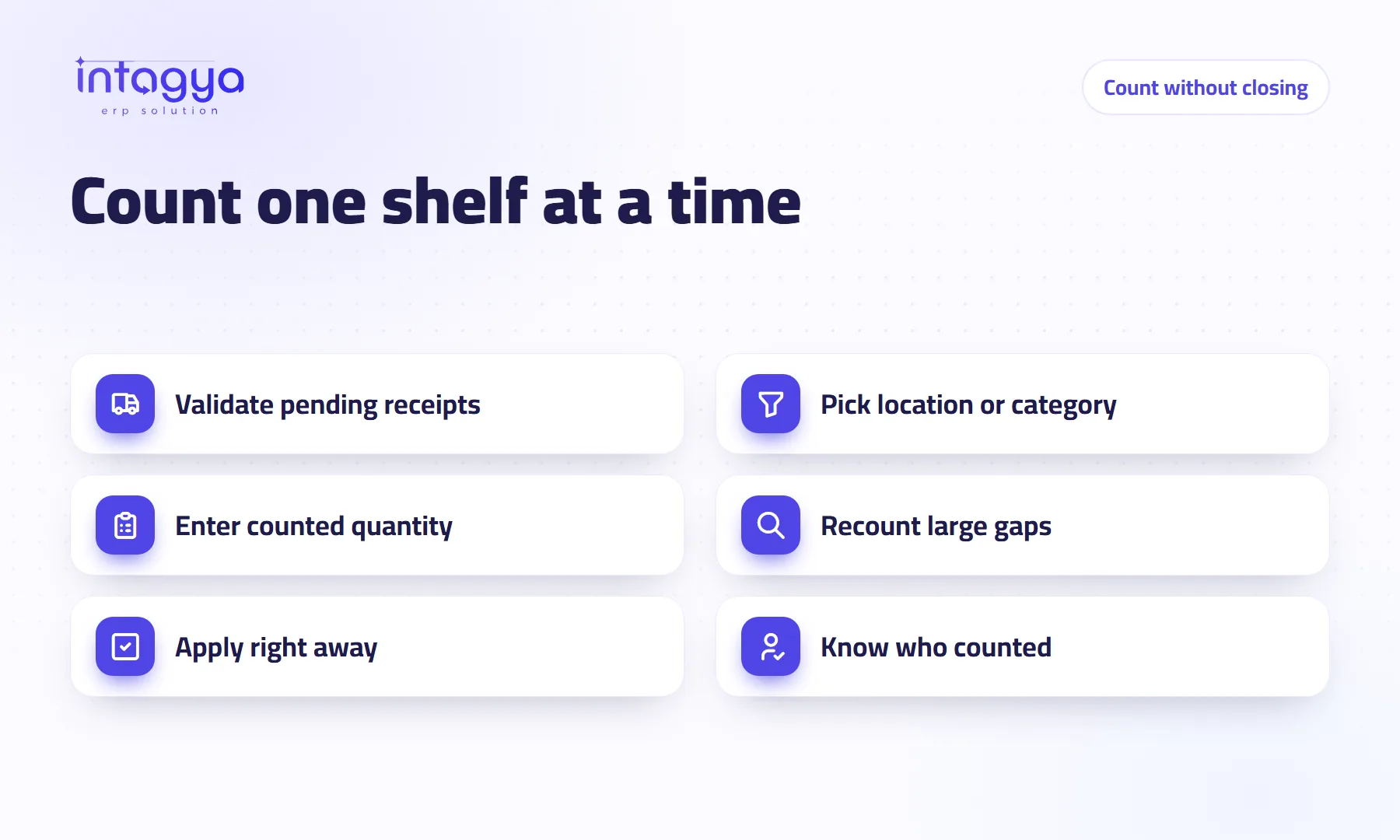
You count without stopping sales by splitting the count into small batches: one location, shelf or product category at a time, at a quiet hour. Enter the counted quantity in the count screen, see the difference against the system balance, and apply it right after counting, before the goods move. Sales go on and the balance stays right.
A small supermarket closes every year on a Friday to count stock. Five people count with paper and pens until evening, and the figures are typed in the following week. During that week the shop sold and reordered. So which number is right now?
Why do so many shops close on stock-take day?
Because they count everything at once. When you count a thousand products while selling, goods move during the count and the figures get mixed up, so closing looks like the only way.
The fear is fair. The answer is not to close the shop. It is to make the count smaller.
What is cycle counting, and does it replace the annual count?
Cycle counting means counting a small part of your stock each time instead of everything once a year. The cleaning shelf this week, the dairy fridge next week.
In the system you give each storage location a number of days between counts, and it works out the next count date for each one. You can also set an annual count day if your auditor asks for one.
My view: fast and expensive items deserve frequent counts, say monthly. Slow, cheap items can be counted once or twice a year. Do not treat a bag of salt like a mobile phone.
What should I do before I start counting?
Validate every pending receipt and delivery in the system first. Goods already on the shelf with no recorded receipt will look like a surplus, and an order that left the store without a validated delivery will look like a shortage.
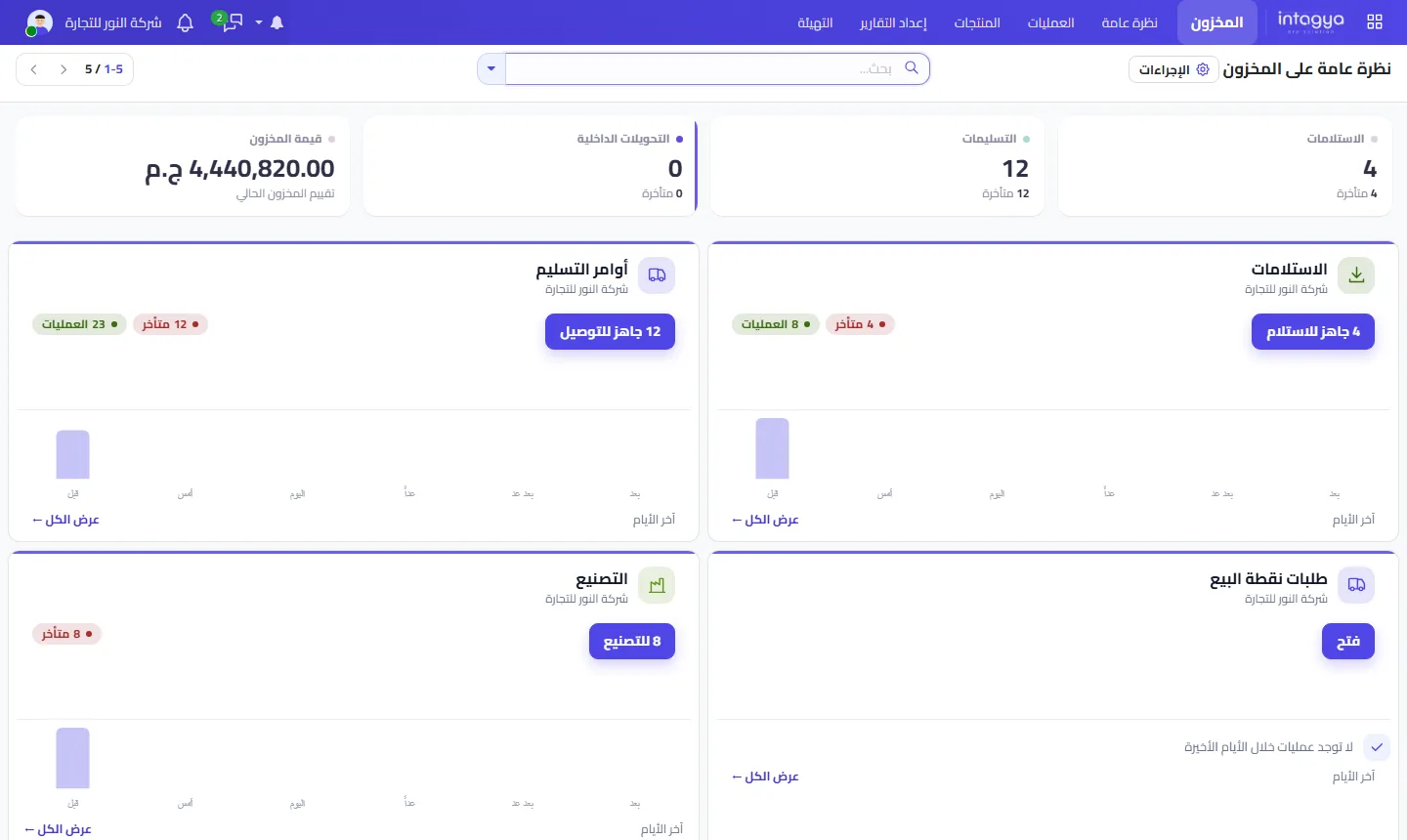
This screen tells you how many receipts and deliveries are waiting before you count. If the late number is high, clear it first.
How do I count a shelf while sales keep going?
Count the shelf, then apply the result straight away. That is the whole rule.
The difference is worked out against the balance at the moment you apply. A hypothetical case: you count 10 boxes at 11:00, two are sold at 11:30, and you apply the count at noon. The system resets the balance to 10 when the truth is 8. So never leave a count waiting for hours.
- In the count screen, filter the list to the location or product category you are counting today.
- Enter the counted quantity for each product.
- Check the difference column and recount anything with a large gap.
- Apply the result, then move to the next shelf.
Pick a quiet hour for counting, early morning for example, and start with the shelves furthest from the till.
How do I know who counted and when?
Use Request a Count: pick the products or the location, assign the count to a person with a date, and their name shows on the products to count. Once applied, the adjustment appears in the stock moves history with its date.
If you can, do not let the storekeeper count his own store alone. It is not about trust. A second pair of eyes catches what the first has stopped noticing.
What do I do with the differences?
Apply them to fix the balance, then ask why they happened. A single gap may be a counting slip. A gap that comes back on the same product every month is telling you something: an item sold without being recorded, damaged without being reported, or received short of what the bill says.
If your stock valuation is linked to accounting, the difference shows in the journal entries too, so your accountant sees the value of what is missing, not just the count.
How does Intagya ERP help with stock counts?
In Intagya ERP, inventory is tied to sales, point of sale and purchases, so every sale and every receipt changes the balance as it happens. All you have to fix is the gap between the shelf and the system, not rebuild the balance from zero. The strip of figures above the inventory lists shows what is waiting to be validated before you start.
This week, pick one shelf that holds your most expensive items. Validate the pending receipts, count it in a quiet hour and apply the result the same day. If there is a gap, you know where to start.
FAQ
Can I count one warehouse out of several?
Yes. Filter the count screen to the location you want, and the other warehouses keep working as usual.
What if I enter a wrong quantity and apply it?
Count the product again and apply a new adjustment that corrects the balance. Both adjustments stay in the moves history, so you can see what happened.
How often should I count?
There is no single number for everyone. Fast, expensive items deserve frequent counts; slow, cheap ones need fewer. In the system you set the number of days between counts for each location.
Is this your business?
Want to see IntagyaERP on your own workflow?
Book a demo, tell us how your business runs, and watch the system handle a real scenario from your company.
Book a demo