
When do I record revenue on a property unit, and what is the delivery entry?
| Intagya ERP

In Intagya ERP, down payment and installment invoices go to accounts you choose, such as customer advances and deferred revenue. On delivery you press Recognize Revenue on the sale order, and one entry closes the posted advance and deferred revenue and records the full price before tax as revenue. Your accountant sets the right policy for your company.
The company sold forty units this year and collected the down payments. The report showed a large profit, and the owner promised the partners a payout. Then the auditor asked how many units had actually been delivered. Not one had.
The profit was on paper. The units were still with the company, and the money was a promise to hand them over.
Why is a down payment not revenue?
At many developers, money received before delivery stays a liability to the customer until the unit is handed over. So payments are recorded in liability accounts, not in revenue.
This is not a rule for every company. The nature of the contract and the accounting standards you apply set the timing, and the decision belongs to your accountant and auditor.
Where do down payment and installment invoices go?
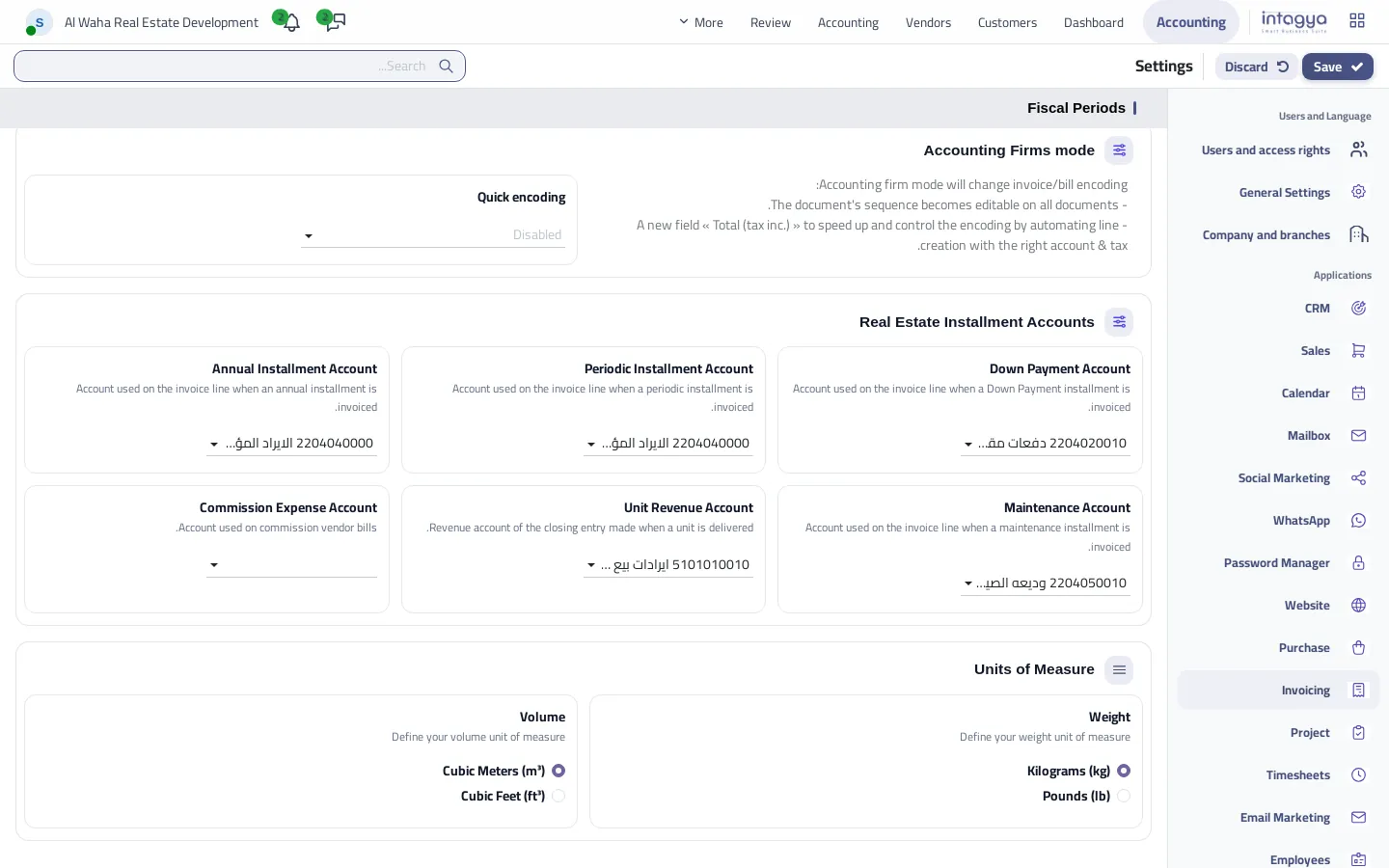
In the Invoicing settings you choose an account per installment type: down payment, periodic, annual and maintenance. The system creates ready accounts for real estate companies, and you can change them.
What entry comes out on delivery?
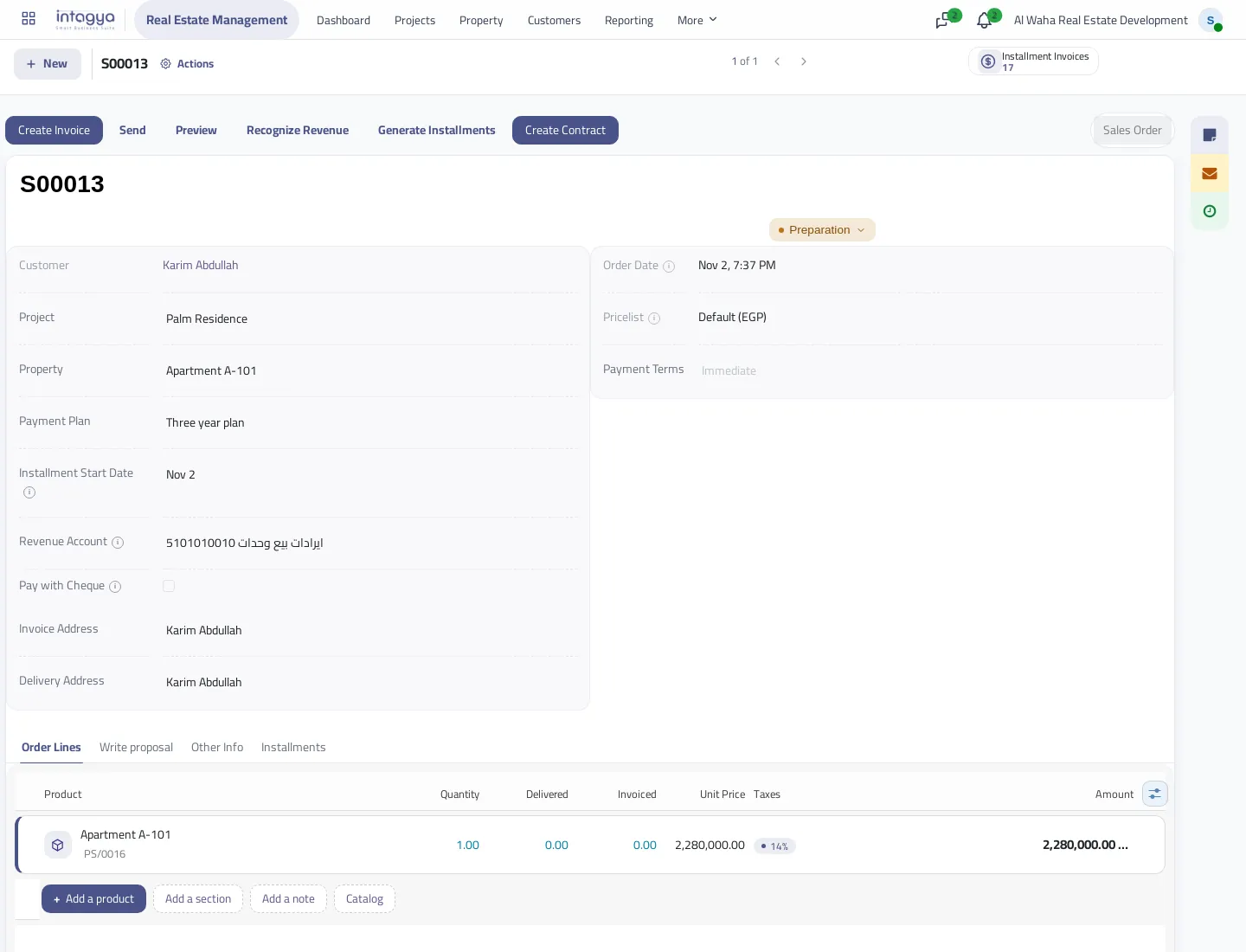
On delivery the accountant opens the sale order, checks the revenue account and presses Recognize Revenue.
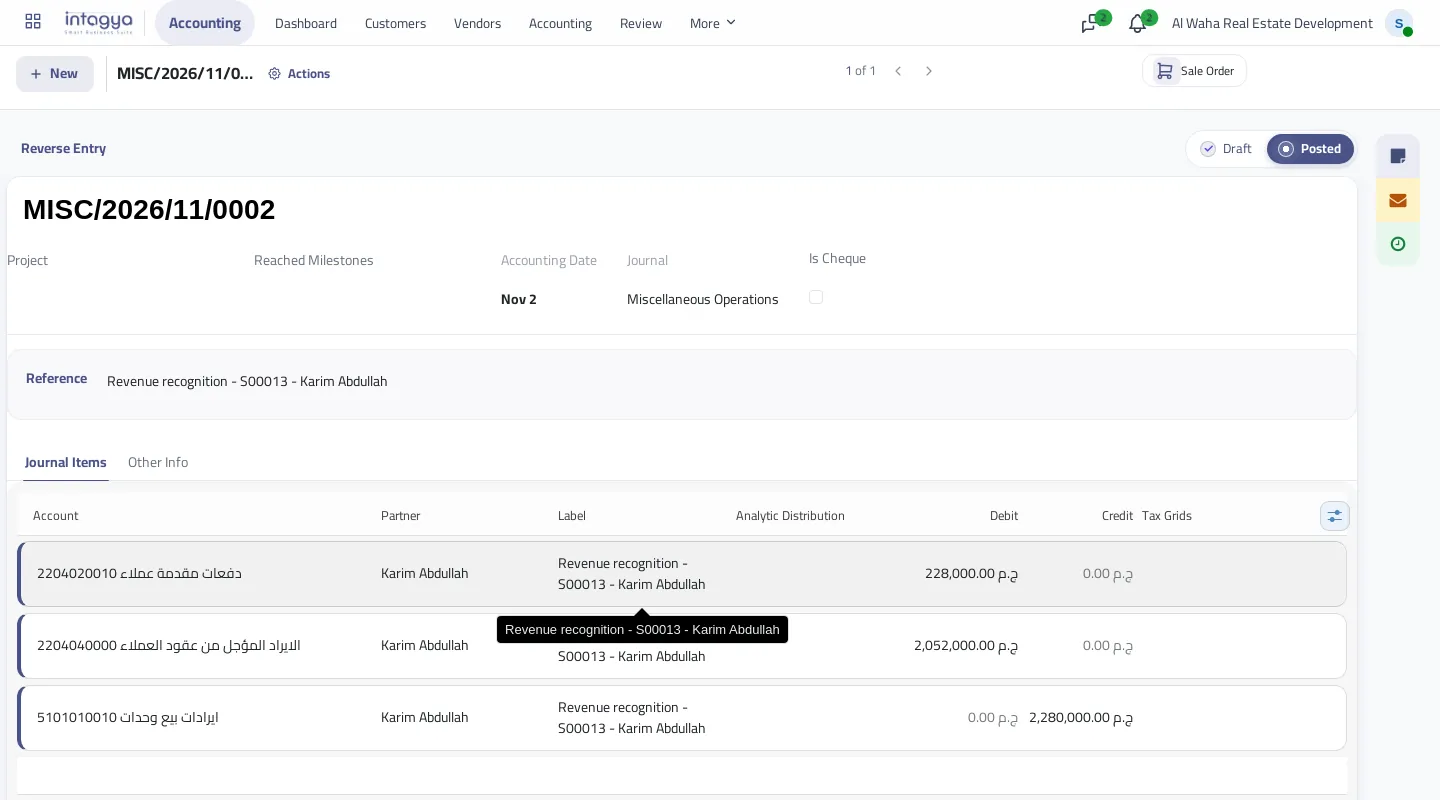
One entry comes out:
- Debit: the down payment account, with the balance posted from this order's invoices.
- Debit: deferred revenue, with the rest of the price.
- Credit: the revenue account, with the full price before tax.
Installments not invoiced yet leave a debit balance in deferred revenue, which closes as their invoices come out.
What about maintenance and tax?
The maintenance deposit is outside the sale order price, so the entry leaves it alone. The entry works on the price before tax, and each invoice's tax stays as recorded on that invoice. If your units have a special tax treatment, review it with your accountant before the first delivery.
Try the entry on one sale order with your accountant first, and match it to the ledger before using it for other units.
FAQ
Does the delivery entry come out automatically?
No. The accountant presses the button on actual delivery, because the system does not know when a unit was handed over.
Can the entry repeat?
No. A second entry comes only after cancelling the first.
Can I change the accounts?
Yes. They are created and selected automatically, you can change them in the Invoicing settings, and each sale order can have its own revenue account.
Is this method mandatory in accounting?
It is a tool for a common policy. The policy itself is for your accountant and auditor to set, based on your contracts and the standards you apply.
Is this your business?
Want to see IntagyaERP on your own workflow?
Book a demo, tell us how your business runs, and watch the system handle a real scenario from your company.
Book a demo