
Why should depreciation be posted on its date, not all at once?
| Intagya ERP
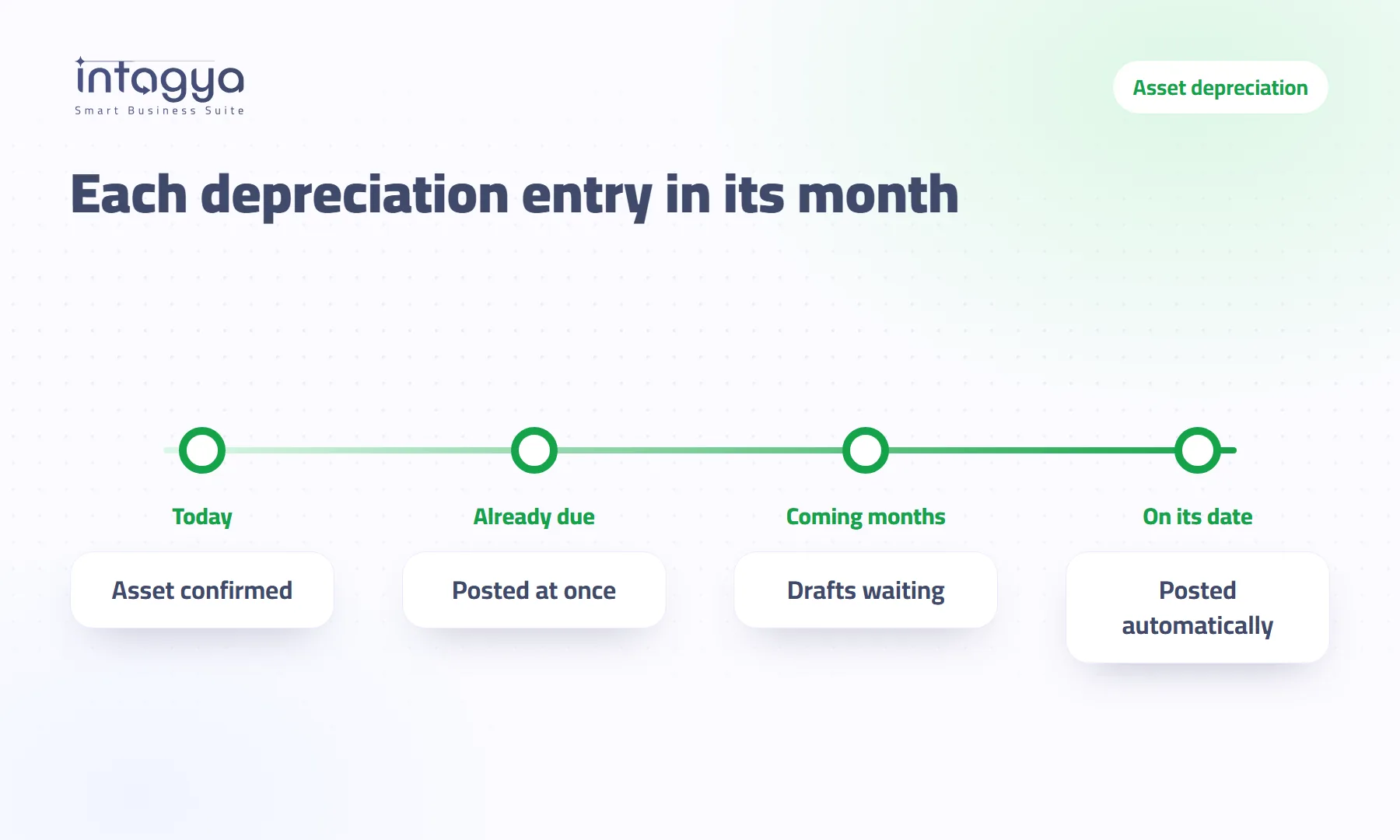
Depreciation spreads an asset's cost over the months it works, so each month's entry belongs to that month alone. Posting future months on day one puts expenses in your books that have not happened yet. In Intagya ERP, confirming an asset posts only what is already due; future entries stay as drafts and the system posts each one on its date.
A distribution company bought a new delivery van; the accountant entered it as a fixed asset and confirmed it. That same day the whole year's depreciation entries were posted, dated in the coming months. Two weeks later the manager pulled the profit report for the year through December to compare with the plan, and found depreciation for months that had not come yet, as if the van had worked a full year in two weeks.
The figure was not a calculation error. Right account, right date. It was simply posted before its time.
What is depreciation in plain words?
Depreciation spreads the cost of an asset you use for years, such as a vehicle, a machine or computers, over its useful life. Instead of booking the whole price as an expense in the month you buy it, you book a share every month. Example: a van costing sixty thousand with a five-year life depreciates by one thousand a month on the straight-line method.
Why post depreciation month by month instead of all at once?
Because each month should carry only the cost of what it used. The van worked in March, so March's depreciation is a March expense. October's depreciation has not happened yet, because the van has not worked in October so far.
Post everything at once and you are telling your books an expense happened when it did not.
What goes wrong when future months are posted on day one?
- Any report that covers a coming period, such as full-year profit, shows depreciation that has not happened.
- A posted entry cannot be changed the way a draft can. If the plan changes or you sell the asset, you have posted entries to deal with instead of drafts to adjust.
- At each month-end you find posted entries nobody decided that month, which makes it hard to see what changed and why.
Our view: a posted entry means this happened. Do not post what has not happened, however likely it is.
How does depreciation work in Intagya ERP now?
- You enter the asset and confirm it.
- The depreciation schedule and one entry per period are created.
- Entries dated today or earlier are posted at once, so an asset that started in the past is not held back.
- Entries for coming months stay as drafts, marked to post on their date.
- A daily job in the system posts each entry when its date arrives, with nobody having to remember.
The result: on any day, your books show what has happened up to that day, and nothing more.
Entering an asset you bought months ago? The past months are fine: their entries are posted on confirmation because their dates have already come.
Does anything change if the asset category auto-confirms assets?
Some companies set an asset category to auto-confirm, so each asset is confirmed as soon as it is created. In that case the coming months used to be posted on day one. These categories now follow the same rule: what is due is posted, the rest waits for its date.
How can I check that depreciation is posted on time?
Open the coming depreciation entries of any asset: they are drafts dated in the months ahead. Look again after the next month starts and that month's entry has been posted by itself. You do not post anything by hand each month, and you need no reminder for it.
Tomorrow's step: open the profit and loss report for a period that includes the coming months and look at the depreciation line. If it shows depreciation from older assets for months that have not come yet, ask your accountant to review those entries.
Read about asset depreciation in the user guide
FAQ
Do I have to post the depreciation entry by hand every month?
No. Future entries stay as drafts and a daily job in the system posts each one when its date arrives.
What happens to past months if I enter an older asset?
Entries dated today or earlier are posted as soon as the asset is confirmed.
Does this apply to asset categories that auto-confirm?
Yes. Even with auto-confirm, no depreciation entry is posted before its date.
Does this change the depreciation amount?
No. The schedule and amounts stay the same; only the moment of posting changed.
Is this your business?
Want to see IntagyaERP on your own workflow?
Book a demo, tell us how your business runs, and watch the system handle a real scenario from your company.
Book a demo