
Does a sale get lost if the cashier presses Refresh while the internet is down?
| Intagya ERP
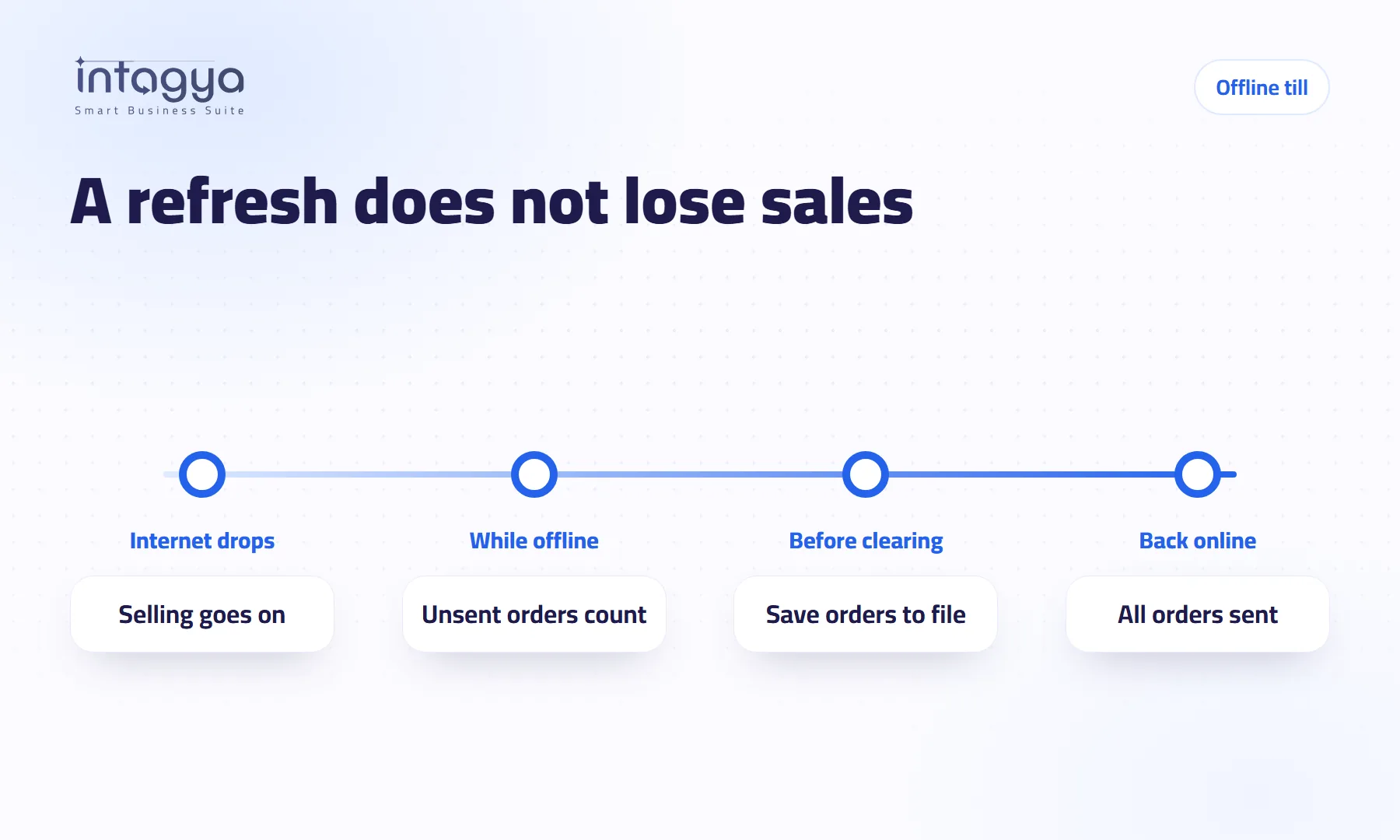
Not from a refresh. We tested it: we sold two orders with the internet cut, reloaded the page, then closed the whole browser and opened it again. Both orders stayed on the device and went up by themselves when the connection came back. What really loses sales is clearing the browser data or changing device before the orders are sent. So Intagya ERP shows the cashier how many orders are unsent, warns before the page is left, and saves them to a file that can be uploaded later without duplicates.
Nine in the evening. The queue reaches the door, and the router decides to take a break. The cashier has sold fifteen orders and the screen still works, then has a brilliant idea: maybe the page needs a refresh. One click, and the shop owner's heart stops.
This scene goes around social media like the end of the world: the cashier is the danger and one small button wipes out a whole day. It is a funny story. Half of it is wrong.
Does a refresh delete the orders the till has not sent yet?
No. And we did not just say so. On a test copy of the point of sale we cut the internet, sold two orders paid in cash, then reloaded the page. The point of sale opened again with no internet, and both orders were still there.
Then we went further and closed the whole browser and opened it again. Same result. When the connection came back, both orders reached the system by themselves, with nobody typing them again.
The reason is simple: orders are kept in the browser's lasting storage on the device, not in the open page. A refresh only redraws the screen.
So when does a sale really get lost?
When the browser storage itself disappears before the orders reach the server. That happens in very real situations:
- Clearing the browser data in the settings, the advice everyone gives for any problem.
- Opening the point of sale on another device or another browser while the orders are still on the first one.
- The device itself breaking before the connection comes back.
We tried the first one too. We cleared the browser data with a paid order not yet sent, and it was gone. No clever design helps here: what was wiped from the device and never reached the server has no other copy.
How does the cashier know some orders have not arrived yet?
That is the real problem. Not the cashier, but a screen that tells them nothing. The order says paid, so they assume it arrived.
In Intagya ERP a calm pill shows at the top of the till, only while the internet is down: "No internet: 3 orders not sent yet". When the connection returns it changes to "Sending orders", then "All orders sent", and disappears. Internet working? Nothing shows, so a normal day has no noise.
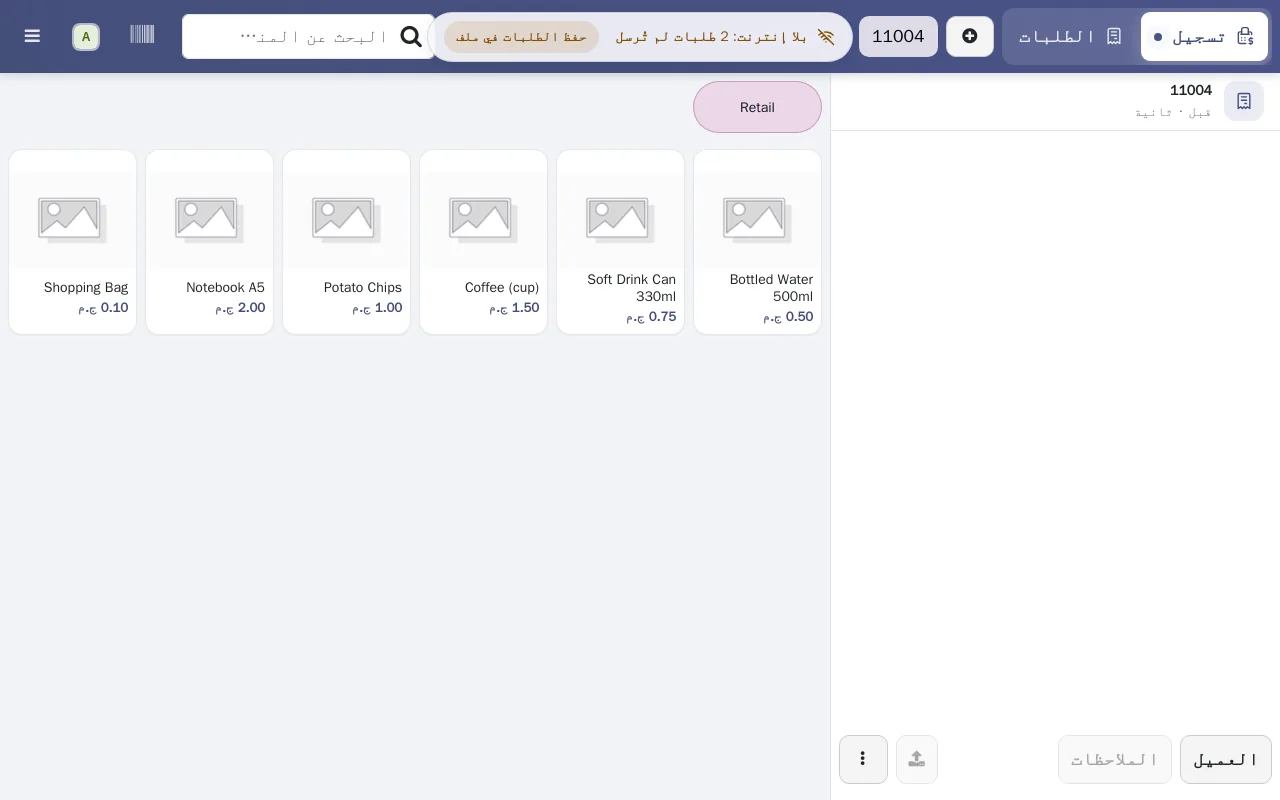
And if someone tries to leave the page while orders are unsent, the browser asks first. Not because leaving loses them, but because whoever closes the page at a moment like this is usually on the way to clearing the data.
What if someone has to clear the browser or change device?
Before doing it, they press Save orders in the same pill. A small file with the orders as they are is saved on the device.
Later, from any device with internet, the branch manager opens the Recover POS orders page and picks the file. The orders reach the system the same way the till would have sent them, with their items and amounts. Upload the file twice, or after some orders already arrived, and nothing is doubled.
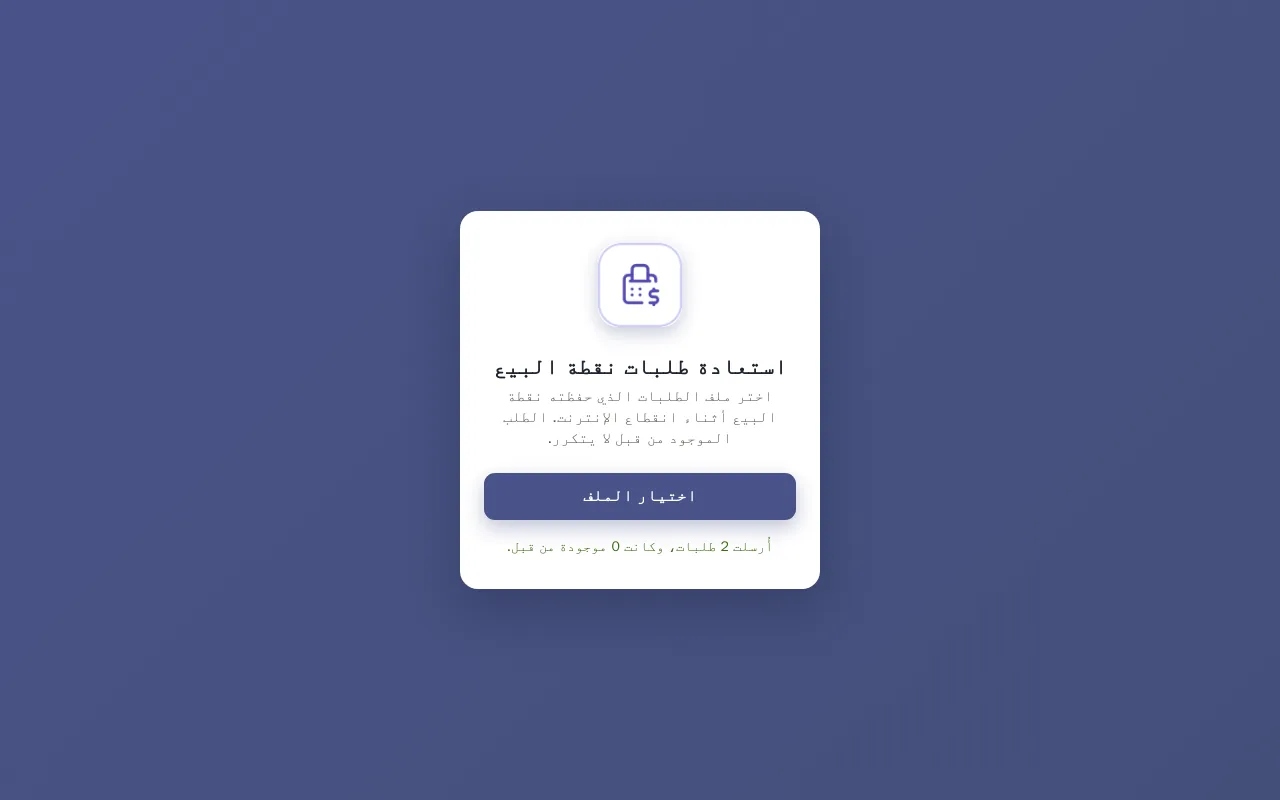
Make Save orders a habit in any long outage, the way you count the cash before closing the drawer.
What if the power goes off at the till?
Paid orders are kept on the device's disk, so they are still there when the power comes back and are sent when the connection returns. The exception is an order being saved at the very second the device went off. The server sits in a data centre and is not affected by a power cut at your shop.
Our view is simple: a small UPS for the till and the router costs less than one lost evening of sales.
Does everything in the point of sale work without internet?
Selling, cash payment and keeping the order, yes. Opening and closing a session, and a card terminal linked to the system, need a connection. We covered that in detail in an earlier article.
What works at the till without internet?
We learned one more thing during this test: any add-on that asks the server before payment switches the Payment button off when the internet drops, even if the point of sale itself is ready. We found one like that in the kitchen screen and made it skip its question when there is no connection. If you are choosing a system, ask about the add-ons too, not only the till.
What should I do at the branch tomorrow morning?
- Open the till session while the internet works.
- Turn the Wi-Fi off for a minute, sell a test order and look at the pill at the top.
- Press Save orders once so the cashier knows where the button is.
- Reconnect and check that the pill said All orders sent.
- Tell the cashier one sentence: never clear the browser data while the pill is showing.
Start your free trial and test the till yourself
FAQ
Do I need to install an app for this protection?
No. The pill, the warning and the Save orders button are inside the point of sale itself, in the browser or in the installed Intagya POS app.
Who can upload the orders file?
Any user with Point of Sale access, on the Recover POS orders page. The file is tied to your company's workspace and is refused in another one.
What if I upload the file after the till already sent the orders?
Nothing happens. Every order has its own id, an order already on the server is skipped, and no sale is doubled.
Does a session have to be open to upload the file?
If the session the orders were sold in was closed, the system needs an open session of the same point of sale to put them in. Open the session, then upload the file.
Is this your business?
Want to see IntagyaERP on your own workflow?
Book a demo, tell us how your business runs, and watch the system handle a real scenario from your company.
Book a demo