
How do I manage customer installments at a property developer without a spreadsheet?
| Intagya ERP

In Intagya ERP you set the payment plan once, and the sale order builds the schedule of down payment, periodic and annual payments and maintenance. Then each installment gets an invoice carrying its unit, project and type, and it turns to collected when that invoice is paid.
The owner asked about this month's collection. The accountant opened a spreadsheet, checked the bank statement, then called sales to ask whether the customer of unit A-101 had paid the third installment or postponed it. An hour went by before a number appeared, and nobody quite trusted it.
The sheet is not bad in itself. It just knows nothing about invoices or the bank.
Why does the installment sheet fail as the project grows?
With ten units, paying attention is enough. With two hundred, everything changes: different plans, discounts, and a customer who wants a new down payment after signing.
Every manual edit opens a small gap between the sheet and the contract. Those gaps only show at collection time, which is the worst moment.
How does a payment plan build the schedule?
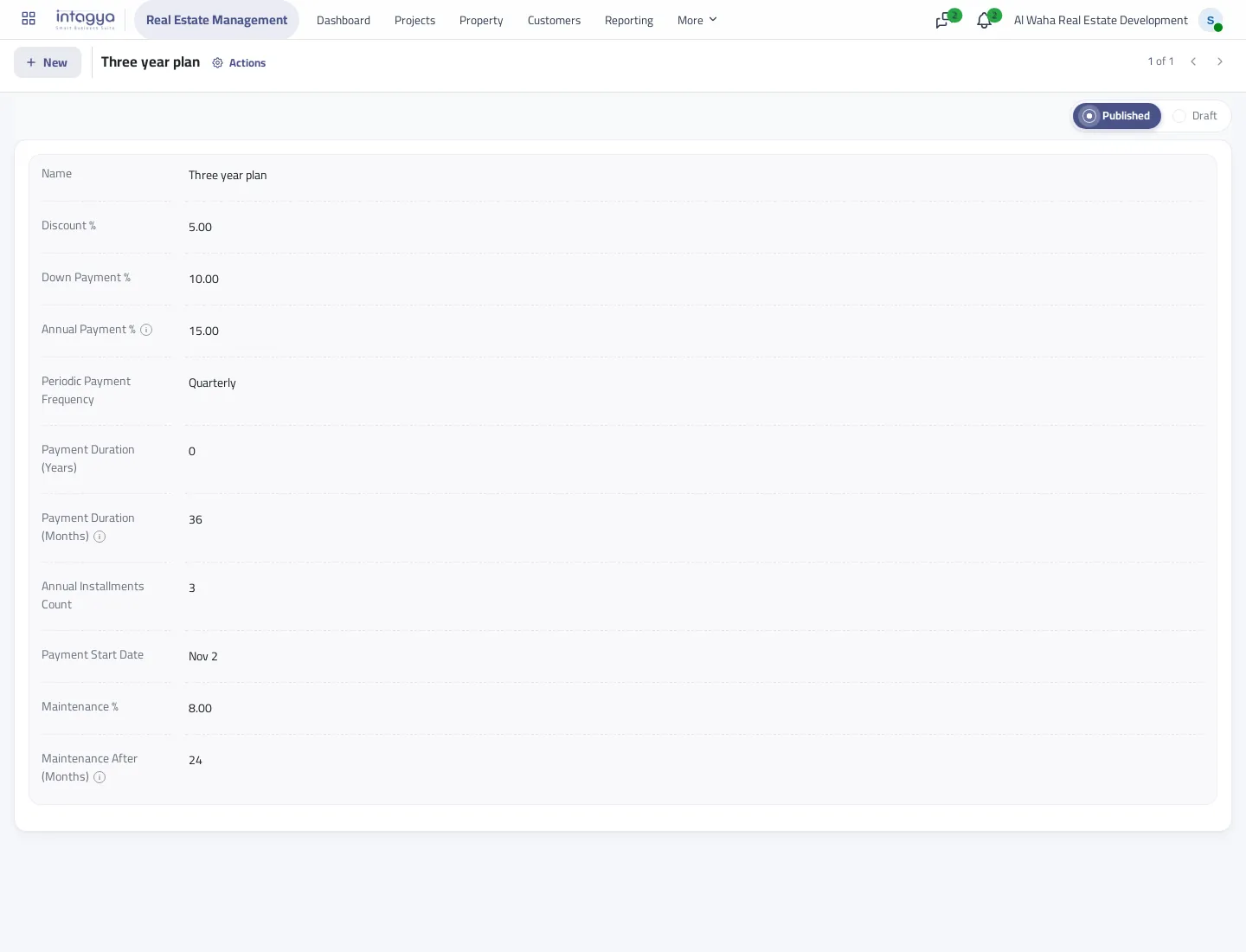
You set the plan once: discount, down payment, the share of annual payments, duration, frequency and maintenance. Sales picks it on the booking.
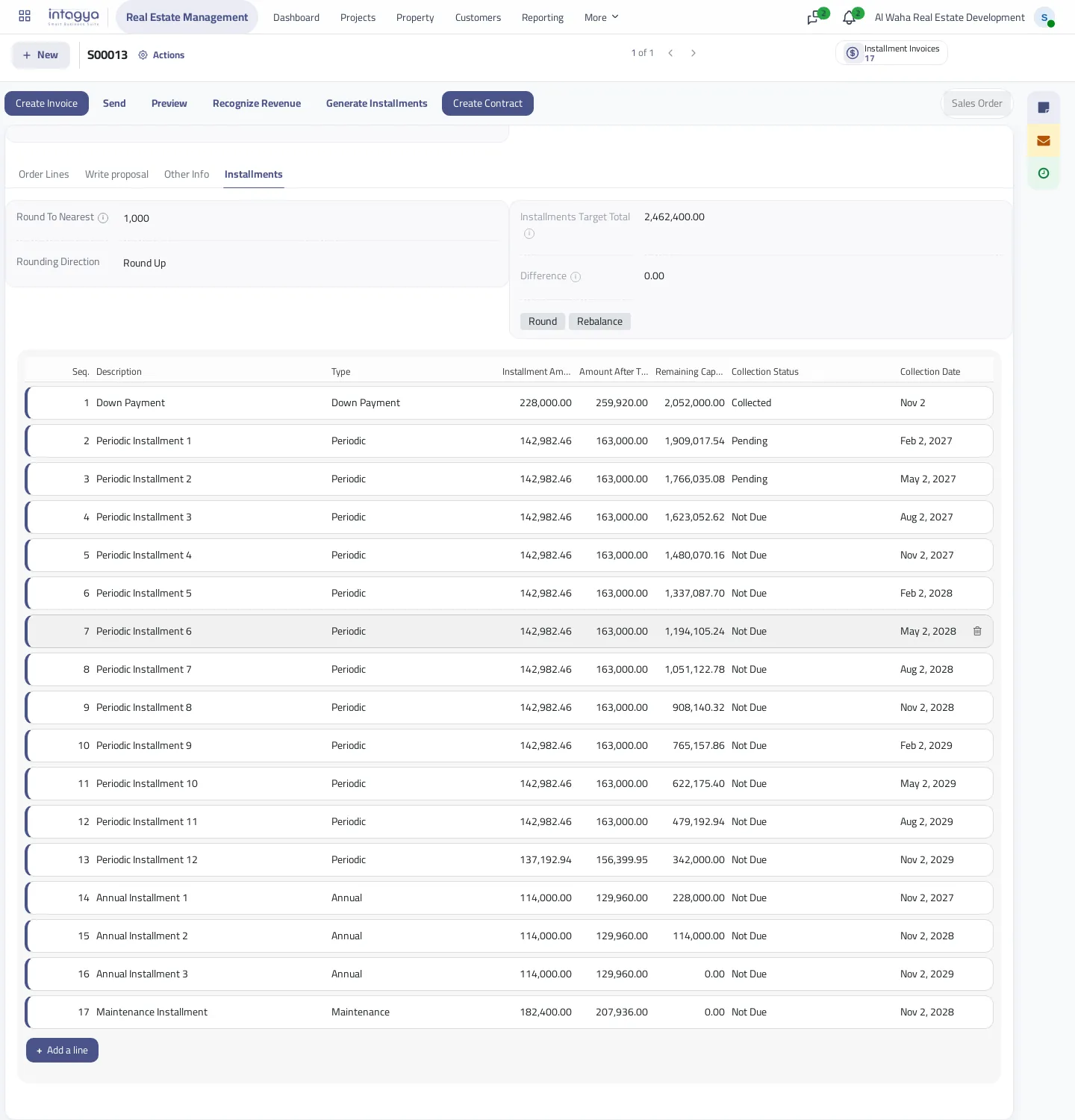
Creating the sale order builds the schedule, and before maintenance it adds up exactly to the price after discount, with maintenance on top as its own line. If you want round installments such as 163,000, set a rounding step and the last installment takes the difference.
How do I know who paid and who is late?
Create the installment invoices from the sale order. Each installment gets a draft invoice you confirm in its time, due on the installment date.
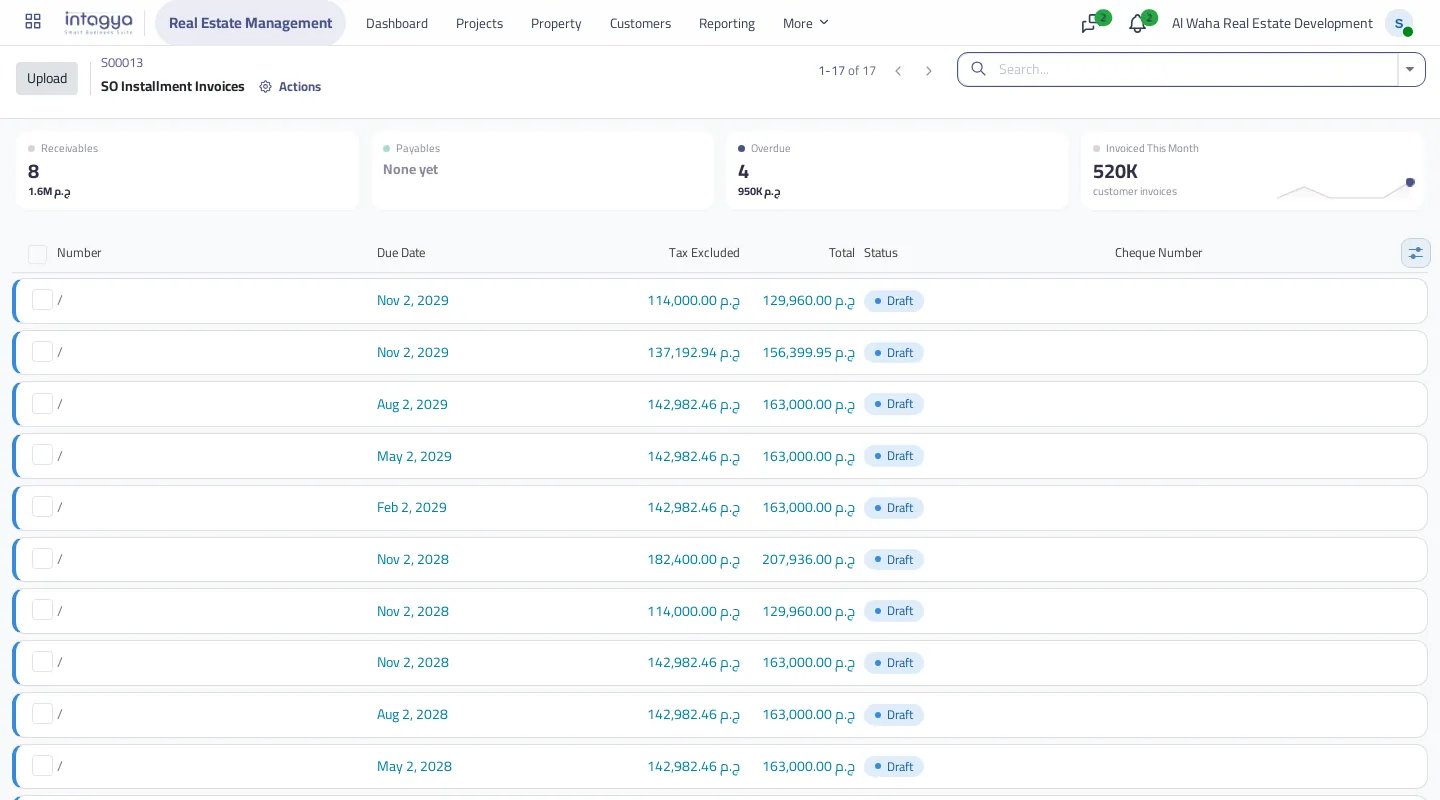
When the invoice is paid, the installment turns to Collected without anyone typing it. To me this is the biggest change: the status comes from the money, not from someone's memory.
How do I see collection per project?
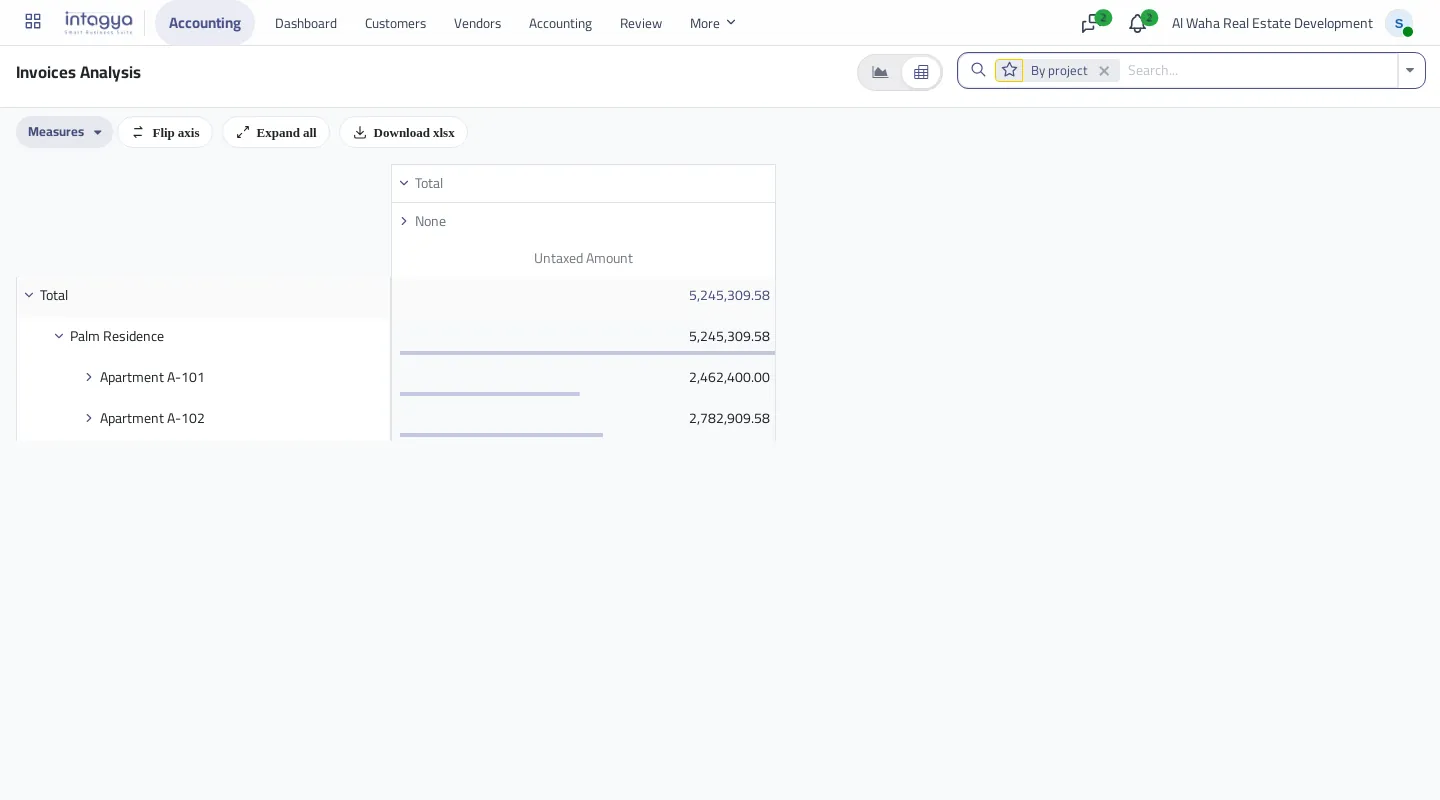
The invoice knows its unit and project. Open Invoice Analysis and group it by project, unit or installment type.
Start with one project, enter the plans you actually sell with today, then check one unit's schedule against its contract before rolling out.
FAQ
Can I change the down payment after the schedule is built?
Yes, before invoicing. Edit the amount and press Rebalance to move the difference into the periodic installments.
What happens if I cancel installment invoices?
The schedule can be edited and rebuilt again once the invoices are cancelled or deleted.
Does an installment repeat if I press create invoices twice?
No. An installment with a live invoice does not get a second one.
Does the contract state the installments?
Yes. A contract made from the sale order states them, and invoicing stays on the order so the customer is not charged twice.
Is this your business?
Want to see IntagyaERP on your own workflow?
Book a demo, tell us how your business runs, and watch the system handle a real scenario from your company.
Book a demo