
How do I follow installment cheques and late fees?
| Intagya ERP

In Intagya ERP you turn on Pay with Cheque on the sale order and set the first number, and each installment invoice takes the next one. The system follows the cheque due date with an activity. For late fees you set a percentage on the invoice, and a daily job charges only what is late, once.
The customer handed over twelve cheques at signing. A colleague put them in an envelope and wrote the numbers in a notebook. Eight months later a cheque fell due, and nobody remembered it for two weeks.
Nobody neglects money on purpose. But what the system does not remind you of, people forget.
How do I record the customer's cheques with the installments?
Turn on Pay with Cheque on the sale order and enter the first cheque number. When the installment invoices are created, the first takes that number and the next takes the one after it.
Add the bank and due date on the invoice, and an activity appears for the person in charge on the cheque date. On payment, the cheque details move to the payment and show on the receipt.
How do I record a payment on the booking before invoices?
From the booking press Register Payment, pick the amount, journal and date, then confirm the payment.
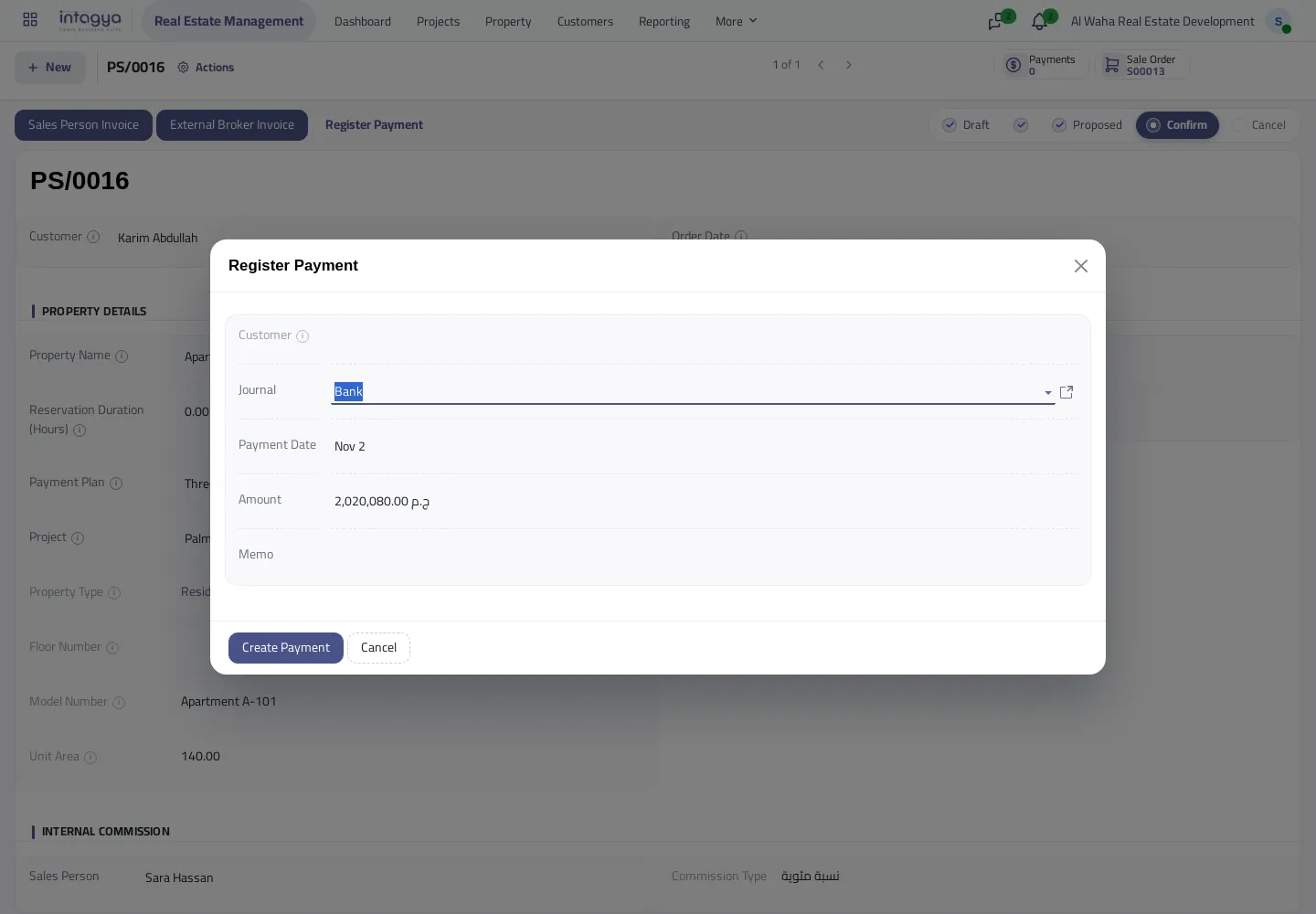
The booking shows paid and remaining. Once a payment is matched to an invoice it does not count twice.
How does the late fee work?
The fee is optional. You set its percentage on the invoice, and an invoice with no percentage is never charged.
A daily job goes through overdue invoices that have a percentage, and each invoice is charged only once.
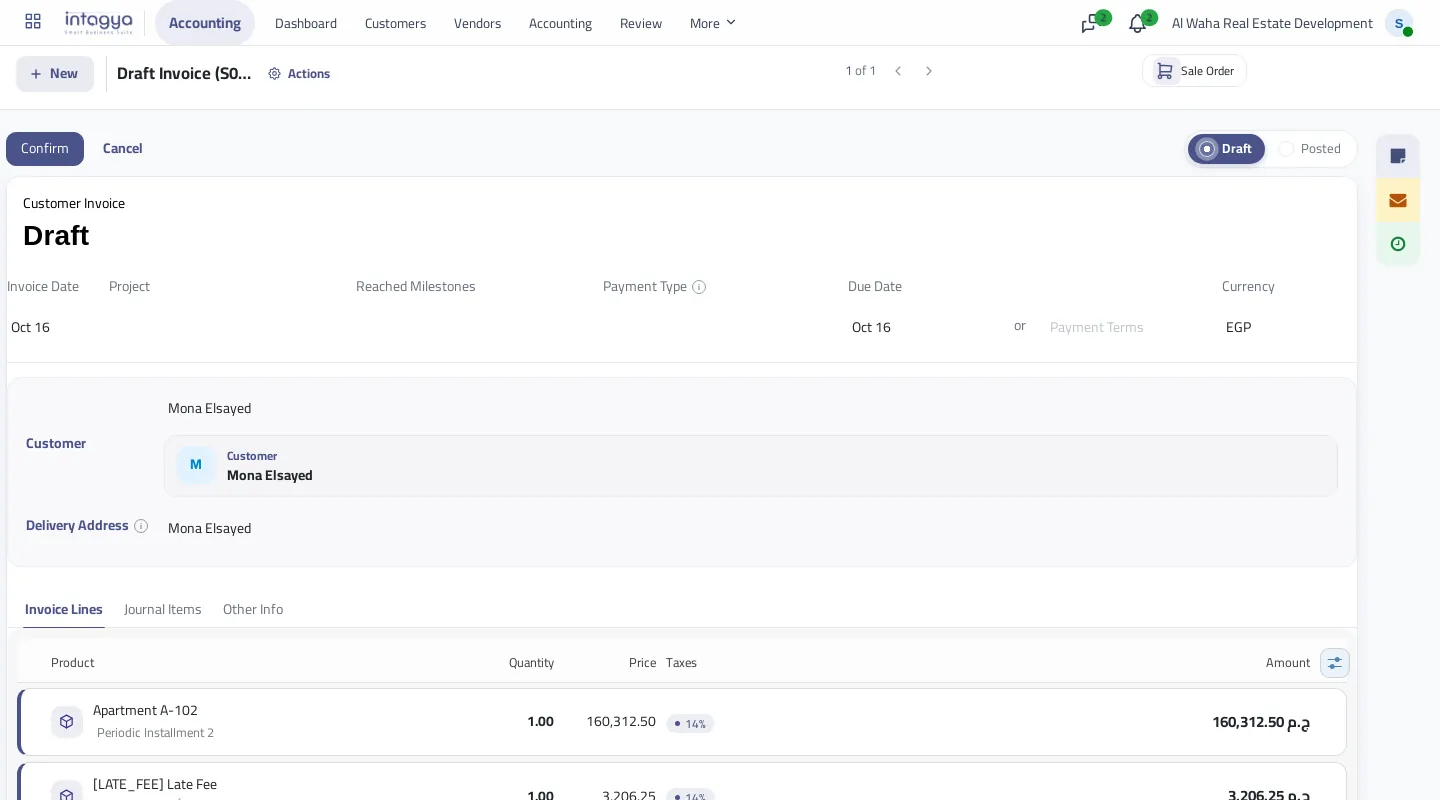
What if the invoice is already confirmed?
A confirmed invoice does not change, which is correct in accounting. So the fee comes out on a separate draft invoice, worked out on the unpaid part and carrying the unit and project.
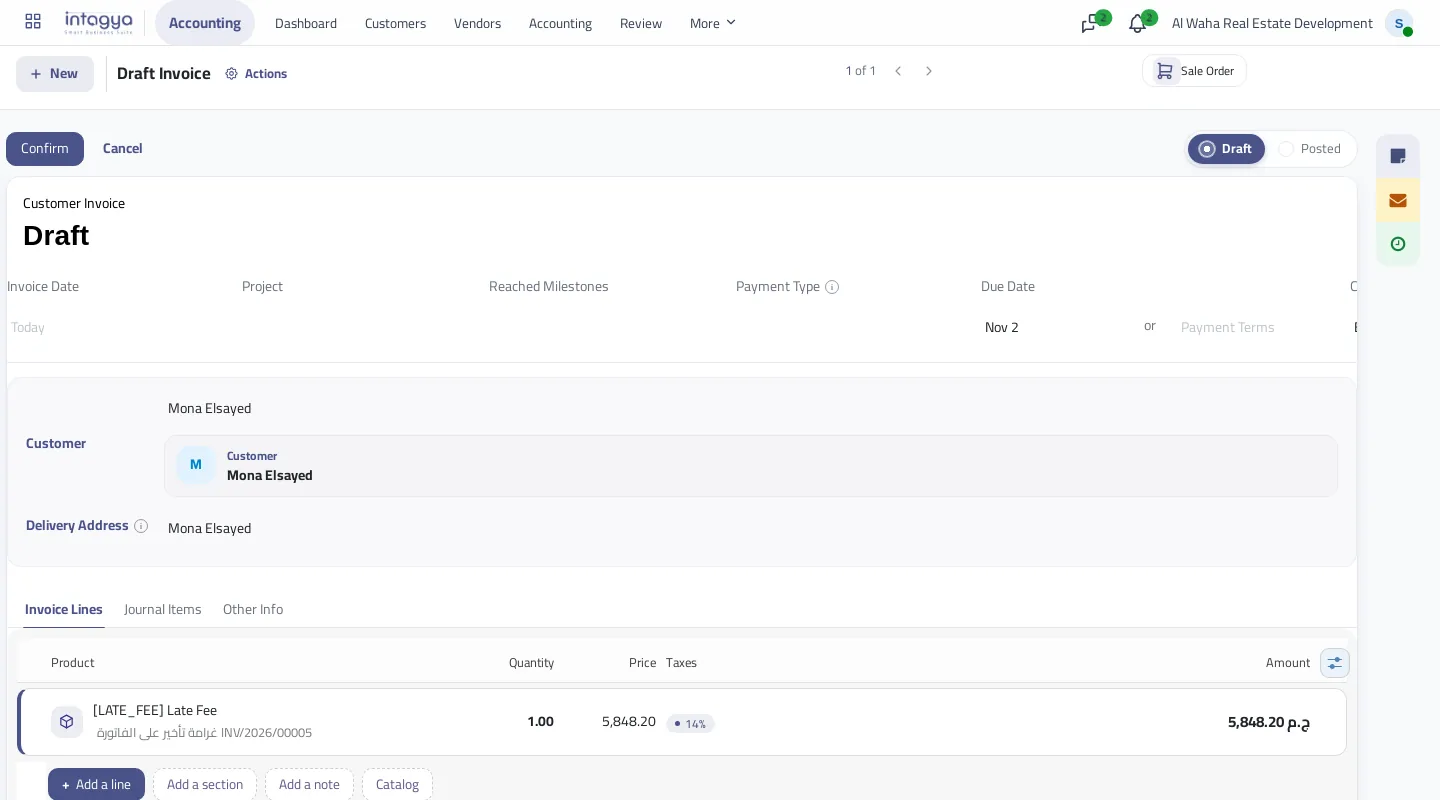
I would review these invoices before confirming them. A customer you agreed a grace period with should not get an automatic claim.
Write the fee percentage into the customer's contract first, then use it on invoices. A fee the contract does not mention makes a dispute, not a collection.
FAQ
Is the fee charged on every invoice?
No. Only on an overdue invoice that has a late fee percentage.
Does the fee repeat every day?
No. It is applied once per invoice.
Does the fee reach the customer automatically?
No. It stays on a draft invoice until you review and confirm it.
Does the cheque show on the receipt?
Yes. The cheque details recorded on the payment show on the receipt.
Is this your business?
Want to see IntagyaERP on your own workflow?
Book a demo, tell us how your business runs, and watch the system handle a real scenario from your company.
Book a demo