
How do I draw how work flows in my company and turn it into an approval cycle?
| Intagya ERP
Draw it first as a flowchart in the Planning Space app of Intagya ERP: a start, steps, decisions with “yes” and “no” arrows, and an end. Each step has an owner, and you mark the steps someone must sign off as “Needs approval”. An approvals manager then turns the chart into an approval cycle, where every marked step becomes a stage approved by its owner, in the order of the chart.
A new purchasing clerk asks who approves a purchase request above a certain limit. A colleague says the finance manager. The finance manager says he signs after the branch manager. The branch manager has never heard of that order.
The procedure exists. It just lives in three heads, each with a different version.
Why draw the procedure before setting it up in the system?
Because a drawing shows the disagreement before it turns into a mistake. When the manager and the accountant look at one chart, it is obvious at once that one of them sees a step the other does not. That talk takes fifteen minutes in front of a screen, or a month of stuck requests if you skip it.
Our honest advice: do not configure an approval cycle until the people who own it agree on the drawing.
How do I draw a workflow chart?
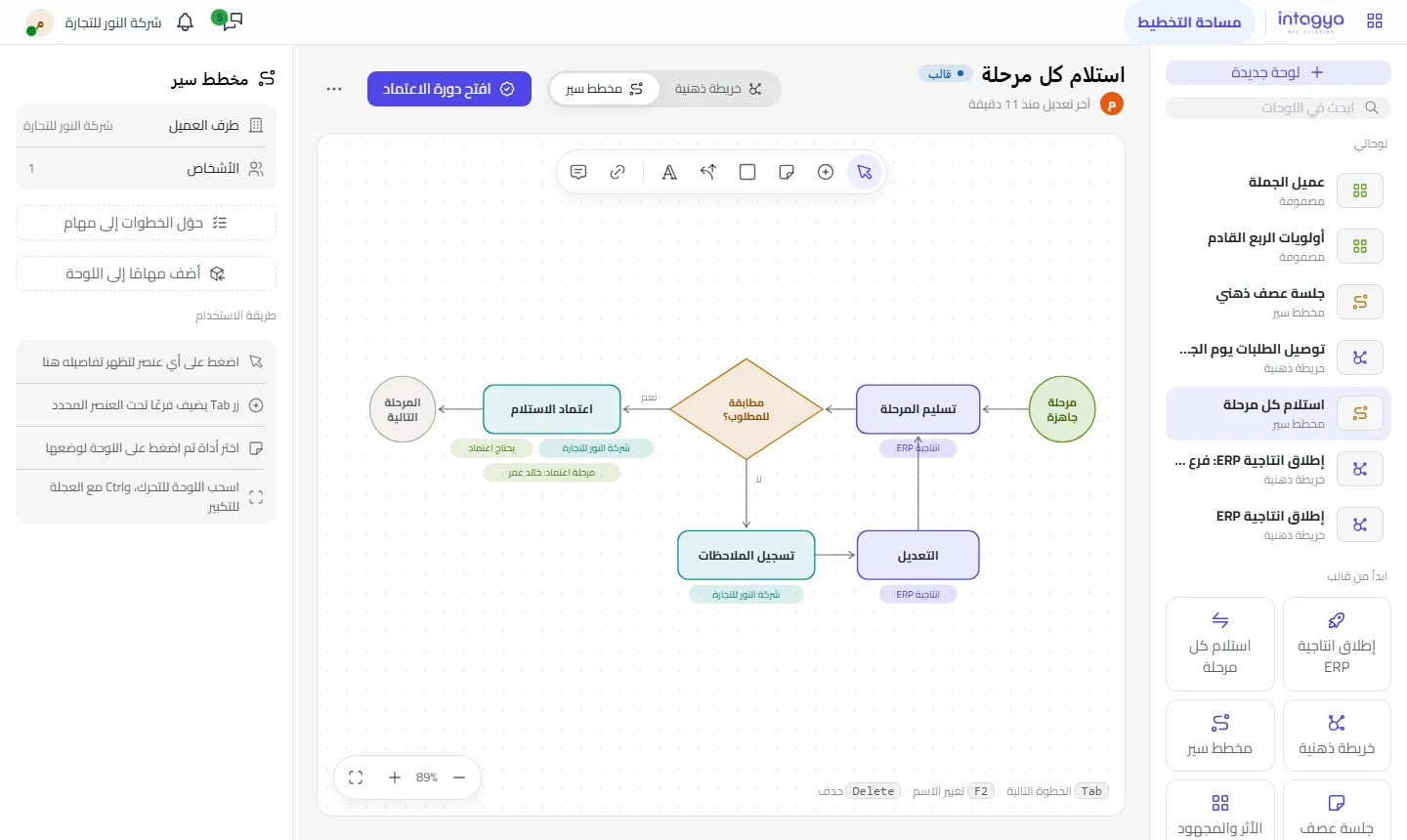
Create a flowchart board and drop shapes wherever you want: a start shape, a box for each step, a diamond for a decision, an end shape. Join them with arrows and label each arrow, for example “yes” and “no”.
The templates include a complete example called “Receive every stage”:
- A stage is ready.
- Hand over the stage, owned by the Intagya ERP team.
- Decision: does it match what was asked?
- Yes: the customer approves the handover, then the next stage.
- No: the customer records the remarks, our team makes the changes, then back to the handover.
What do I fill in for each step?
Click a step and a side panel opens with: the side (your company, Intagya ERP, or shared), the owner, the deadline, the colour, a details text, and a “Needs approval” switch.
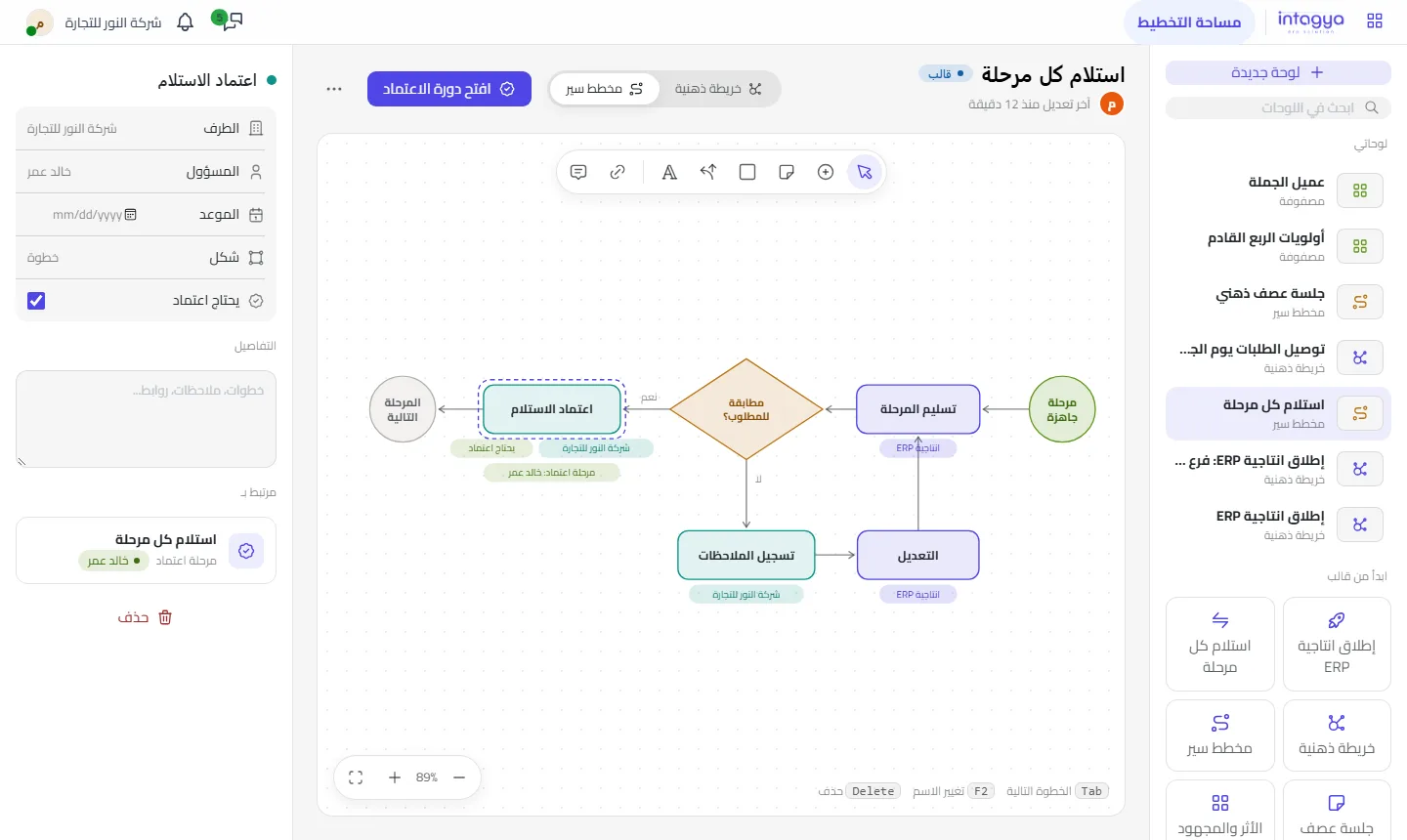
The owner matters more than it looks. A step with no name is a step everyone waits for.
How does the chart become a real approval cycle?
When the chart is ready, an approvals manager links it to the Approvals app, which creates a new request type. Every step marked “Needs approval” becomes a stage in the cycle, approved by that step's owner, in the order of the chart. Unmarked steps do not become stages.
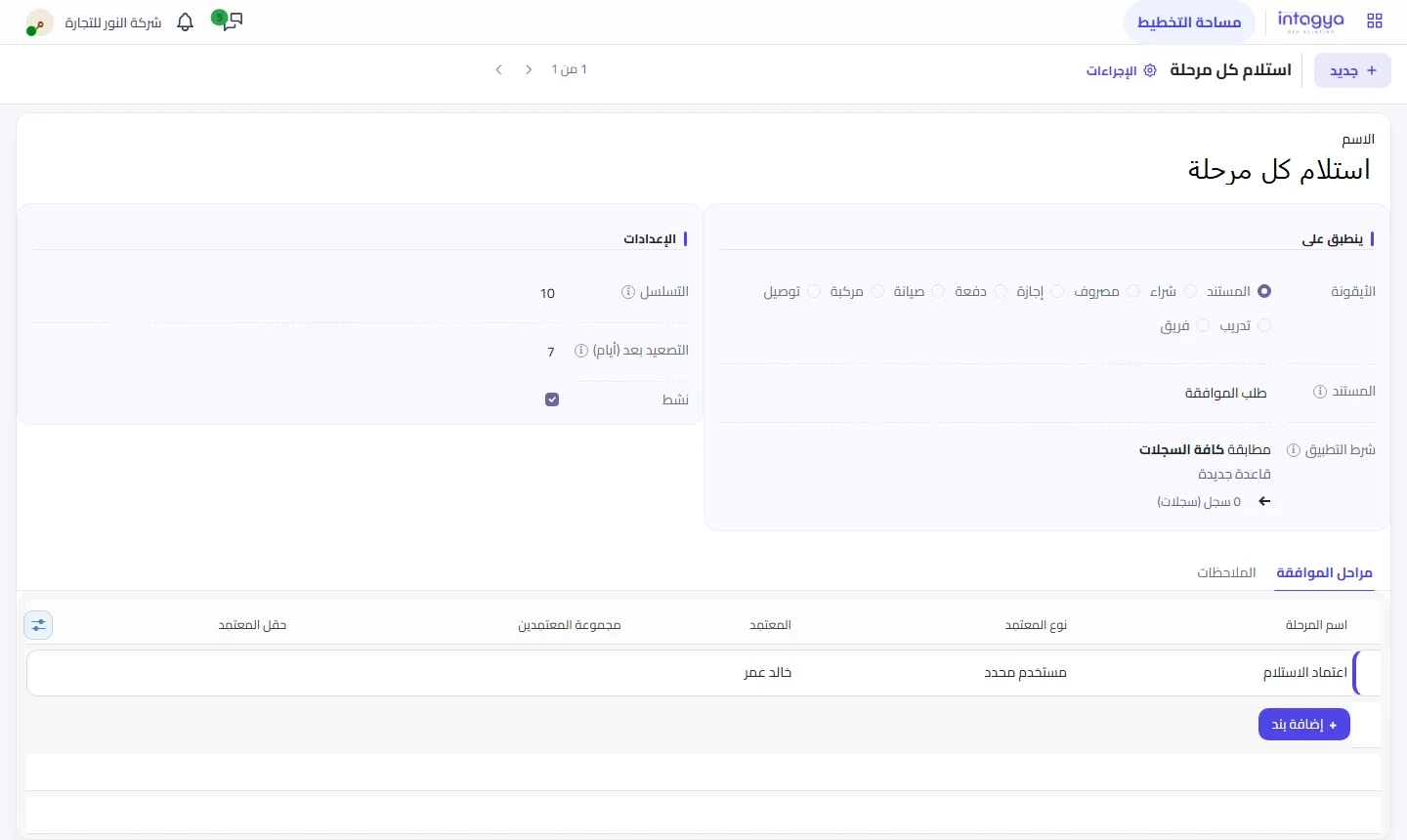
Only an approvals manager can do this, on purpose: the person who draws a chart is not always the one who decides who signs what in the company.
Mark “Needs approval” only on steps where the company really carries a risk. Every extra approval stage adds a day of waiting.
Can I ask for approval on a single step without a full cycle?
Yes. Any branch or step marked “Needs approval” can be sent as an approval request on its own, and the board shows the request's state on that step. Useful when one decision in a plan needs a yes, not a procedure that repeats every week.
How do I share the chart with people outside the system?
Save it as an image or a PDF, or print it and pin it next to the purchasing desk. Inside the system the board stays private until you share it with colleagues you pick.
Tomorrow, take the procedure every new hire asks about and draw it with its owner in one sitting. Once you both agree on the drawing, half the work is done.
Read how approvals work in the user guide
FAQ
Who can turn a chart into an approval cycle?
Only an approvals manager. Anyone else can draw the chart and mark the steps that need approval.
Does every step become an approval stage?
No. Only the steps marked “Needs approval”, each approved by its step's owner.
Can I move the shapes freely?
Yes, drag any shape anywhere and label the arrows “yes”, “no” or whatever fits.
Do I need the Approvals app?
Yes, to create the cycle and send approval requests. Drawing the chart does not need it.
Is this your business?
Want to see IntagyaERP on your own workflow?
Book a demo, tell us how your business runs, and watch the system handle a real scenario from your company.
Book a demo