
How do you avoid selling the same room twice on Booking.com?
| Intagya ERP

Work out available rooms from the bookings themselves in one place, so each change goes out to the channel by itself. If a booking arrives with no room, do not cancel it: it stays, sale of that type stops for those nights, and the manager chooses an upgrade or moving another booking.
Double selling happens when availability updates late: a room sold at reception is still on sale on the site. In summer a few minutes is enough.
Why does this keep happening with manual updates?
Because someone has to remember. On a busy day, the last thing a receptionist remembers is opening the site's panel to change a number.
How do I keep availability in one place?
When available rooms are worked out from the bookings themselves, each booking, change or cancellation changes the figure by itself and goes out to the channel. Rates go out when you run a full sync, so run one after each rate change.
What if a double sale happens anyway?
Do not cancel the guest's booking. It stays, sale of that type stops for those nights, and an alert lets the manager decide: an upgrade or moving another booking.
And if the link drops?
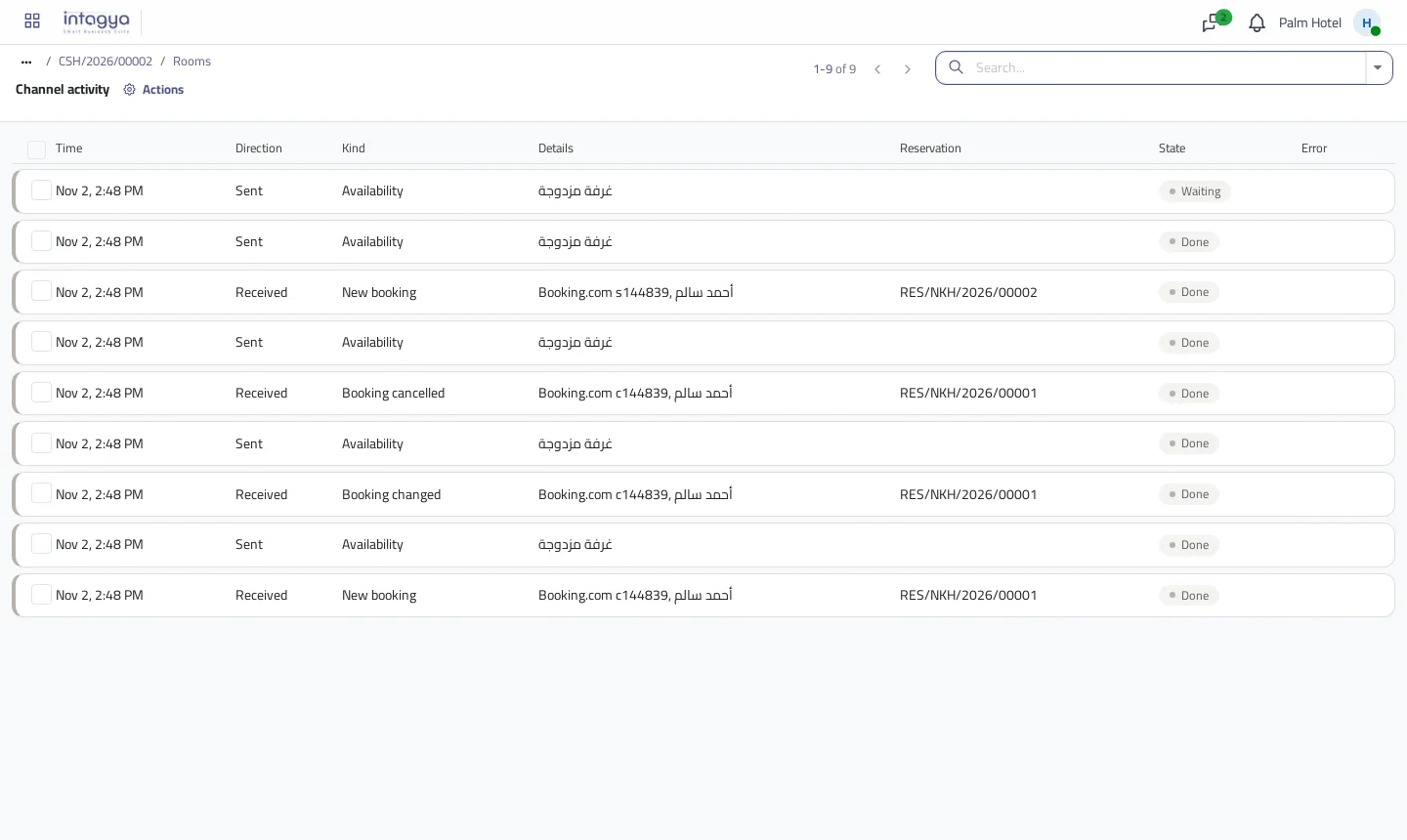
Movements wait in a queue and retry by themselves, and an alert comes if the stop lasts. Once the link is back you can run a full sync with one press.
Check the activity list every morning in season: it shows any booking that needs a decision.
FAQ
Is there a fee for the link?
Yes. The link is a paid service our team turns on, because it goes through a channel manager.
Does it work with channels other than Booking.com?
The link goes through the channel manager, so other channels it supports can be added.
Do rates change on the channel by themselves?
Availability does. Rates reach the channel when you run a full sync, so run one after changing them.
Is this your business?
Want to see IntagyaERP on your own workflow?
Book a demo, tell us how your business runs, and watch the system handle a real scenario from your company.
Book a demo