
Shops and retail
Cashier, stock and accounts for your shop, in one system
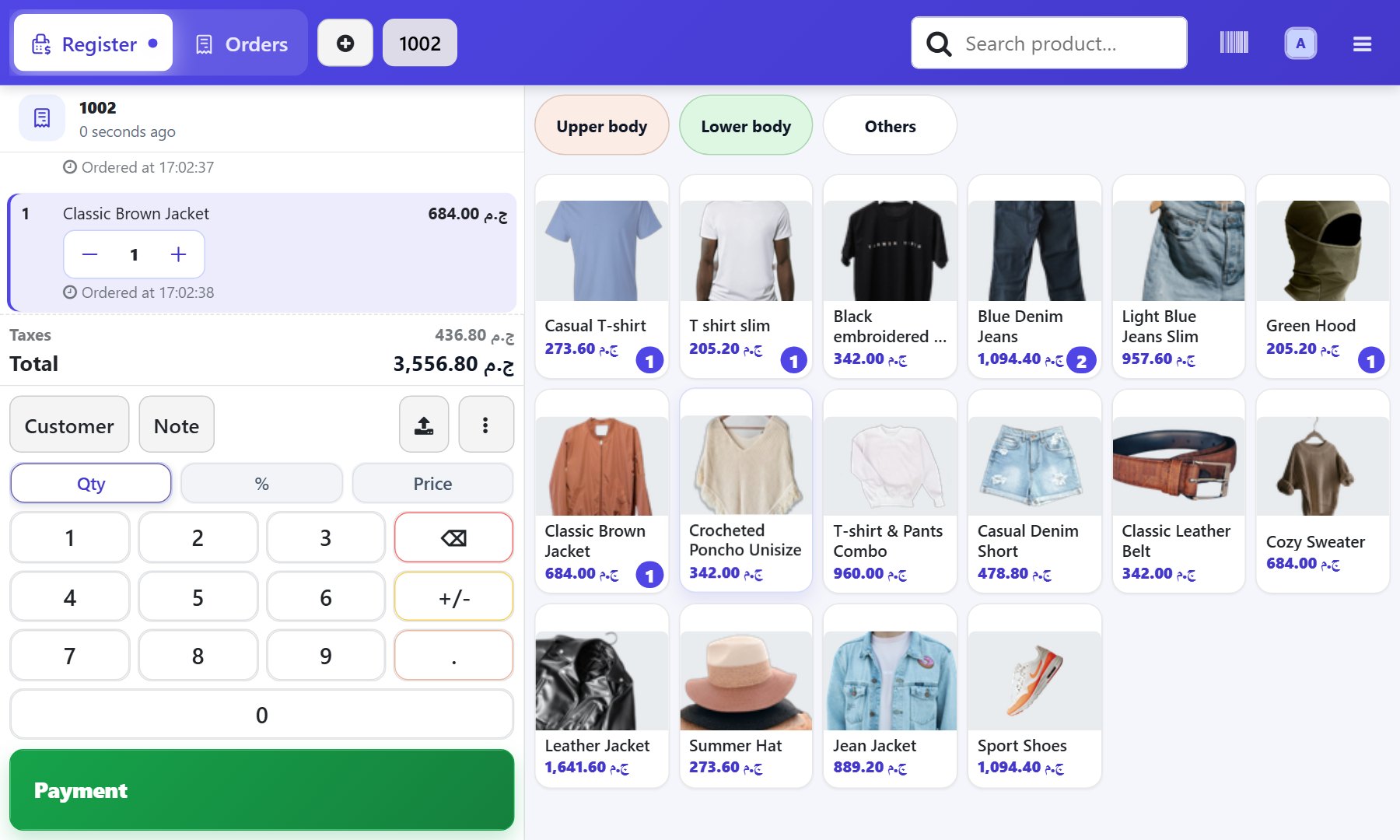
For shops, supermarkets and repair centres: sell at the till, and stock and accounts update by themselves, so you know your balance and profit at any moment.
Does this sound familiar?
Stock on record does not match the shelfYou find the gap in front of the customer, not before.
Shifts close on paperCash and sales are added up by hand at the end of the day.
Real profit is unclearSales sit in the till and expenses in another book.
What changes with Intagya ERP
Your account is set up from your sector's template at sign-up
- Every sale takes stock down instantly, so you always know what is on hand.
- You get an alert when an item is running low, before the shelf is empty.
- Closing a shift posts sales and cash to accounting by itself.
- For repair shops: a repair order per item, spare parts taken from stock, and the service invoice issued from it.
A fast cashier point of saleLow-stock alertsRepair ordersAccounting and payroll in the same system
Common questions
Does the till keep working when the internet drops?
Yes. Selling continues if the session was open before the drop; orders are kept on the device and sent to the system when the connection returns.
Can I count stock without stopping sales?
Yes. Count in batches, one shelf or category at a time, and approve the difference right after counting, so sales go on and the balance stays right.
Does it suit repair centres?
Yes. Each device gets a repair order that takes spare parts from stock, and the quotation and invoice come from that order.
Read before you decide
Intagya ERP, Odoo or Daftra: which system fits my company?
We compared the three systems on their published numbers: price per user, plan limits, e-invoicing, company mail and backup, for a company with five people.
Shops and POS: a shop that knows its stock after every sale
Point of sale, inventory and accounting on one database: what the cashier records takes stock down and shows up in the books.
Does the point of sale keep working when the internet goes down?
The internet drops and the queue is long. What keeps working at the till, what stops, when the orders reach the system, and how to prepare your branch first.
How do I count my stock without stopping sales?
You do not need to close for a whole day to count stock. Count one shelf or category at a time, apply the difference at once, and know who counted, while you keep selling.
How do I run a repair shop and know where every device stands?
A customer calls for the third time, and a spare part was fitted but never charged. Run your shop with one repair order per device, a status board and parts from stock.
How do I spot dead stock before it ties up my capital?
An item that has not sold in months is still being reordered? Find dead stock from sales and on-hand reports, stop reordering it, and turn it into cash before it loses value.
Try the system on your own business
14 days free with every app, no credit card.
Start your free trial