
Can I manage WhatsApp and my social media pages from the ERP?
| Intagya ERP
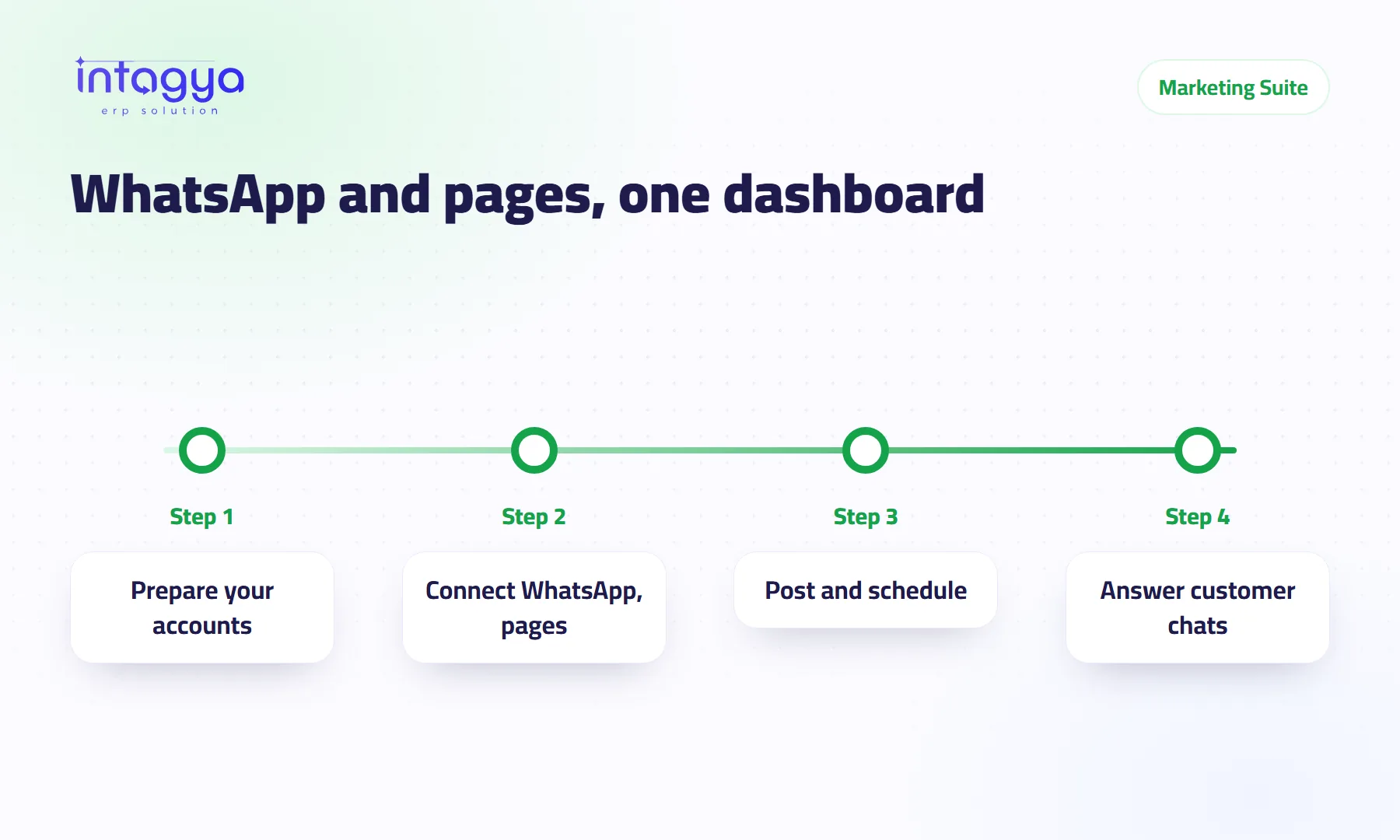
Yes. The Intagya ERP Marketing Suite is one app for WhatsApp Business, where you manage accounts and message templates and send and receive messages, and for posting to Facebook, Instagram, X, LinkedIn and YouTube, plus push notices, from one dashboard. You connect your company's own accounts; setup guides are in the documentation.
Why manage WhatsApp and social media from an ERP?
Because in many companies marketing lives on one person's phone. The marketing assistant posts from her phone and answers customers from a WhatsApp number in her pocket. She takes a week off, the pages go quiet, and customer messages sit unanswered.
When messages and posts live in the system that holds your customers and orders, a colleague can pick up where she left off. And the manager knows what went out without asking for screenshots.
What can I do with WhatsApp Business inside the system?
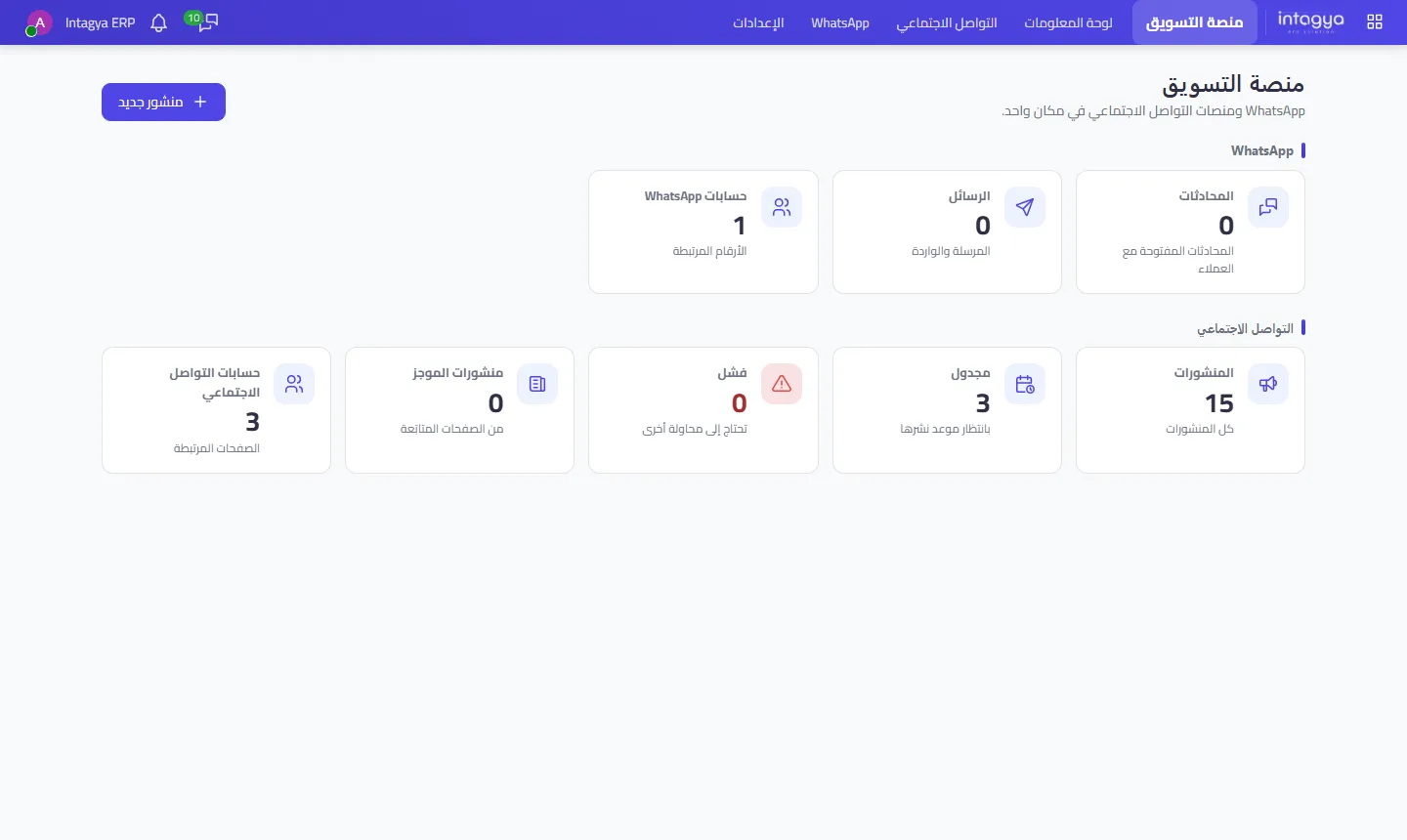
Connect your company's WhatsApp Business accounts through the official Cloud API, manage message templates, and send and receive messages from inside the system. The dashboard shows connected numbers, messages sent and received, and open conversations with customers.
A plain warning: this works with WhatsApp Business through the Cloud API, not with the regular WhatsApp app on your phone. If your current number is personal, read the setup guide before deciding which number to use.
Can I post to all my pages from one place?
Yes. Write the post once and publish it to Facebook, Instagram, X, LinkedIn and YouTube from the same dashboard, or schedule it for later. The dashboard shows what is waiting for its time and what failed and needs another try.
The Failed counter is the one I check first. A post that failed quietly is an offer nobody saw.
What do I need before I start?
Your company's own accounts: a WhatsApp Business account and the social pages you own. The system does not hand you substitute accounts; it connects yours so the team can work on them in one place.
- Get your WhatsApp Business account and pages ready, and make sure you hold admin rights on them.
- Open the setup guide in the documentation.
- Connect the accounts from Marketing Suite settings.
- Send a test post or message template to yourself first.
Account setup guides in the documentation
Expect the connection step to take some time, especially if a page is registered to a former employee or an ad agency. Those need recovering before anything else.
What does my business gain from a marketing app inside the ERP?
Example: a small clothing shop announces a weekend sale. Before, someone posted the same offer five times from five apps. Now they write it once, schedule it for Thursday evening, and follow customer questions on WhatsApp from the same dashboard.
The bigger gain, in my view, is not the time. It is that customer conversations stay with the company.
Start with one channel. Usually WhatsApp, since that is where customers ask the most. Once the team is comfortable, add pages one at a time.
Where do I start tomorrow morning?
List your company's social accounts, and next to each one write who holds admin rights on it. You will probably find one or two nobody can account for. Recover those first, then open the Marketing Suite in Intagya ERP and start connecting. The trial is free for 14 days.
FAQ
Do I need my own WhatsApp Business account?
Yes. The Marketing Suite connects your company's own accounts through the WhatsApp Cloud API.
Which networks can I post to?
Facebook, Instagram, X, LinkedIn and YouTube, plus phone push notices.
Where are the setup steps?
In the documentation, with a guide for each channel.
What if a post fails?
It shows in the Failed counter on the dashboard so you can try again.
Is this your business?
Want to see IntagyaERP on your own workflow?
Book a demo, tell us how your business runs, and watch the system handle a real scenario from your company.
Book a demo