
How do I track purchases and suppliers and stop buying the same thing twice?
| Intagya ERP
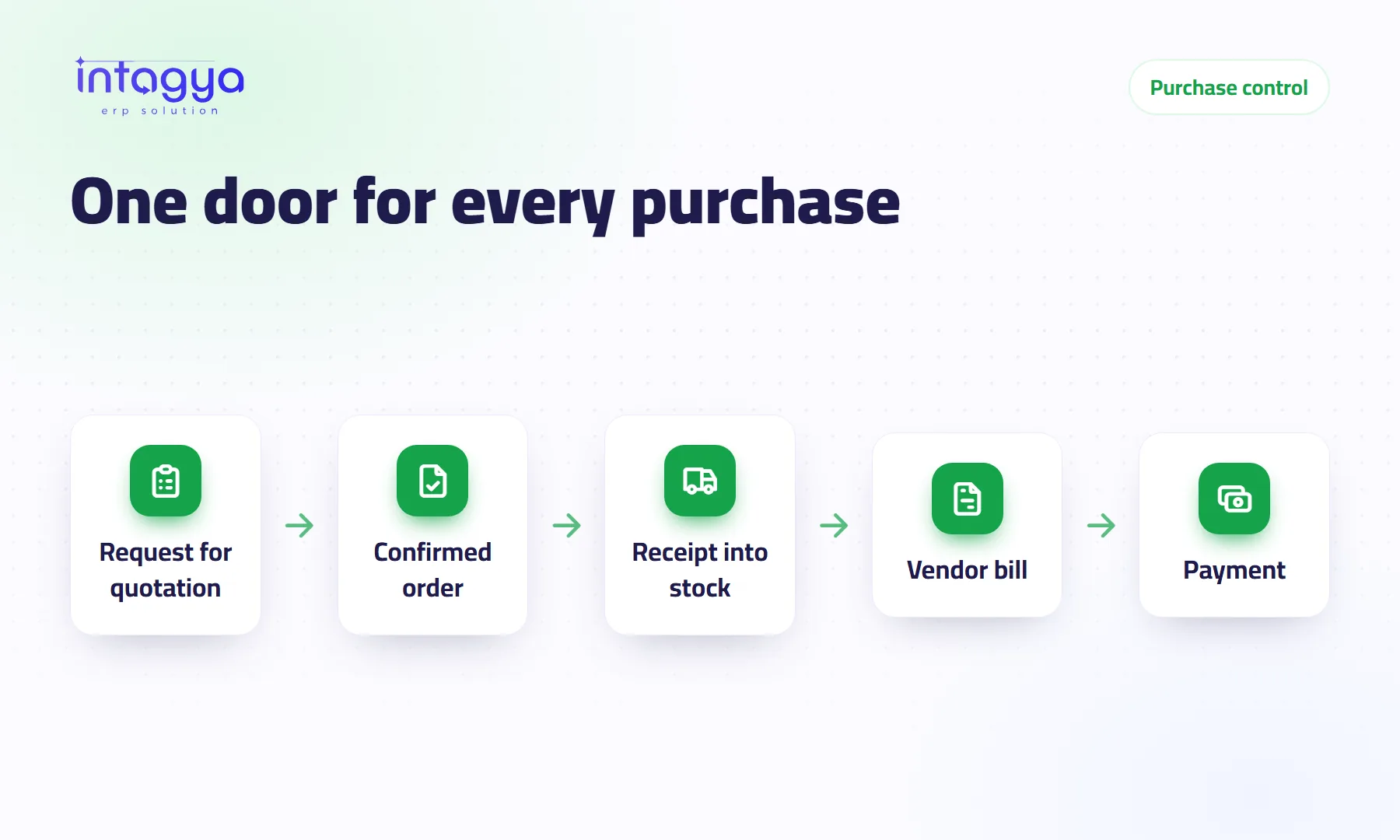
You keep track of purchases when every purchase follows one path in the system: request for quotation, purchase order, receipt into stock, vendor bill. You stop double buying by seeing what is already ordered or on its way before each order, letting reordering rules suggest quantities, and paying suppliers only for what you received.
A production manager at a small factory calls the supplier in the morning and orders 200 cartons. In the afternoon the storekeeper sends the same supplier a WhatsApp message for 200 more. Both orders arrive, there is no room for them, and the cash meant for raw materials is now sitting on warehouse shelves.
Why does my company buy the same thing twice?
Because orders leave through more than one door: a phone call, a message, a note on the accountant's desk. Nobody sees what the others ordered, and the supplier will not ask whether you are sure. He will ship and send the bill.
The fix is not to stop people ordering. It is to give ordering one door.
What is the right purchase path from request to payment?
Four steps, each built on the one before:
- Request for quotation: create it in the system and email it to the supplier, or to several suppliers to compare.
- Purchase order: once you accept the price, confirm the request and it becomes a firm order.
- Receipt: when goods arrive, the warehouse validates the quantity that actually came against the order. If the delivery is short, the rest stays open for the next shipment.
- Vendor bill: created from the purchase order itself, then the payment is recorded against it.
When every purchase goes through these steps, you can answer any question in a minute: who ordered, when, at what price, did it arrive, has it been paid?
How do I know an item is already ordered or on its way?
Look at the product record. Its forecasted quantity counts what is in stock plus what is coming on confirmed purchase orders. If you see 200 cartons on the way, you will not order 200 more.
Better still, let the system suggest. Give each important product a reordering rule with a minimum and a maximum. When the forecasted stock drops below the minimum, a request for quotation is created for the chosen supplier with the quantity that brings it back to the maximum. If there is already an open, unsent request for that supplier, the product is added to it instead of starting a new one.
Do not put reordering rules on every product on day one. Start with the twenty items you buy every month, and watch what the system suggests before you trust it.
How do I make sure I only pay for what I received?
Set the product to be billed on received quantities rather than ordered quantities. The vendor bill then proposes only what reached the warehouse. You ordered 100 and 80 arrived? The bill is for 80.
That is the idea behind matching three documents: the order says what you agreed, the receipt says what came, and the bill must not exceed either. When the supplier's paper invoice shows a larger quantity, your accountant sees the gap before paying.
Who approves a large purchase order?
You decide with an amount. In the purchase settings, turn on manager approval for orders above a set limit. Below it, the buyer confirms on their own; above it, the order waits for the manager.
Set the limit sensibly. Too low, and the manager ends up signing for every box of pens while purchasing stalls on his desk.
How do I compare suppliers and see the last price I paid?
The product record holds a list of its suppliers with price, minimum quantity and delivery lead time, and a new request for quotation takes its price from that list. Purchase reports show what you bought from each supplier and at what price over time.
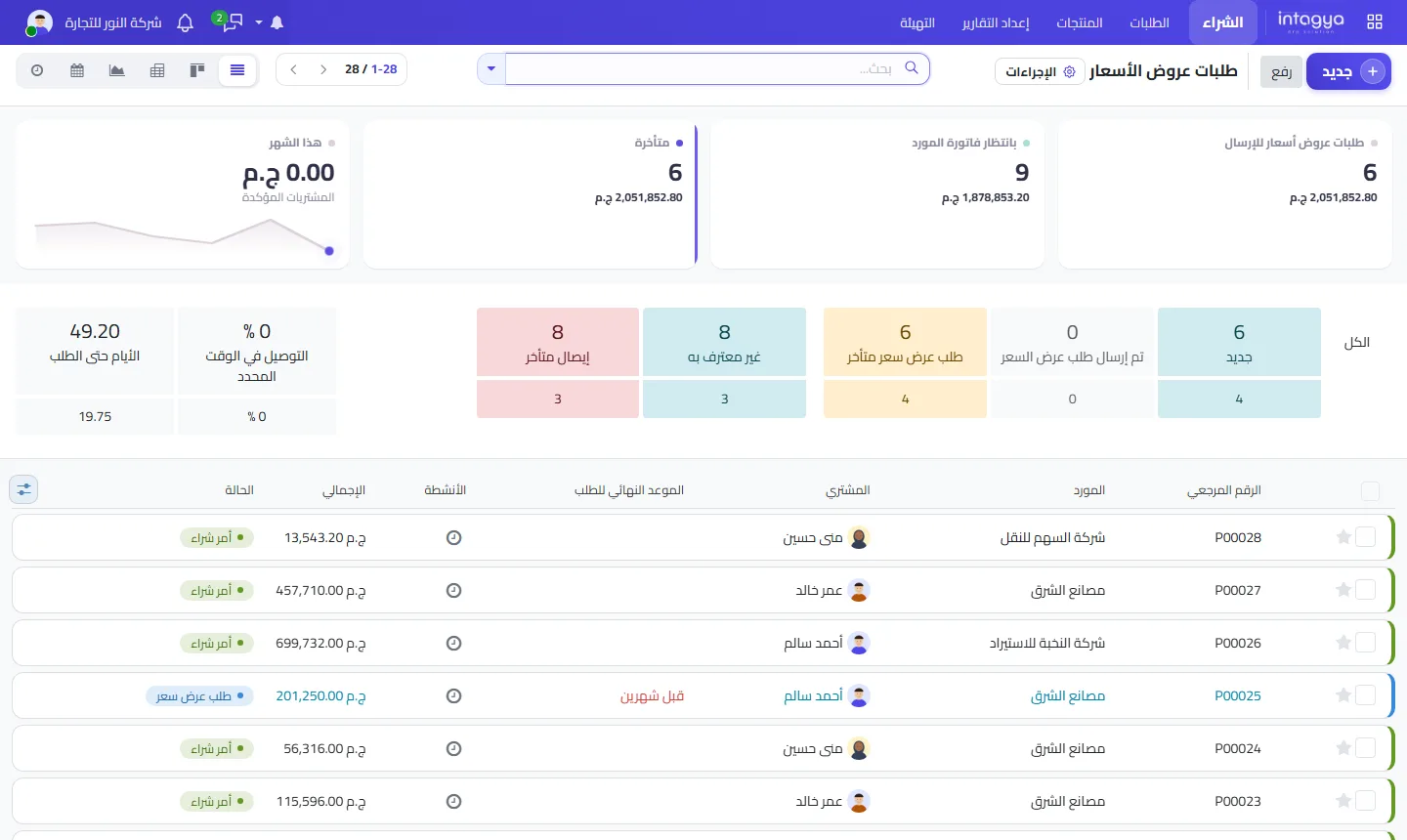
From this screen the purchasing lead knows every morning what is waiting to be sent, what is late, and what has arrived without a bill yet.
How does Intagya ERP help keep purchasing under control?
In Intagya ERP, purchasing is tied to inventory and accounting: the receipt changes the stock balance, the vendor bill is built from the purchase order, and the payment is recorded on the bill. There is no side file to keep track of what you ordered.
Start with one rule this week: nothing is ordered from a supplier except through the system. Any purchase made by phone or message does not get its bill paid until a purchase order exists for it. Expect pushback in the first week. Then it becomes habit.
FAQ
Can I send the request for quotation to the supplier from the system?
Yes. Email it from the request itself, and the message stays logged on it.
What if a delivery arrives short?
Validate only the quantity that arrived; the rest stays open for a later shipment. If billing is on received quantities, you pay only for what came.
Does every purchase order need a manager's approval?
No. You set an amount in the settings, and only orders above it wait for approval.
Is this your business?
Want to see IntagyaERP on your own workflow?
Book a demo, tell us how your business runs, and watch the system handle a real scenario from your company.
Book a demo