
How do I make AI part of my company's daily work?
| Intagya ERP
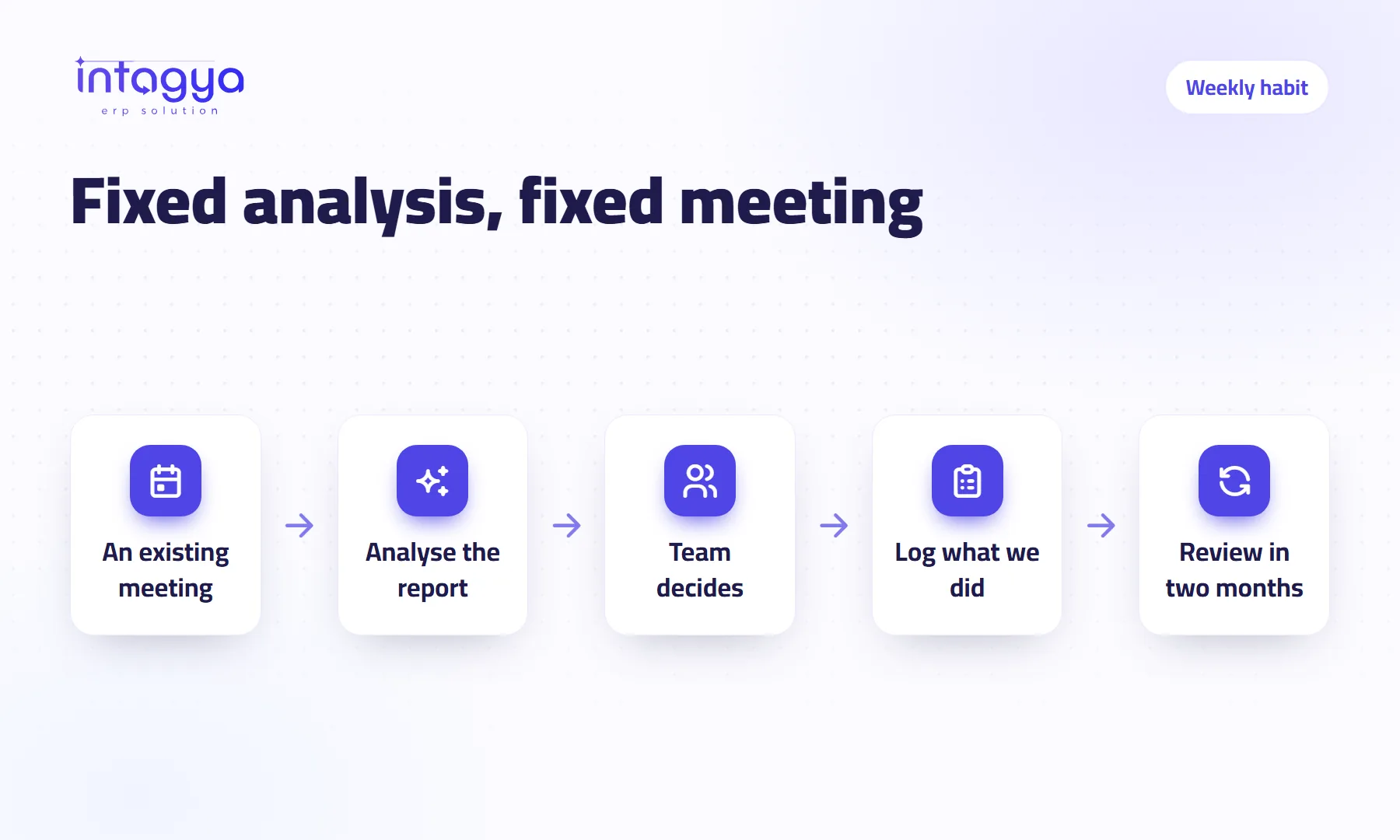
Tie it to fixed moments already in your week, not to whoever happens to remember. On Monday morning the sales manager runs “Analyse with intagya AI” on the revenue report before the meeting; at month-end the accountant does the same on receivables. Each moment has one owner, the answer is a suggestion people decide on, and intagya AI changes no data.
A company switched on an AI tool. In the first week everyone tried it and shared answers in the team chat. A month later the manager asked, “Who used it this week?” No hands went up.
The tool was fine. It just had no slot in anyone's week.
Why does AI get forgotten a few weeks after we switch it on?
Because it waits for someone to remember it, and people are busy. New habits rarely survive alone; they survive when they attach to an old one. Every company already has fixed routines: the sales meeting, the collections review, the project check-in.
If you have not decided where to begin yet, read our piece on getting started first. This one is for teams that have started and want it to stick.
Which weekly meetings should get an AI analysis step?
Pick from meetings you already hold. Do not invent new ones. Here are slots that fit the smart dashboard reports intagya AI analyses:
- Monday morning, before the sales meeting: the revenue report, and “Compare sales with last month”.
- Midweek project check: the projects report, to see what slipped before the customer asks.
- Before the sales team review: the pipeline report, to see which stage deals stall in.
- Month-end collections review: the receivables report, and “Which customers are late paying?”.
- Whenever the manager senses something is stuck: the diagnosis report, and “Where is my bottleneck right now?”.
Do not start with all five. One slot in the first month, then add a second once the first is a habit.
Who owns the analysis step in each meeting?
One named person, usually whoever runs the meeting. They open the report, press the button, read the answer ten minutes before the meeting, and bring only what deserves discussion.
Mind the permissions. Company figures appear in intagya AI only for dashboard managers who also have access to the app behind them; a manager who cannot see invoices in the system will not analyse receivables. Other employees ask about their own work instead, such as “What should I finish first today?”.
What rules should I give the team before we start?
Three rules on one page are enough:
- Data stays in the system: we analyse inside Intagya ERP and never paste customer names or salaries into public online tools. intagya AI itself sends only aggregated figures for analysis.
- AI suggests, people decide: no decision is made because “the tool said so”, only because the slot owner checked the figure in the report and agreed.
- An answer that does not fit our market gets ignored without a long debate.
The second rule is not just caution. intagya AI reads, explains and suggests. It posts no entries and changes no data on its own. Acting on it is your team's job.
How do I know the analysis step actually helped?
Keep a one-line log after each slot: “What did we do because of the answer?” For example: called three late-paying customers. Or: moved an overdue task to a colleague. Or: nothing.
After two months, read the log. If most lines say nothing, that meeting does not need analysis, or the question is wrong. Change the question or drop the step. If the lines are full of actions, the tool has earned a real place in your week.
Keep the “what did we do” line in the meeting notes themselves, not in a separate file. Nobody opens the separate file after week three.
What if the answer is vague or useless?
Usually the question is too broad or the data is incomplete. intagya AI is built to use only the figures in your system and to say plainly when something is not available. If it says that often, the problem is your record-keeping, not the tool.
When an answer is vague, narrow the question: instead of “How are sales?”, ask about this month against last month. And if half your customers' invoices live outside the system, no question will save you.
intagya AI is a paid add-on in Intagya ERP that works on top of the smart dashboard your company already uses. Tomorrow morning: open your calendar, pick one meeting that repeats every week, and write next to it who will press the analysis button ten minutes before, and which question they will ask.
FAQ
How long should the analysis step take?
Keep it short: the owner reads the answer a few minutes before the meeting and brings one or two points.
Can every employee analyse company figures?
No. Company figures are for dashboard managers with access to the app behind them; everyone else asks about their own work.
Does intagya AI act on its own suggestions?
No. It reads, explains and suggests. It posts no entries and changes no data. The team does the acting.
When should I add a second slot?
When the first one happens without reminders, and the log shows it leads to real actions.
Is this your business?
Want to see IntagyaERP on your own workflow?
Book a demo, tell us how your business runs, and watch the system handle a real scenario from your company.
Book a demo