
How do you print invoices on your own letterhead?
| Intagya ERP

Open Settings, then Company and branches, then Update info, and upload the header and footer images from the Documents card. In Intagya ERP both images show on every document printed with your company layout, and the layout you chose stays as it is.
In a small office in Jeddah, the accountant keeps a stack of paper with the company name already printed on it. Every invoice means loading that paper the right way up and hoping the lines stay clear of the header. When the sales rep emails the same invoice, it reaches the customer with no letterhead at all.
Pre-printed paper is an old answer to a problem that has gone. Your letterhead is an image, and its place is inside the system.
Why do some companies' invoices look smaller than they really are?
Because the customer never sees your office. They see one sheet of paper. If the quotation looks one way, the invoice another and the delivery note a third, the impression is a company run on loose paper, even if it is well organised inside.
I would not design each document on its own. Design the letterhead once and let the system put it everywhere.
How do you upload your company header and footer?
From Settings open Company and branches and press Update info. Go down to the Documents card and you will find two fields: Header image and Footer image. Upload each one and save, and your documents carry them from that moment.
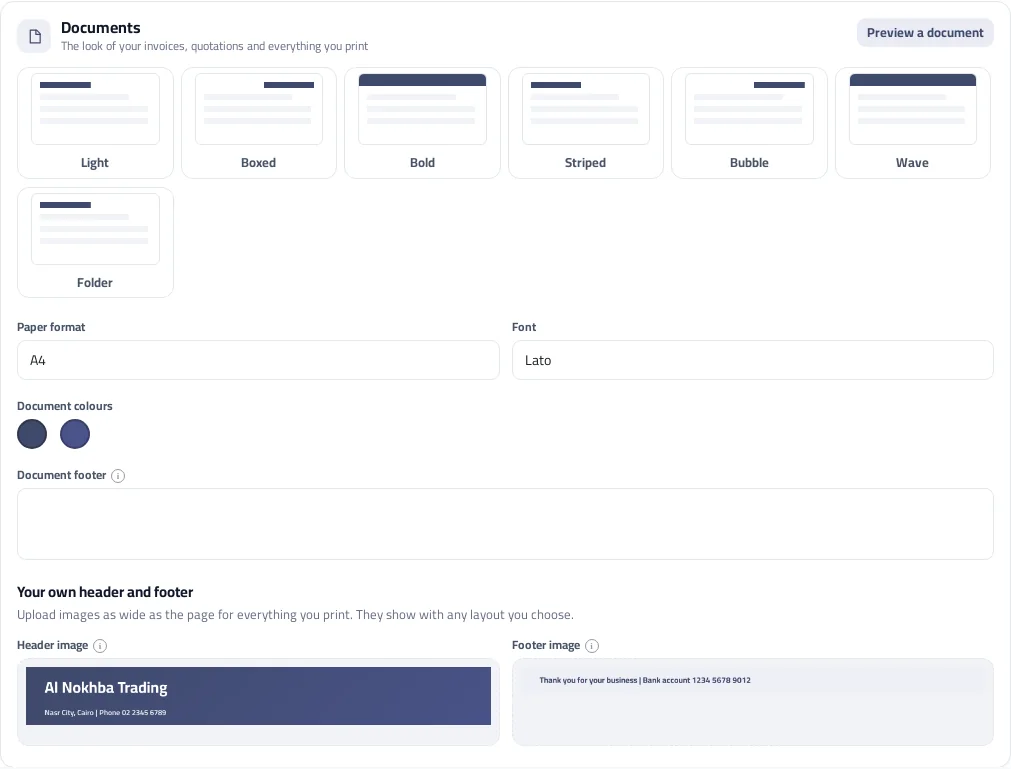
Ask your designer for a wide file as broad as the page, such as 1600 by 200 pixels, on a clean background. A narrow image gets stretched to fill the width and loses its sharpness.
Do you lose your layout and colours if you upload images?
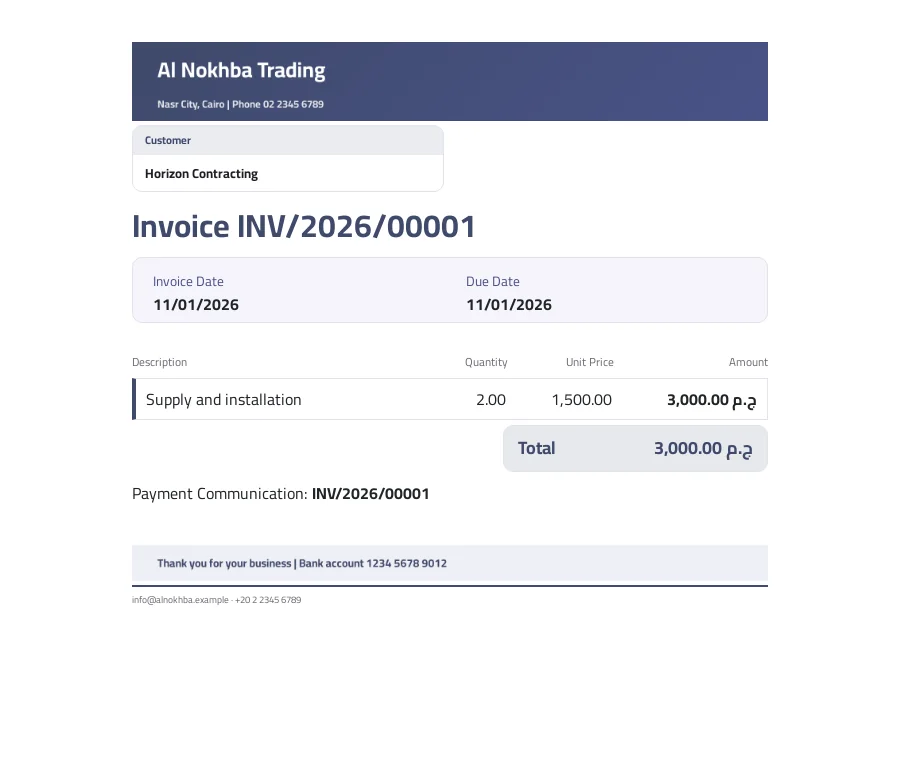
No. The header image takes the place of the layout's header, the footer image sits above its footer, and the body of the document stays on the layout you chose: tables, colours and font. With the Boxed layout, for example, the table frames stay as they are.
You can upload one image without the other. Some companies only need a footer with their bank details, and leave the header for the system to build from the logo and address.
How do you check the look before sending your first invoice?
Press Preview a document on the same card and the letterhead appears on a sample invoice with your current layout. Change what you need there, then print one real invoice and look at it on paper, because what looks fine on screen can look faint in print.
Which documents will carry the letterhead?
Every document printed with your company layout: invoices, quotations, purchase orders and the others you print from the apps. A point of sale receipt has its own design for receipt paper, and a wide header would not suit it anyway.
Tomorrow morning, ask your designer for the letterhead file, upload it, then print your latest invoice and compare it with your pre-printed paper. If you like the result, you will not need another order from the print shop.
If you have branches, upload each branch's letterhead from its own details, so each one prints its correct address and tax number.
Read the company details guide
FAQ
What size should the header image be?
A wide image as broad as the page, such as 1600 by 200 pixels. It shows across the full width of the sheet, up to about 160 pixels high in print.
Can I upload the footer image alone?
Yes. Each image is independent, so you can upload only the footer and keep the header the system builds from your logo and details.
Does the letterhead show on point of sale receipts?
No. The images are for documents printed with your company layout, such as invoices and quotations. A point of sale receipt has its own design for receipt paper.
Can each branch have its own letterhead?
Yes. The images belong to each company and branch, so a branch prints its documents with its own letterhead.
Is this your business?
Want to see IntagyaERP on your own workflow?
Book a demo, tell us how your business runs, and watch the system handle a real scenario from your company.
Book a demo