
How do I collect my employees' ideas and know which ones are worth doing?
| Intagya ERP
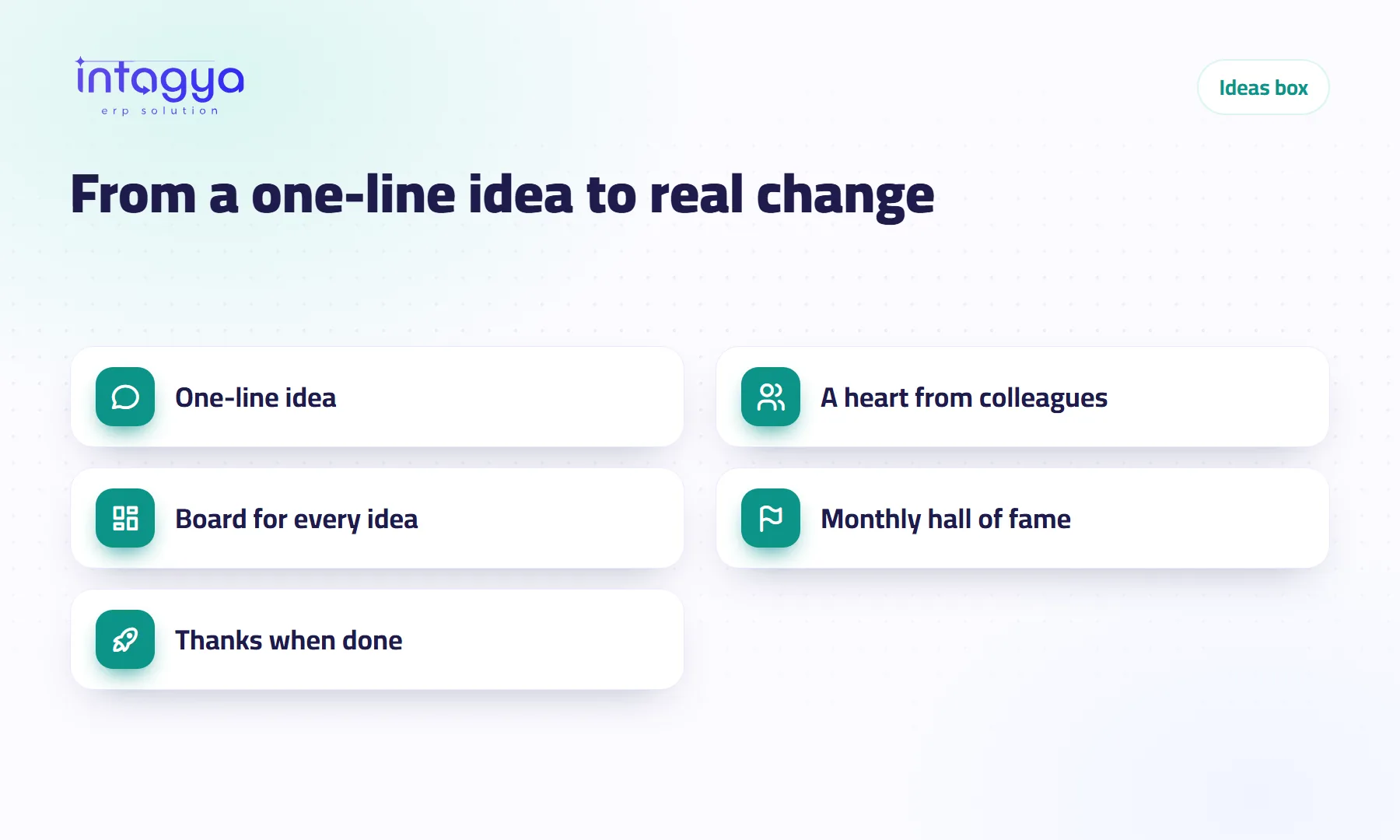
Give ideas one place where any employee writes theirs in a line, everyone sees it, and each person gives a heart to the ideas they back. The ideas with the most hearts get studied first, and management moves them from Fresh idea to Came true in front of the whole team. That is what the Intagya ERP ideas box does.
A delivery driver at a small distribution company once told his manager, standing at the door: “If we texted the customer the day before, I wouldn't have come back with the order three times this week.” The manager said it was a good idea. Then they both forgot it.
That is what happens to most ideas at work. Nobody turns them down. They are said in a corridor, or dropped in a WhatsApp group between a photo and a birthday wish, and then they are gone.
Why don't my employees share their ideas?
Usually because they never see where ideas go. Someone who wrote a suggestion once and heard nothing back will not write a second one.
There is a simpler reason too: there is no place for it. Nobody opens the wooden suggestion box at reception, and an email to the manager feels too formal for a small idea.
My view: people don't need a cash reward to share. They need to see their idea written under their name, see colleagues back it, and know what happened to it.
Where can an employee write an idea quickly?
In Intagya ERP every employee already has a channel called Ideas box in Discuss; nobody has to add them. When they open it, the writing box sits in the middle of the screen, much like asking an AI assistant, under a question that changes: “What wastes your time every day?” or “What would make our customers happier?”
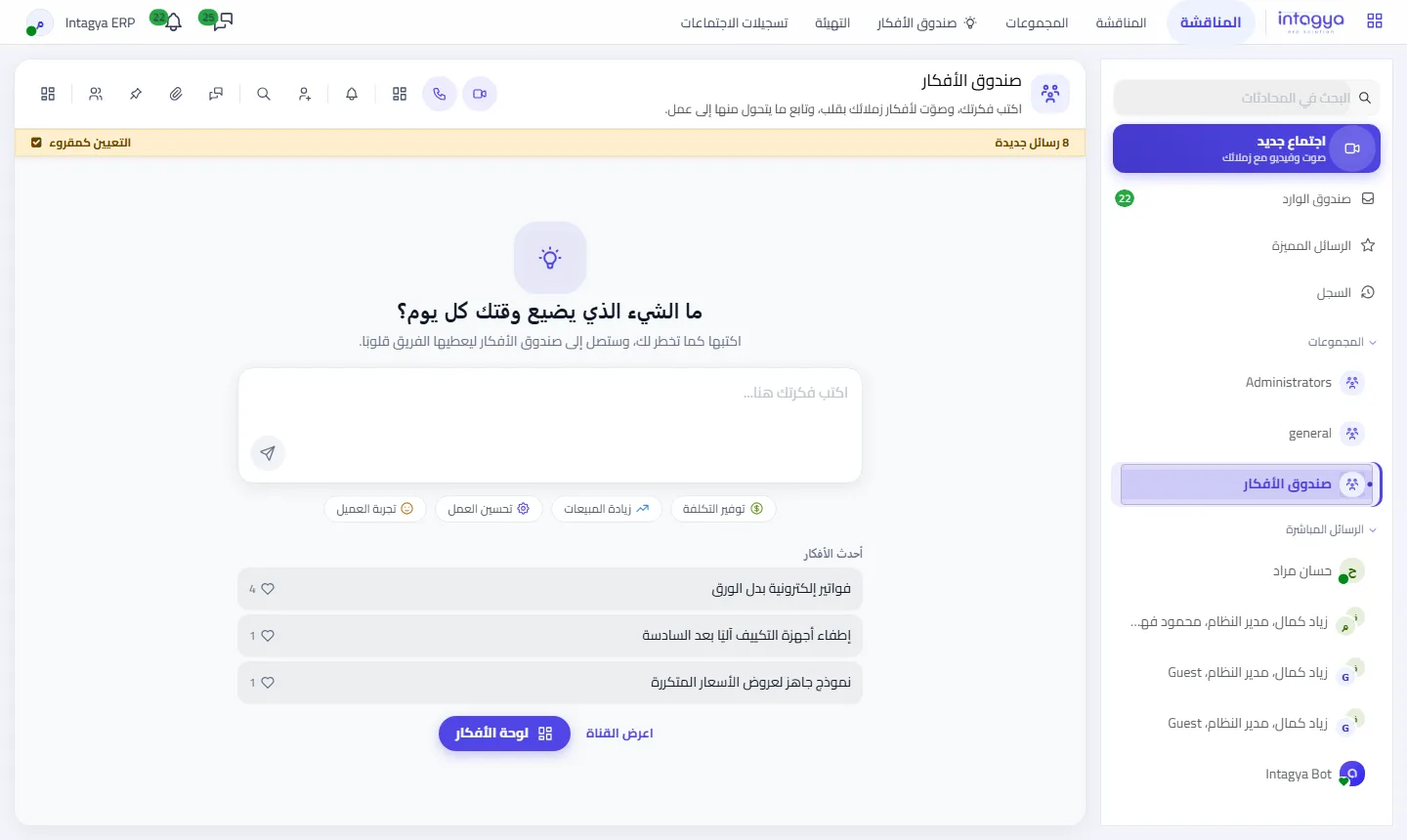
They write a line. The first line becomes the title, anything after it the details. They can pick a category: cost saving, more sales, better work or customer experience. Then send.
If they would rather stay unnamed, they send it from I have an idea and switch on Send without my name. Only the ideas manager sees who wrote it.
How do I know which ideas the team really backs?
Every idea lands in the channel as a card with a heart. Each employee presses the heart once if they like the idea; a second press takes it back. No complicated vote, no survey someone has to tally.
After a week you will notice something useful: some ideas collect two hearts, others ten. The second kind usually fixes a problem more than one department lives with. Start there.
Don't treat the heart count as the decision. It tells you what bothers the team most; the decision is still yours once you know the cost.
How do I follow an idea until it is done?
All ideas also appear on the ideas board, reached from Ideas box in the Discuss top menu or from the home screen. The board has five columns:
- Fresh idea: just arrived.
- Thinking about it: management is looking at it.
- We will start it: approved, with someone responsible.
- Came true: done, with a line saying what changed.
- For later: a good idea, but not now.
Only the ideas manager moves an idea between columns, and every move is announced in the channel, so the author and their colleagues know where it stands without asking.
Comments stay inside the idea, not in ten scattered chats. Anyone with a detail to add writes it there.
Is a hall of fame with badges worth it?
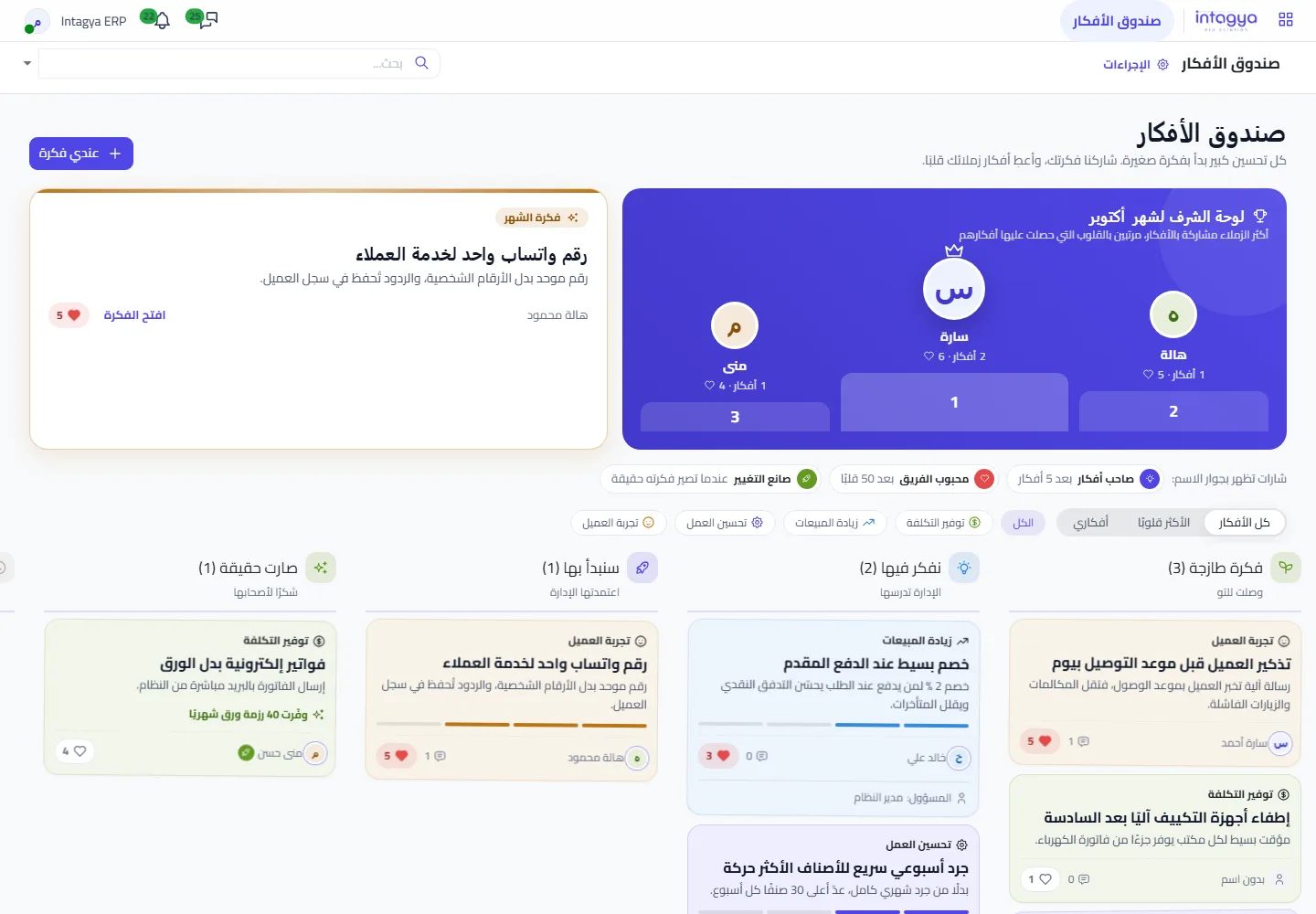
Yes, as long as it stays simple. At the top of the board you see the three colleagues who shared the most ideas this month, ranked by the hearts their ideas got, next to the idea of the month. Small badges sit next to names: Idea maker, Team favourite, and Change maker for someone whose idea came true.
And when an idea comes true, the channel gets a thank-you message with the author's name. One message like that brings in more ideas than any memo from management.
What should I do tomorrow morning?
- Open the Ideas box channel and write the first idea yourself, even a small one.
- Ask each department for one idea this week, no more.
- Keep fifteen minutes a week to move the most hearted ideas to Thinking about it.
- When the first idea is done, move it to Came true and write what changed.
The ideas box is already in every Intagya ERP workspace, with nothing to set up. What it needs from you is answers to the ideas, not collecting them.
FAQ
Can an employee send an idea without their name?
Yes. From I have an idea they switch on Send without my name; the name shows neither in the channel nor on the board, and only the ideas manager knows it. Unnamed ideas never enter the hall of fame.
Who can move an idea from one stage to another?
Only the ideas manager, and system administrators are ideas managers automatically. An employee can edit their own idea while it is a Fresh idea, and can heart and comment on any idea.
Do I need to install anything to start?
No. The ideas box is in every Intagya ERP workspace, and the channel shows up for every internal employee automatically, including people added later.
Does it work on a phone?
Yes, in the phone browser: the channel, the board and the hearts work just as on a computer. In the Intagya Android app the channel is an ordinary chat where employees read new ideas and reply; the board and the hearts are in the browser.
Is this your business?
Want to see IntagyaERP on your own workflow?
Book a demo, tell us how your business runs, and watch the system handle a real scenario from your company.
Book a demo