
How do you run your whole company from one place, with peace of mind?
| Intagya ERP

You run a company from one place when every department works on one system and you see the picture on one screen. Intagya ERP brings sales, inventory, accounting and staff together, with a dashboard that tells you where you stand, where you are heading, why a problem happened and what to do.
It is ten at night and the manager is still in the office. The sales file is with Ahmed, the warehouse figures are in a WhatsApp group, and accounting is waiting for the month-end report. A simple question: did we make a profit this month? It set off a round of calls that never ended.
That is not management. It is firefighting in a suit. And you did not start a company to spend your life chasing figures.
Why does it feel as if your company runs you?
Because the information is scattered. Each department has its own version of the truth, and every decision starts by asking who knows. So your most important decisions come late, on last month's figures.
What does running everything from one place really mean?
Not a pretty screen on top of scattered files. It means a quotation becomes an order, the order reduces stock, and the invoice reaches accounting, with nobody retyping a figure. The truth becomes one for everyone, and you see it as it happens.
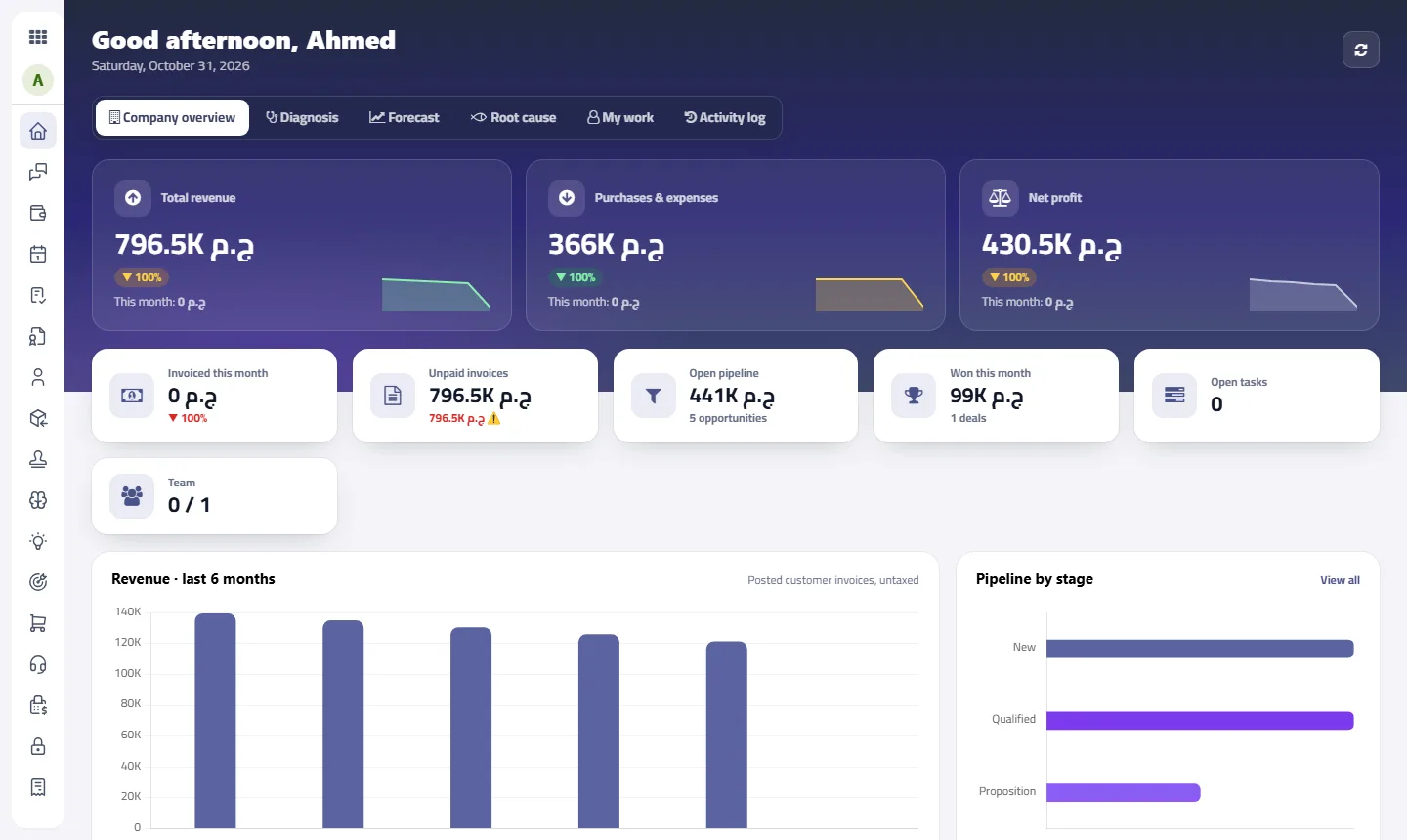
What does a manager see in Intagya ERP every morning?
You open the dashboard and your company is in front of you. These are the tools that make the difference:
Company overview: "how are we doing?" answered in seconds
Revenue, expenses, net profit, unpaid invoices, open opportunities and the team, on one screen you open with your morning coffee. You will not wait for the month-end report to know if you made a profit, or call the accountant to ask for a figure. Below it, a card for each app you use takes you to the details in one click.
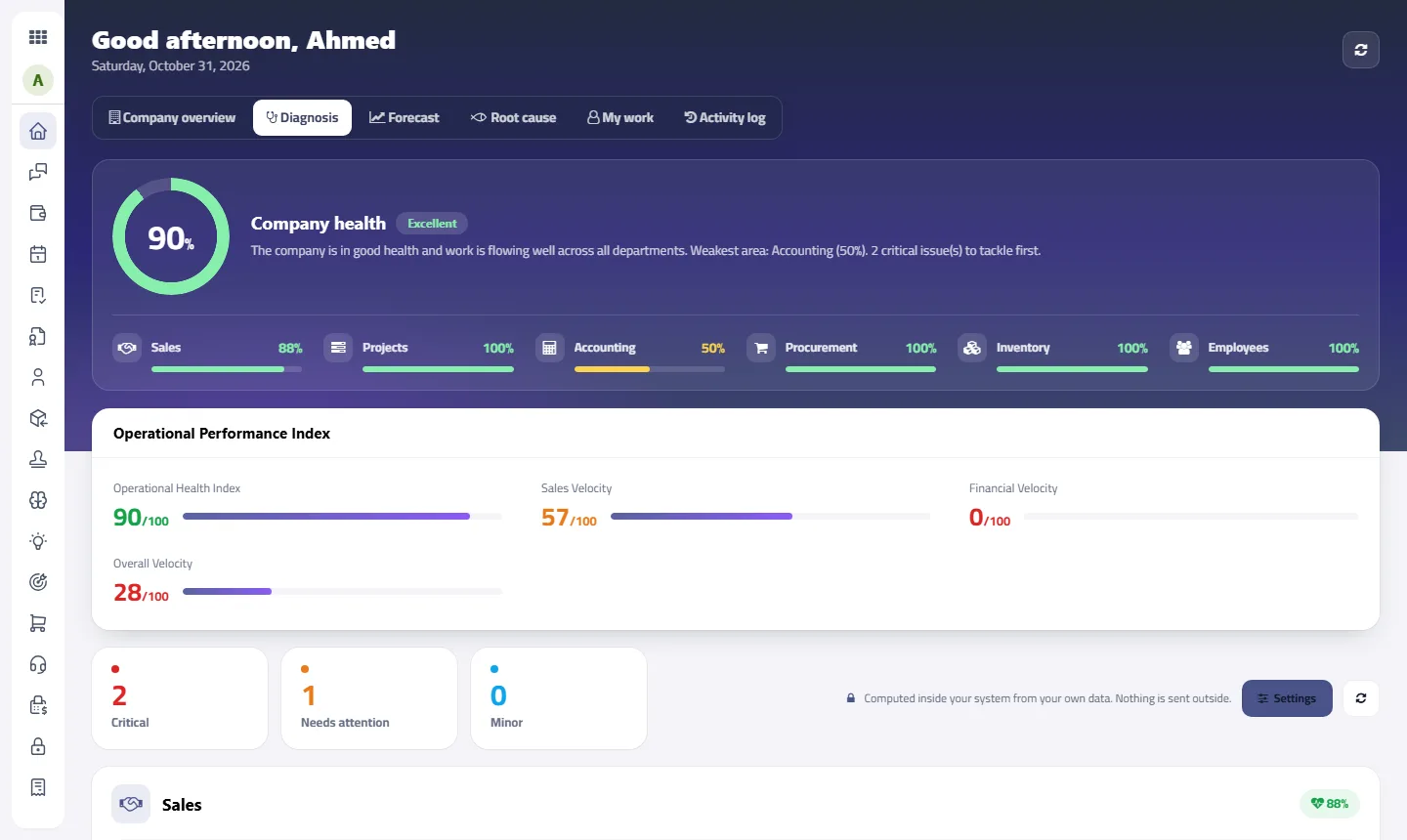
Diagnosis: an adviser reviewing your company every day
Instead of hunting for problems, they come to you. The system reads your data, scores your company and each department, then tells you where the bottleneck is: stuck opportunities, overdue invoices or tasks with no owner. Every point comes with a clear suggestion and a button to the records themselves. Hours of manual review become minutes.
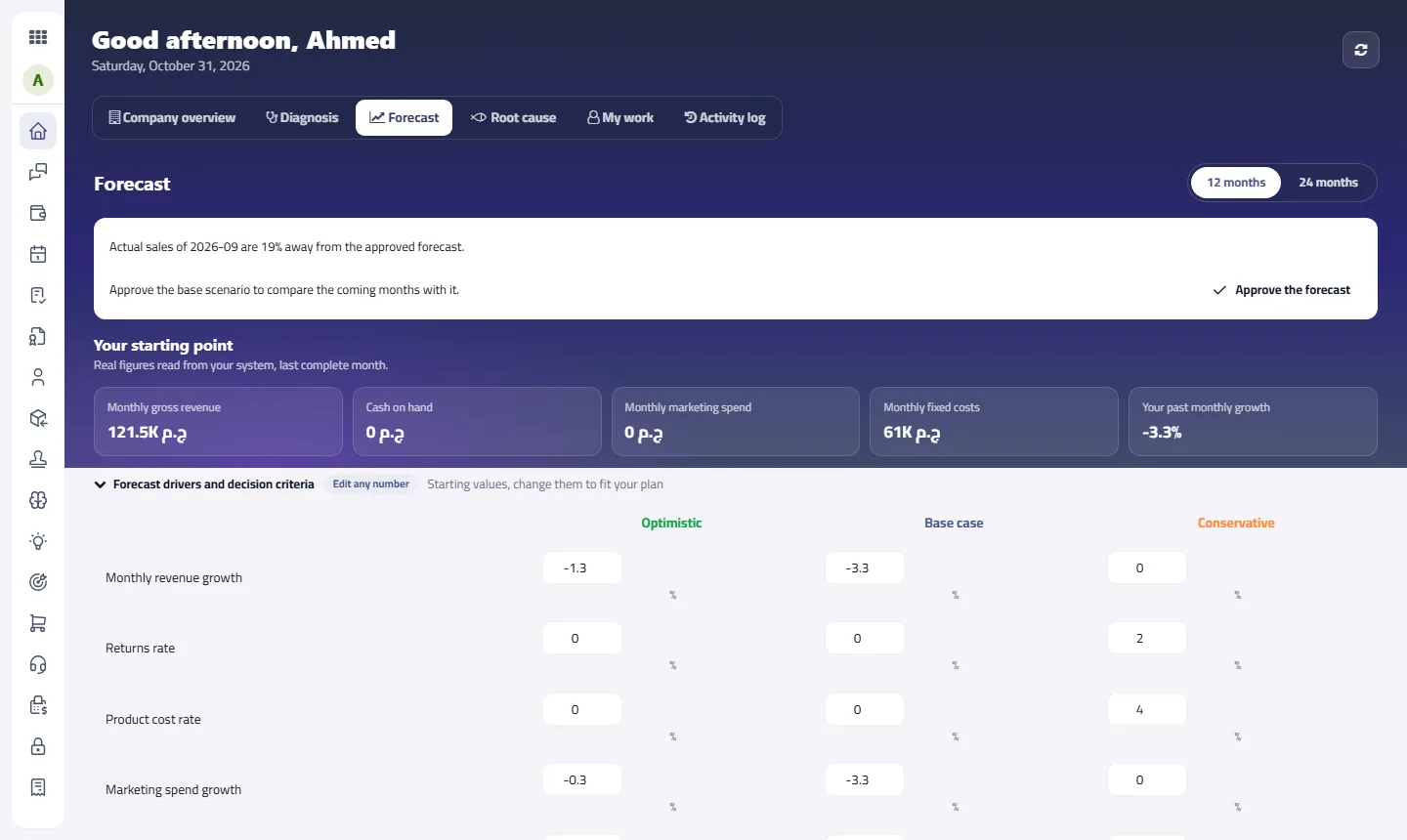
The forecast: know where you will be before you get there
It starts from your real figures and shows revenue, costs and cash for 12 or 24 months across three scenarios. Can you hire? Will the cash last? Change a figure and see the result at once, with no spreadsheet that breaks at the first edit. Once you approve the forecast, the system alerts you if sales move away from it.
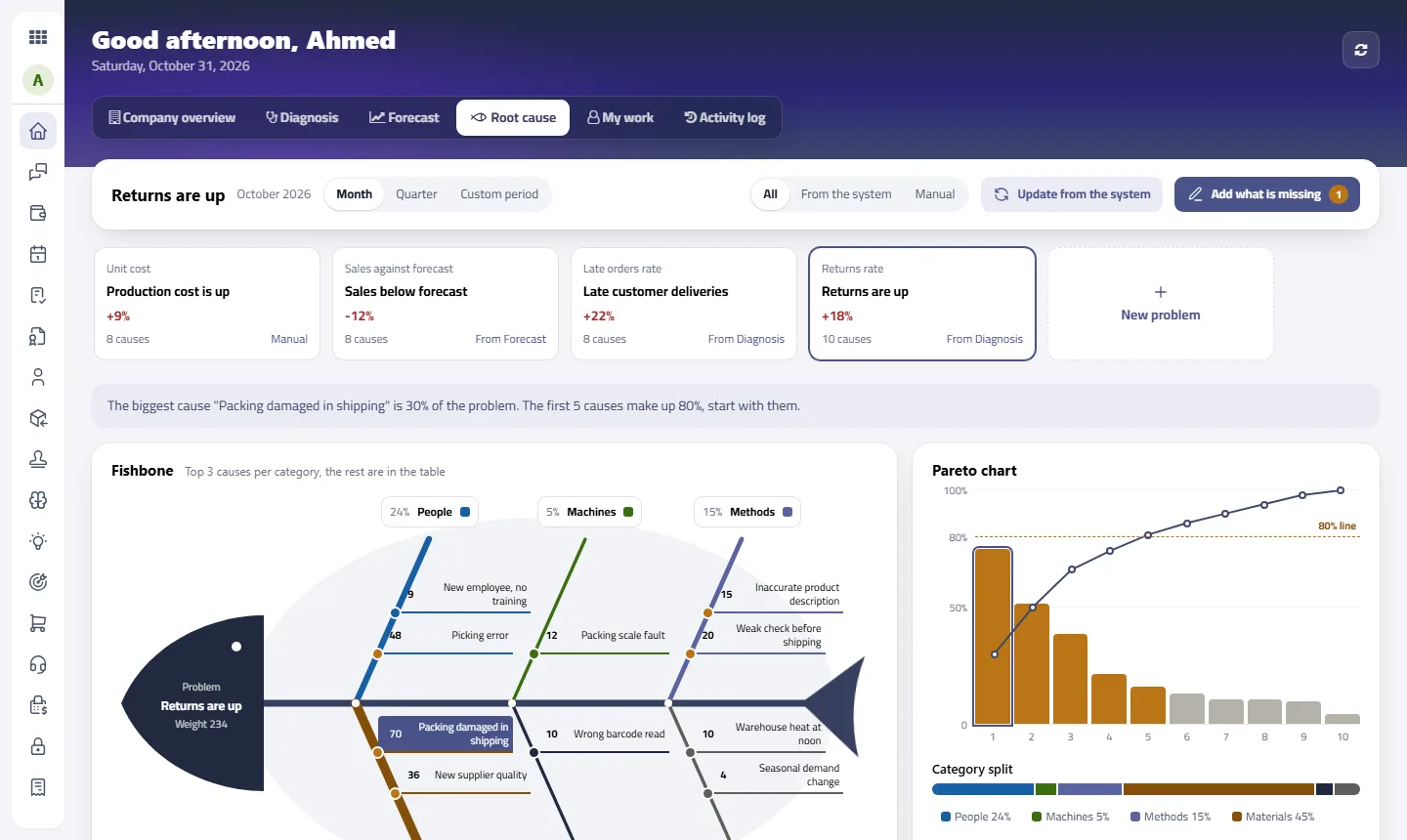
Fishbone analysis: stop treating the symptom
In the Root cause tab, when a problem appears, you will not spend a whole meeting trading blame. The fishbone analysis gathers causes from system moves and from your team, and the Pareto chart shows the causes behind 80% of the problem, so you start with what makes the difference. Then you approve an action with an owner and a deadline, and it reaches them automatically.
Today's work: everyone knows what is on their plate
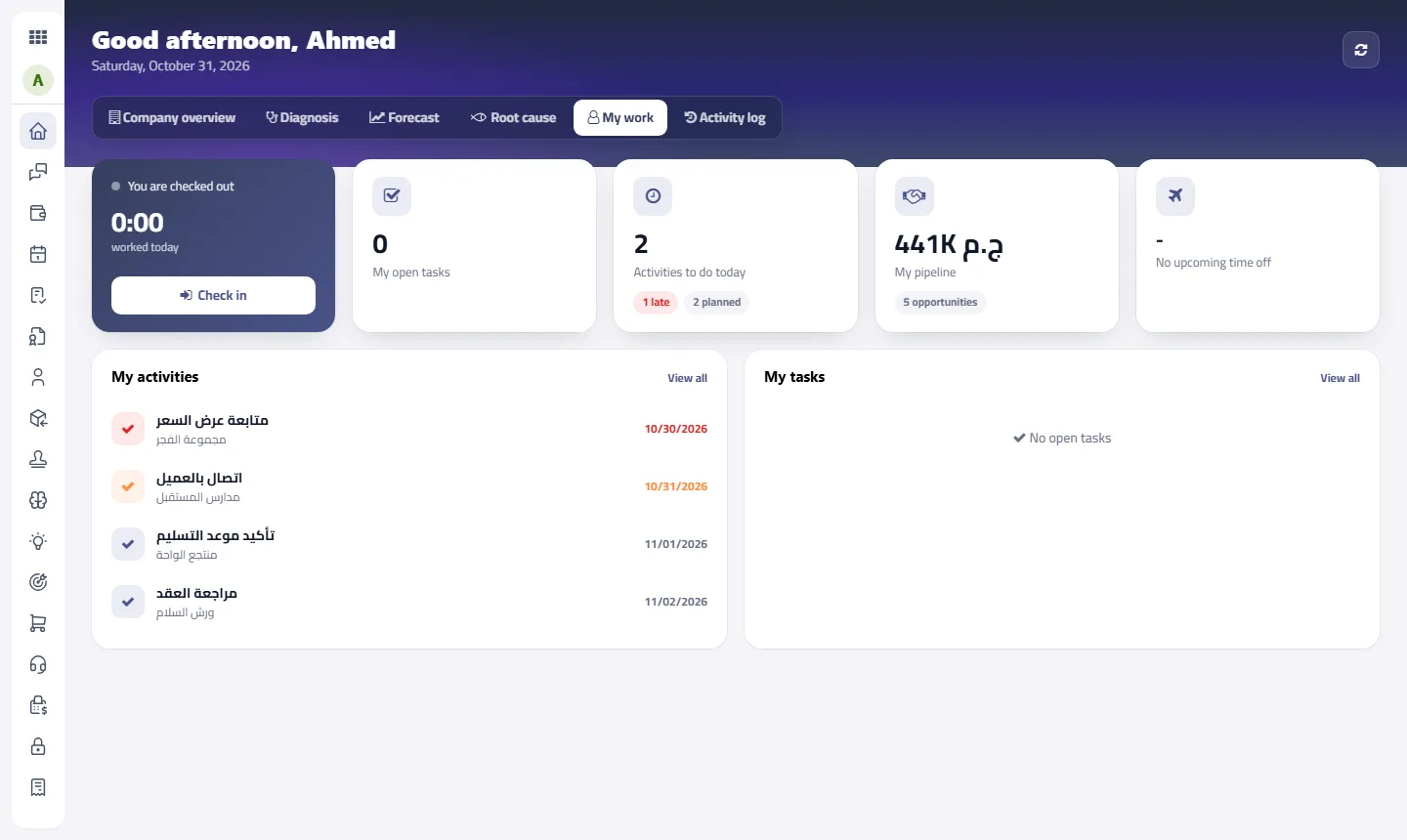
In the My work tab: tasks, activities, attendance, time off and opportunities, on each employee's own screen. The best part is the questions it saves you: people start the day knowing what to do, so they do not need to ask.
Following team activity: know what happened without asking
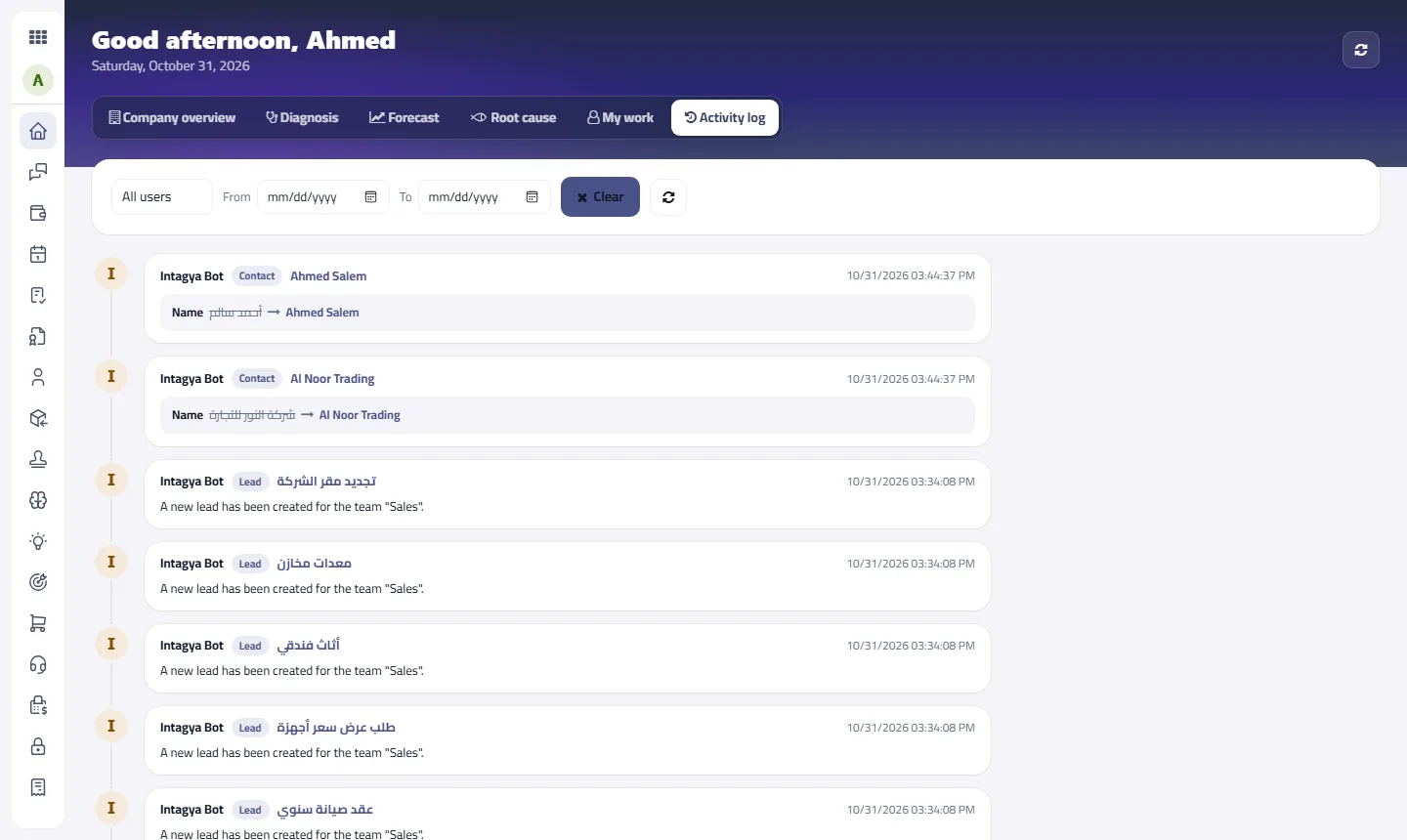
The Activity log follows your team: who did what and when, filtered by user and date. When two people disagree about what happened, the log answers in a moment, with no investigation and no embarrassment.
The difference is huge. Instead of asking what happened, you know what to do next.
Does this replace all the scattered files and programs?
For most companies yes, and that is the point. Sales, inventory, purchasing, accounting and staff apps work together on one set of data, so the war of the files ends, each employee works from their own screen, and you keep the full picture.
Start with the one department that hurts most, then expand. The system grows with your company.
Why does this change the way you work as a manager?
Because your job is not collecting figures. Your job is the decision. When the picture reaches you clear and clean every morning, you return to why you started the company: to lead, not to chase.
FAQ
Does it suit small companies?
Yes. Start with the apps you need and add others as you grow.
Can every employee see company figures?
No. Company figures are for dashboard managers, and each employee sees their own work with their own rights.
Do I need technical experience?
No. The interface shows what you need on one screen, in Arabic or English.
Is this your business?
Want to see IntagyaERP on your own workflow?
Book a demo, tell us how your business runs, and watch the system handle a real scenario from your company.
Book a demo