
How do I link my Amazon store to my accounting and stock?
| Intagya ERP
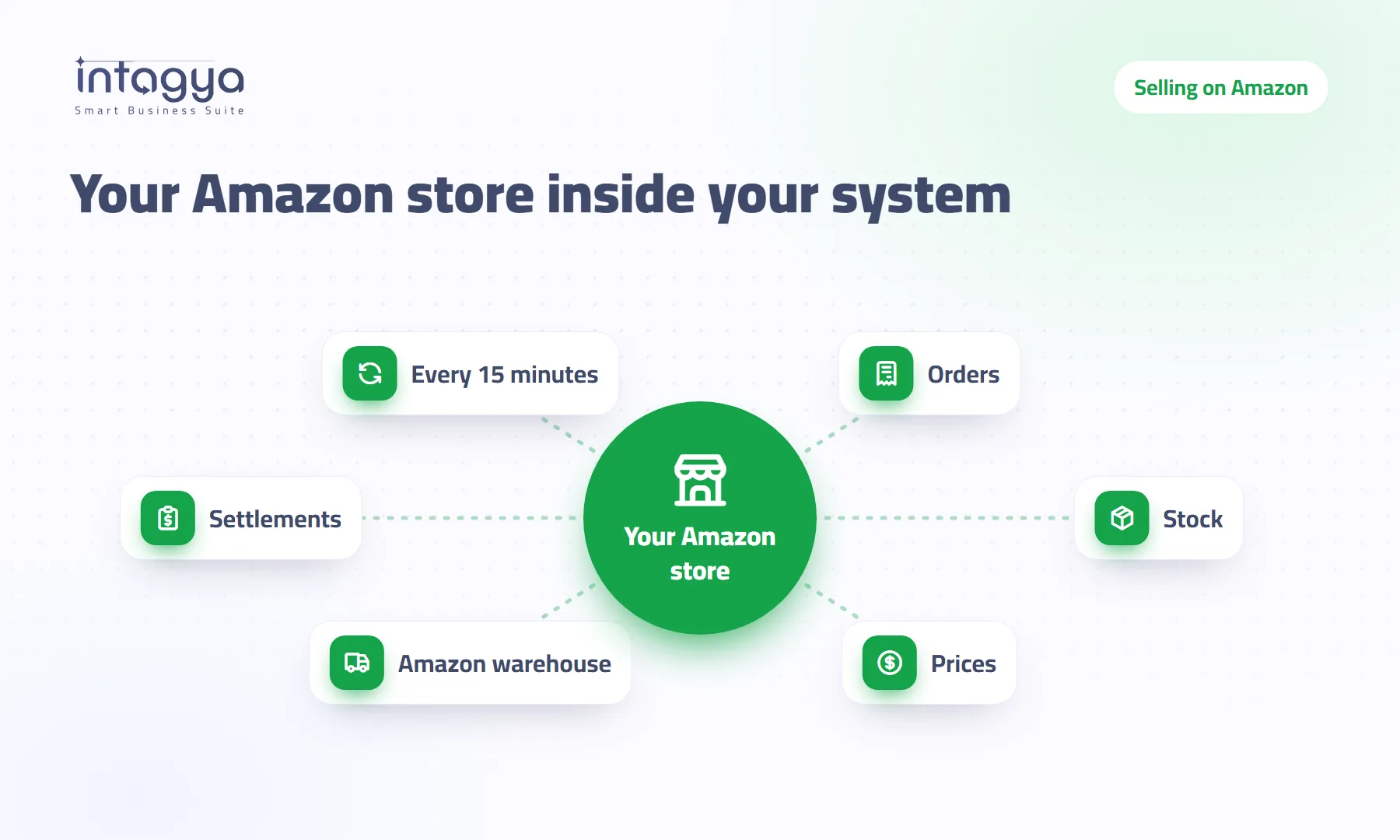
Link your seller account from the Amazon store page inside Sales in Intagya ERP, approving it on Seller Central without handing your password to anyone. Orders from Amazon Egypt, Saudi Arabia and the UAE then arrive as confirmed sales orders every 15 minutes, the free quantity goes to Amazon after every stock move, and each Amazon payout is booked as one entry with sales and fees.
It is ten at night. The owner of a small homeware shop sits in front of two screens: Seller Central on the left, his system on the right. He copies the day's orders one by one: order number, item, quantity, price.
In the morning the storekeeper calls. The last kettle was sold in the shop yesterday, and an Amazon buyer ordered it overnight. Now he has to cancel, apologise and worry about his seller rating.
Nobody made a selling mistake. The stock simply has two numbers, his and Amazon's, and nobody brings them together in time.
Why do I sell items on Amazon that already ran out?
Because Amazon does not know what you sold in the shop or on your website. It shows the quantity you last typed, and every sale elsewhere makes that number a little more wrong.
Updating it by hand works for a day or two. Then a busy season comes, or the person who does it is away, and the gap is back.
How do I link my seller account without giving my password to anyone?
Add Amazon store link from Add apps. It is free and shows inside Sales under an Amazon menu. Open Amazon store, tick the marketplaces you sell on (Egypt, Saudi Arabia or the UAE) and press Link Amazon account.
You land on Seller Central itself, approve the link there and come back to the system by yourself. Nobody asks for your Amazon password. You can cancel the link at any time, and the orders already imported stay.
On linking, the system sets up what it needs: a warehouse called Amazon warehouse for FBA stock, a sales team and a settlement journal. You can change any of them on the store page.
What happens to an Amazon order once it reaches the system?
It becomes a confirmed sales order carrying the Amazon order number, the marketplace and its currency. The first time we bring the last 30 days of orders, then every 15 minutes. An order still waiting for payment comes in once it is paid.
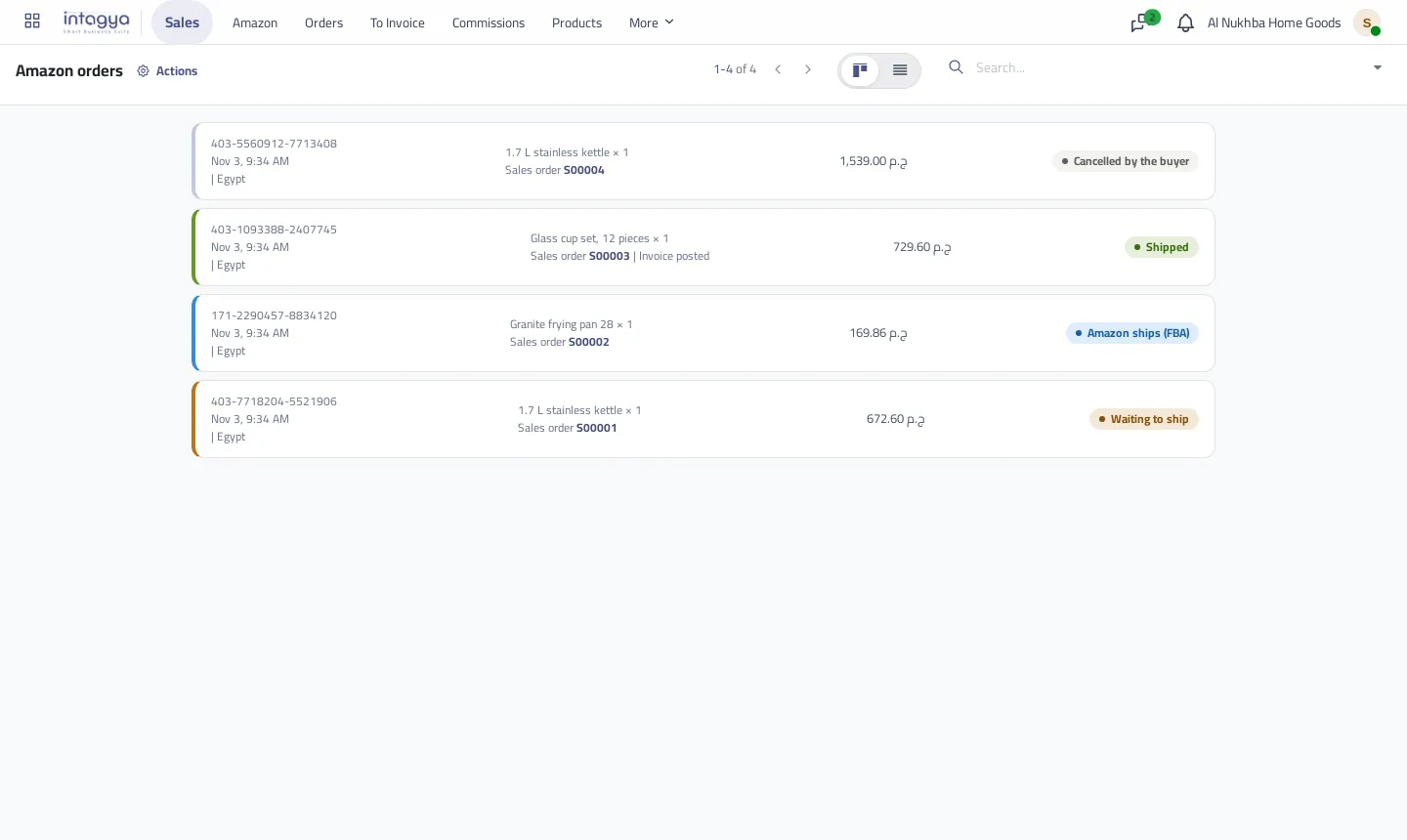
When the order turns to Shipped on Amazon, the sales order is delivered in the system and its invoice is made and posted. You can switch the automatic invoice off if your accountant prefers to issue it. If the buyer cancels before delivery, the sales order is cancelled.
How does the system know my product is the one on Amazon?
Through the SKU. When the Amazon SKU equals your product's internal reference or barcode, they link at once. That is why I would align your codes before linking: it is the cheapest step of the whole setup.
For anything that does not match, the system suggests a product from its name and shows the name likeness. You confirm, choose another, or create a new product whose internal reference is the SKU.
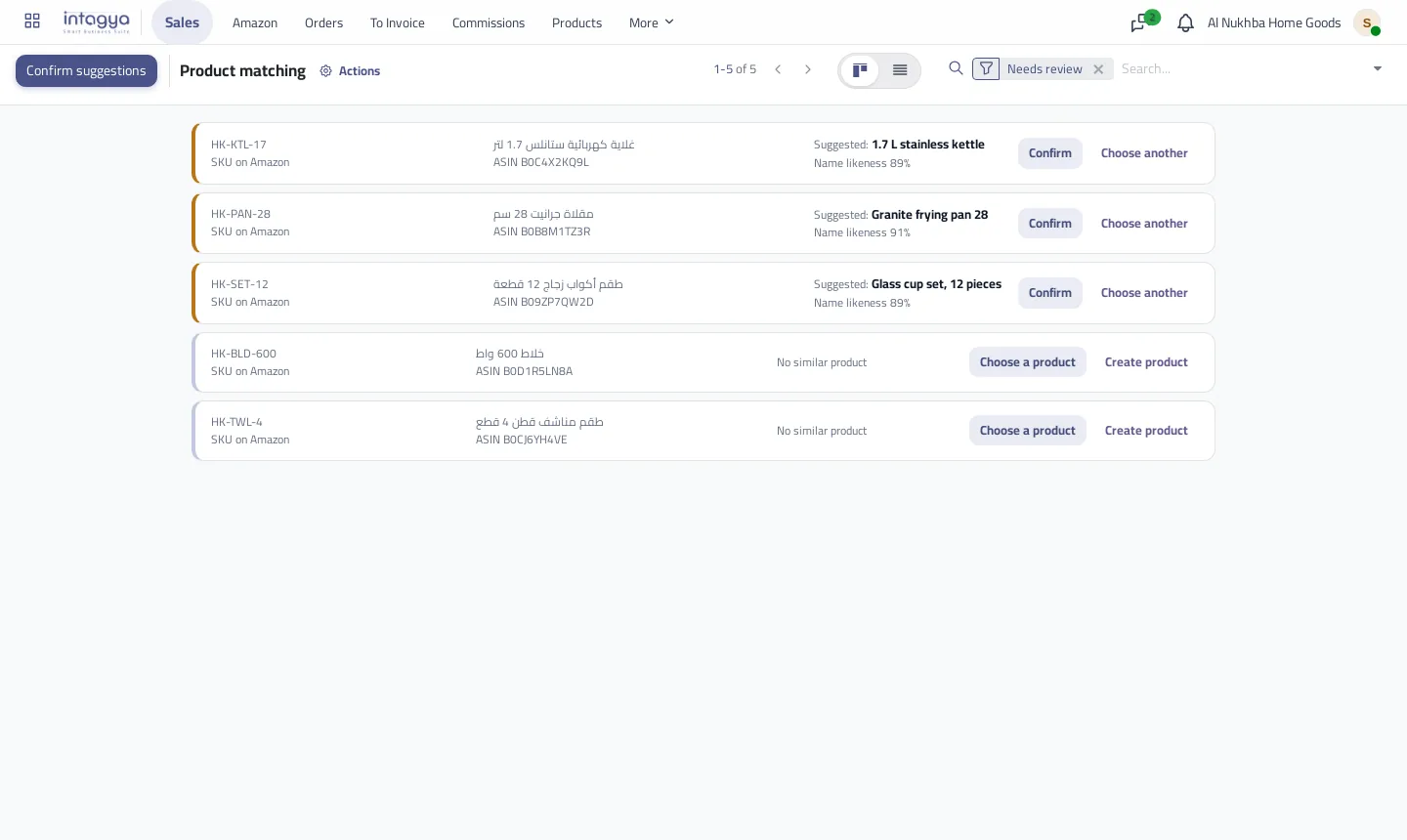
Orders for a product that is not linked still come in. Stock just does not go down until you link it, which is reason enough to clear the list on day one.
Does the Amazon quantity drop when I sell in the shop?
Yes, for the products you ship yourself. After every finished stock move on a linked product, the system sends Amazon the free quantity in the warehouse you ship from, meaning on hand minus reserved. A delivery, a purchase receipt or a transfer between warehouses all count as moves.
For what Amazon ships from its own warehouses (FBA) it works the other way. We read the quantity from Amazon every few hours into the Amazon warehouse, so you see that stock without mixing it with yours.
Sending prices is off at the start, on purpose. Turn it on only when the sales price in the system is the price you want on Amazon, because it goes out converted to each marketplace currency every time you change it.
How do Amazon payouts show up in my accounts?
Amazon does not pay you order by order. It adds up the sales, takes off commissions, fees and refunds, and transfers what is left. That is why accountants struggle to match the bank statement with the invoices.
In Intagya ERP every closed Amazon payout becomes one posted entry: the amount paid out, the sales collected on the Amazon customer account, and the difference as fees and charges on the fees account you choose. The same payout is never booked twice.
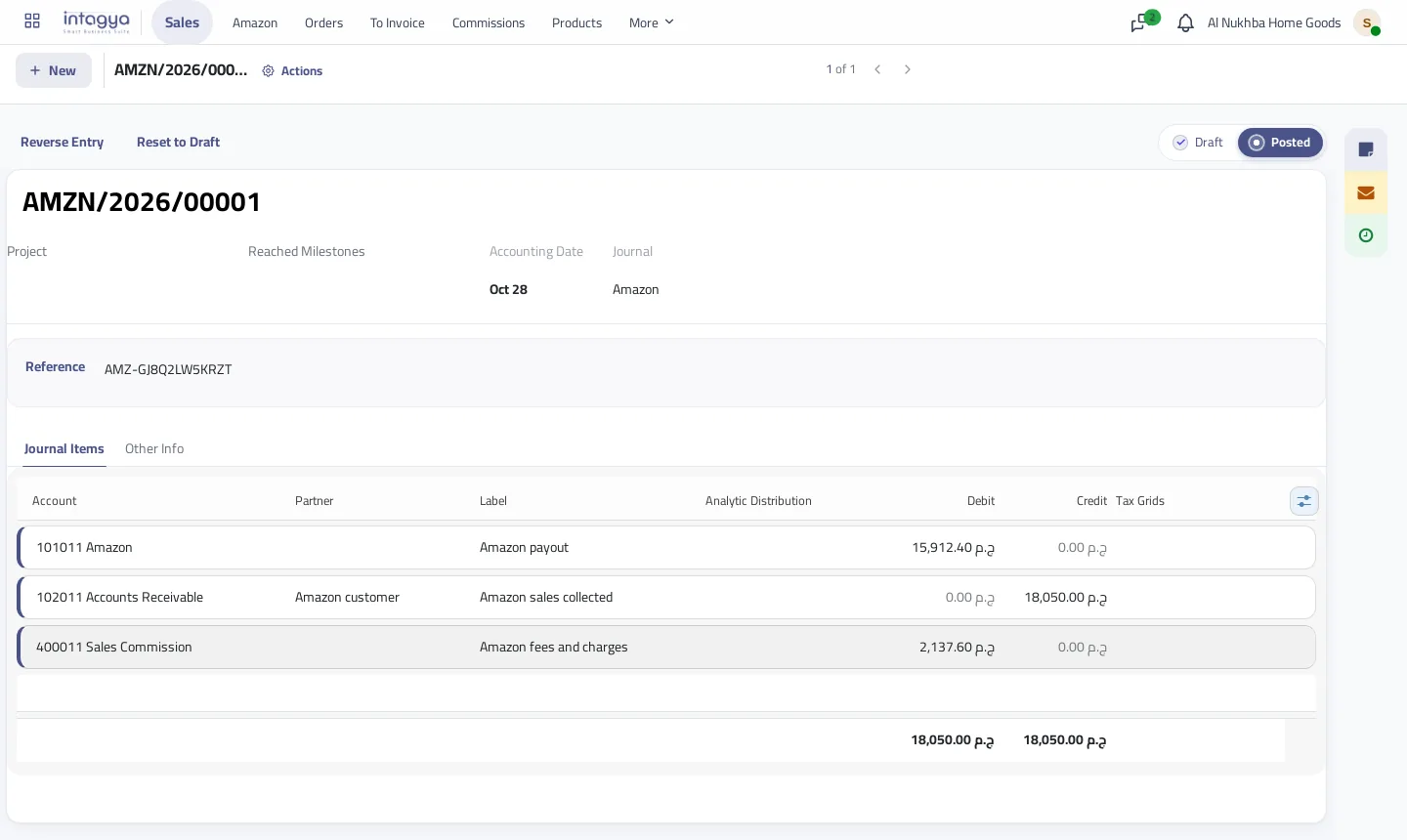
A made-up example: sales of 18,640 pounds, refunds of 590 and a payout of 15,912.40. The 2,137.60 difference goes to fees, so you finally see what Amazon really costs you on each payout.
Who can see my buyers' details?
Orders come in under Amazon customer, buyer data stays in your own company database, and we never share it with anyone. A sales manager runs the link and product matching, while the sales team sees Amazon orders.
Before you press Link, make each product's internal reference match its Amazon SKU. One hour here saves you reviewing dozens of products after the link.
Start tomorrow with one marketplace, the one where you sell most. Link it, finish product matching, then watch Waiting to ship for a week. You will soon know how many hours the copying used to take.
Read the Amazon store link guide step by step
FAQ
Do I have to give my Amazon password?
No. You approve the link on Seller Central and can cancel it at any time.
Which marketplaces can I link?
Amazon Egypt, Saudi Arabia and the UAE, and you pick the ones you sell on.
What about stock Amazon ships from its own warehouses?
We read the FBA quantity from Amazon into the Amazon warehouse in the system, and send no quantity for those products.
Is the Amazon store link paid?
No, it is free. Add it from Add apps and it shows inside Sales.
Is this your business?
Want to see IntagyaERP on your own workflow?
Book a demo, tell us how your business runs, and watch the system handle a real scenario from your company.
Book a demo